

Find and download new extensions on Narrator startup is a focused Windows 11 accessibility preference under Settings > Accessibility > Narrator > Extensions. It controls whether Narrator can look for and download new extensions when Narrator starts. The reproduced PC began at On, moved temporarily to Off, and returned to On.
This guide uses the supported Settings interface, exact UI read-back, and a fresh rollback frame. No administrator approval, Registry edit, sign-out, package installation, personal document, or unrelated Windows change was needed. Narrator itself remained Off throughout the reproduction. That prevented unexpected speech, extension activity, startup behavior, or submission of visible content while the preference was being compared.
What does Find and download new extensions on Narrator startup change?
Controls whether narrator can look for and download new extensions when narrator starts. This startup network preference does not enable extensions by itself. Microsoft states that Enable Narrator extensions must also be on for startup downloading to work as documented.
Leave it on when you want supported extensions to stay discoverable automatically. Turn it off when you prefer to avoid the startup download check or are diagnosing unexpected extension changes.
Microsoft Support documents the current Narrator choices and their Windows Settings location. The official scope matches the labels reproduced on this Windows 11 25H2 PC, so there is no reason to substitute an old Control Panel label, a third-party accessibility utility, or an unsupported Registry value.
Table of contents
What should you record before changing it?
Open the target page and write down every value you intend to touch. The baseline in this session was On. Windows applies these accessibility preferences directly, so that note is the rollback reference; there is no separate Apply button to preserve an uncommitted state.
Read the entire label before selecting the switch, checkbox, menu, or slider. The page contains closely related startup, voice, Home, extension, keyboard, and data-service controls. Changing a sibling at the same time would make the result ambiguous and could create behavior that this guide never tested.
Close email, passwords, customer material, notifications, and personal documents. A screen reader or magnifier can make content more noticeable to people nearby, and connected Narrator services can have a data boundary. A privacy-safe Settings page is sufficient for the evidence below.
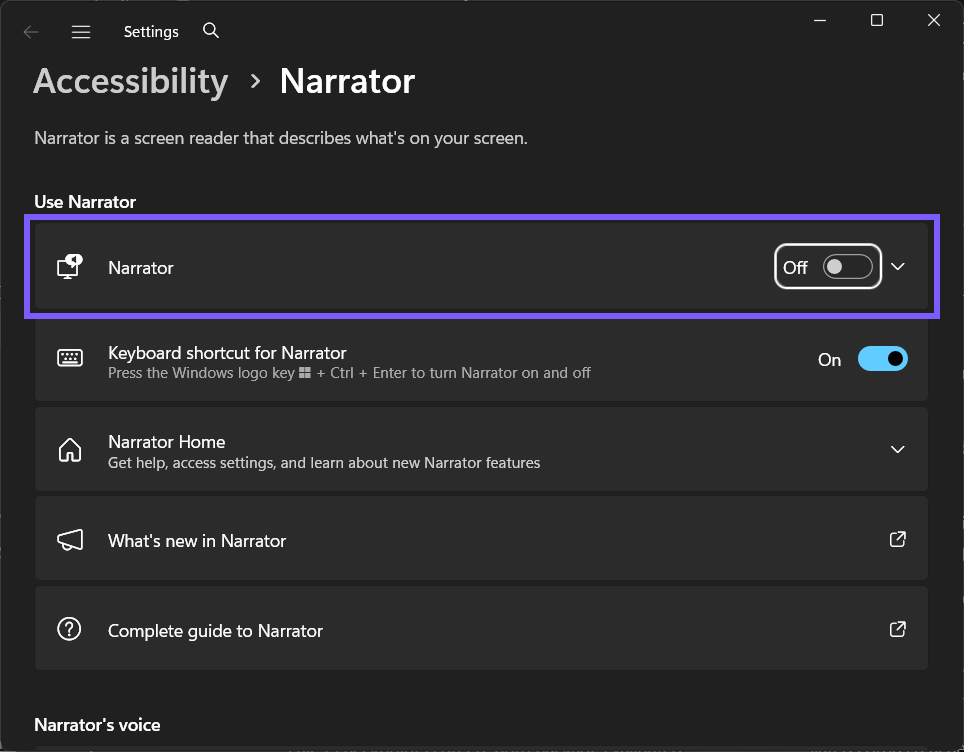
How do you change Find and download new extensions on Narrator startup?
Press Windows logo key + I to open Settings.
Select Accessibility, then select Narrator.
Follow Settings > Accessibility > Narrator > Extensions. Expand Show more settings or the named group when the control is not visible immediately.
Locate Find and download new extensions on Narrator startup and confirm the recorded starting value. On the reproduced PC, it was On.
For the controlled comparison, clear Find and download new extensions on Narrator startup. On your own PC, choose only the value that matches the behavior you want.
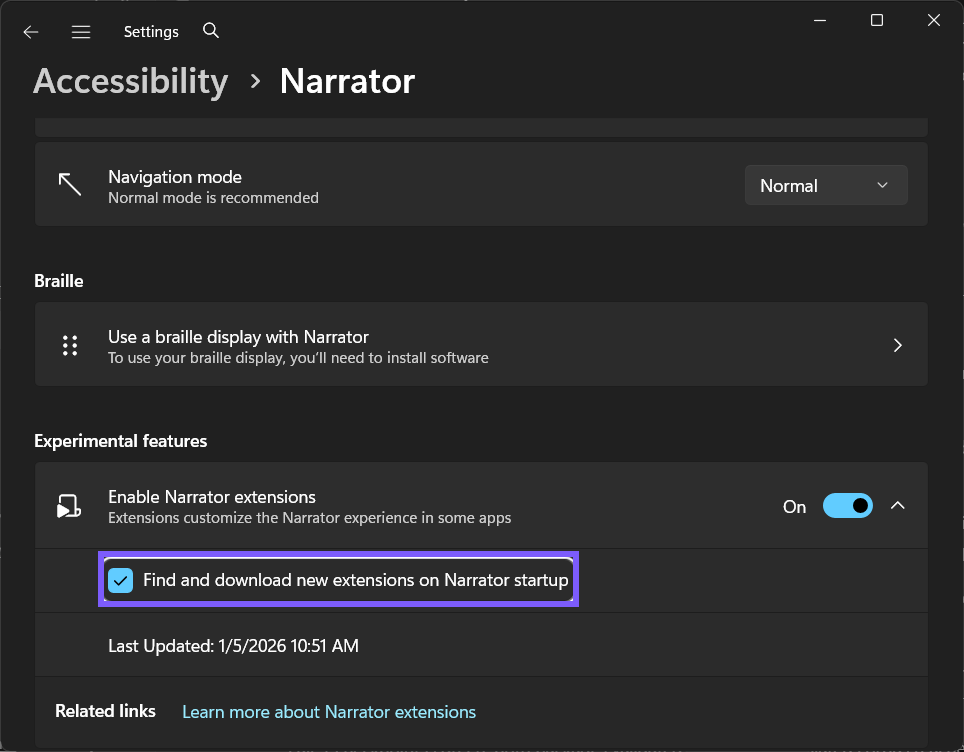
Microsoft Support provides the broader Narrator guide or behavior boundary. Use the supported Settings route and documented commands instead of downloading an unrelated tool or changing several accessibility defaults together.
How can you verify the preference safely?
The reproduced PC kept Narrator Off and changed only the checkbox. No startup occurred, no Microsoft Store request was invoked, and no extension package was downloaded or removed.
First, read the exact control again and confirm Off. That read-back proves that the preference was stored. It is more precise than guessing from a sound, window, network request, or sign-in behavior that can have several causes.
Do not broaden the test merely to make it dramatic. A later-session startup choice can be validated as a checkbox without ending the current session; a connected service can be validated as a switch without submitting an image; and a Narrator preference can be validated without speaking private text.
The option affects a later Narrator startup and requires connectivity and extension support. Its Last Updated status describes prior successful checking; it is not proof of a download during this guide.
What did the reproduced comparison show?
The startup-download checkbox changed from On to Off and back to On without starting Narrator or performing a download.
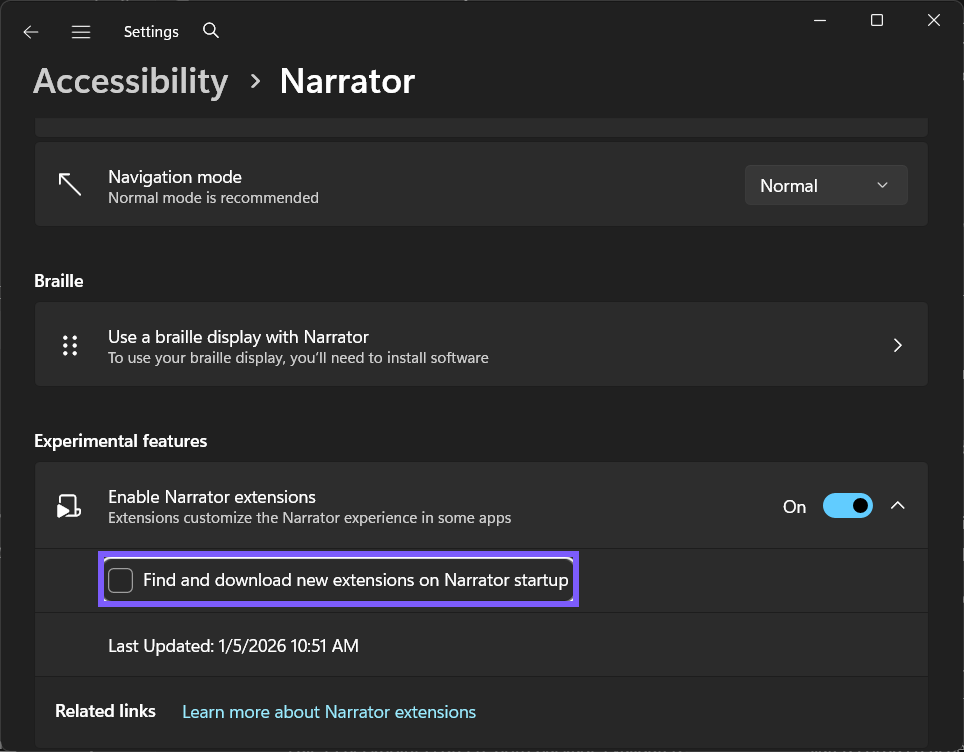
The evidence is intentionally narrow. It proves the exact Windows Settings transition on the tested PC and the absence of a prompt or forced restart. It does not claim that every language, keyboard, voice package, managed device, remote session, Store state, or protected screen presents identical surrounding behavior.
How do you restore the original value?
Return to Settings > Accessibility > Narrator > Extensions, locate Find and download new extensions on Narrator startup, and select Find and download new extensions on Narrator startup again. Re-read the control and confirm On before closing Settings.
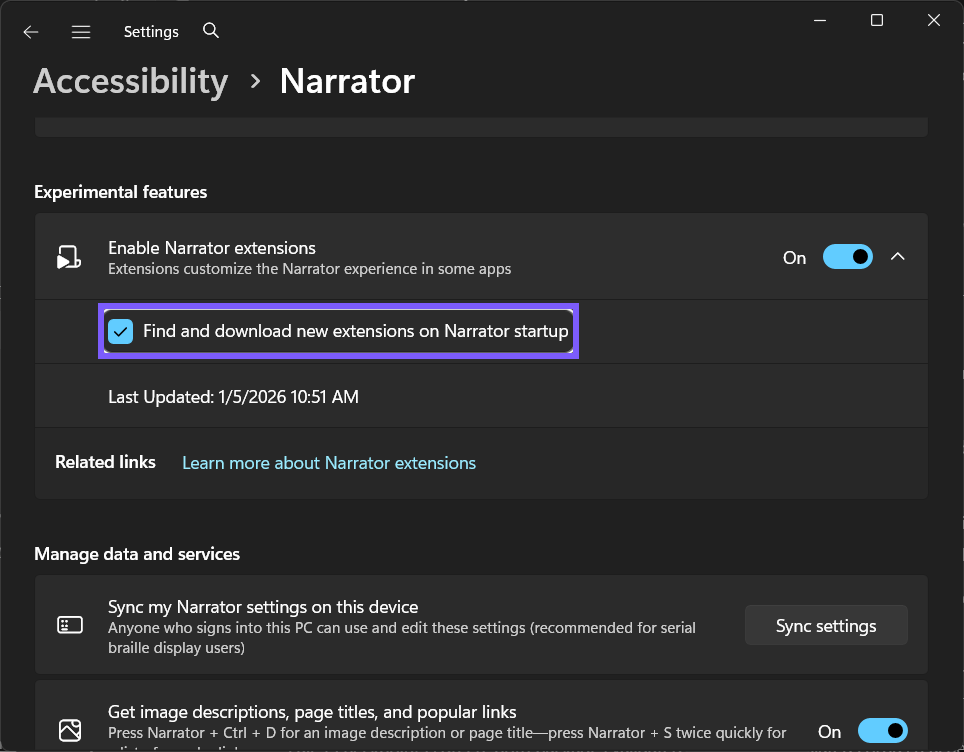
The final image is a fresh post-rollback frame rather than a copy of the baseline. It shows the restored value in a slightly different page position. Settings, Narrator, ShareX, and all preview tools were closed after the read-back.
How is this different from nearby Narrator controls?
This startup network preference does not enable extensions by itself. Microsoft states that Enable Narrator extensions must also be on for startup downloading to work as documented.
Treat the label as a scope boundary. A startup checkbox is not the master On/Off switch; an extension-download choice is not an extension-uninstall command; a Home-window option is not speech; and a voice characteristic is not the Windows system volume. Return to the parent page when the symptom belongs to a different owner.
When troubleshooting, change one preference, observe one result, and restore it before moving on. That sequence makes a comparison repeatable and avoids accidentally leaving a second accessibility behavior enabled.
What are the privacy and safety boundaries?
Narrator itself remained Off throughout the reproduction. That prevented unexpected speech, extension activity, startup behavior, or submission of visible content while the preference was being compared.
No retained frame contains an account identifier, notification, credential, device name, or personal file. The only temporary mutation was the named standard-user preference. The test did not install or remove a voice or extension, open Outlook or Excel, request an online description, lock the PC, or sign out.
If you intentionally test spoken or connected behavior later, use a disposable local sentence or nonprivate image and stop speech with Ctrl when necessary. Review the Microsoft privacy information before sending content through a connected service.
Common problems and careful checks
Why are no extensions downloaded when this is On?
Enable Narrator extensions must also be On, Narrator must start, and a supported extension must be available from the Microsoft Store.
Does changing the checkbox immediately contact the Store?
The documented trigger is Narrator startup. The controlled Settings-only test did not start Narrator or claim a network request.
What does Last Updated mean?
It reports the last successful extension-store check described by Microsoft; it is not the current checkbox value.
Does Off delete an installed extension?
No deletion was performed or observed. This guide changes only the future startup-download preference.
Does this require administrator rights or a restart?
No administrator rights, sign-out, or restart were required for the reproduced Settings transition. A future-session startup behavior naturally waits for that later session, but the checkbox itself changed and rolled back immediately.
A managed work or school PC can lock an accessibility preference. When the control is unavailable or reverts because of policy, ask the administrator rather than attempting to bypass management with a script, policy edit, or Registry change.
Related Narrator and accessibility choices
If you are building a broader accessibility workflow, you can set up a braille display for Narrator. For a different but related need, see how to increase the Windows text size. Both are already-live WinSides guides; this article does not link to any future rotation sibling.
Frequently Asked Questions
Where is Find and download new extensions on Narrator startup in Windows 11?
Open Settings > Accessibility > Narrator > Extensions, expand the relevant group, and use the exact control shown in the screenshots.
Can you verify this preference without exposing private content?
Yes. Read the exact Settings value. The reproduced session kept the feature inactive where appropriate and used no personal document, account surface, or connected-content request.
Can you restore the original value after testing?
Yes. Return to the same control, restore On, and read every affected value back. A fresh final frame proves the rollback.
Do you need a Registry edit or restart for this setting?
No. The supported per-user Settings control changed and rolled back without Registry Editor, elevation, or a restart on the reproduced Windows 11 PC.
Conclusion
Open Settings > Accessibility > Narrator > Extensions, record the starting value, and change only Find and download new extensions on Narrator startup. Verify the exact read-back with privacy-safe content, respect the setting's scope, and restore On whenever the change was only a test.
For more interesting articles, stay tuned to WinSides.com!

Community
Comments (0)