Skip to content
Winsides.com

Windows Insides

Winsides.com

Windows Insides

  • Windows 11
  • Windows Features
  • Windows Security
  • Microsoft
    • Microsoft Copilot
    • Microsoft Powertoys
  • Shortcuts
    • Windows Shortcuts
    • Desktop Shortcuts
  • Video Tutorials
  • About
    • What’s New?!
    • About us
    • Contact us
    • Privacy Policy
    • Terms of Use
  • Follow us
    • Reddit
    • Dev.to
    • YouTube
    • Linked In
    • X
    • Tumblr
    • Facebook
    • Instagram
    • Buy Me A Coffee
  • Windows 11
  • Windows Features
  • Windows Security
  • Microsoft
    • Microsoft Copilot
    • Microsoft Powertoys
  • Shortcuts
    • Windows Shortcuts
    • Desktop Shortcuts
  • Video Tutorials
  • About
    • What’s New?!
    • About us
    • Contact us
    • Privacy Policy
    • Terms of Use
  • Follow us
    • Reddit
    • Dev.to
    • YouTube
    • Linked In
    • X
    • Tumblr
    • Facebook
    • Instagram
    • Buy Me A Coffee
Close

Search

Winsides.com

Windows Insides

Winsides.com

Windows Insides

  • Windows 11
  • Windows Features
  • Windows Security
  • Microsoft
    • Microsoft Copilot
    • Microsoft Powertoys
  • Shortcuts
    • Windows Shortcuts
    • Desktop Shortcuts
  • Video Tutorials
  • About
    • What’s New?!
    • About us
    • Contact us
    • Privacy Policy
    • Terms of Use
  • Follow us
    • Reddit
    • Dev.to
    • YouTube
    • Linked In
    • X
    • Tumblr
    • Facebook
    • Instagram
    • Buy Me A Coffee
  • Windows 11
  • Windows Features
  • Windows Security
  • Microsoft
    • Microsoft Copilot
    • Microsoft Powertoys
  • Shortcuts
    • Windows Shortcuts
    • Desktop Shortcuts
  • Video Tutorials
  • About
    • What’s New?!
    • About us
    • Contact us
    • Privacy Policy
    • Terms of Use
  • Follow us
    • Reddit
    • Dev.to
    • YouTube
    • Linked In
    • X
    • Tumblr
    • Facebook
    • Instagram
    • Buy Me A Coffee
Close

Search

Home/News/Windows 10 officially ends on October 14, 2025

Windows 10 officially ends on October 14, 2025

Vigneshwaran Vijayakumar
By Vigneshwaran Vijayakumar
April 5, 2026 4 Min Read
0

Windows 10 End of Support: On April 27, 2023, Microsoft publicly confirmed that Windows 10 version 22H2 would be its last Windows 10 feature update, and that support for Windows 10 (Home, Pro, Enterprise, Education, etc.) will end on October 14, 2025. Windows 10 marked a major turning point in Microsoft’s OS History by unifying the Windows Experience across various devices under a single platform.
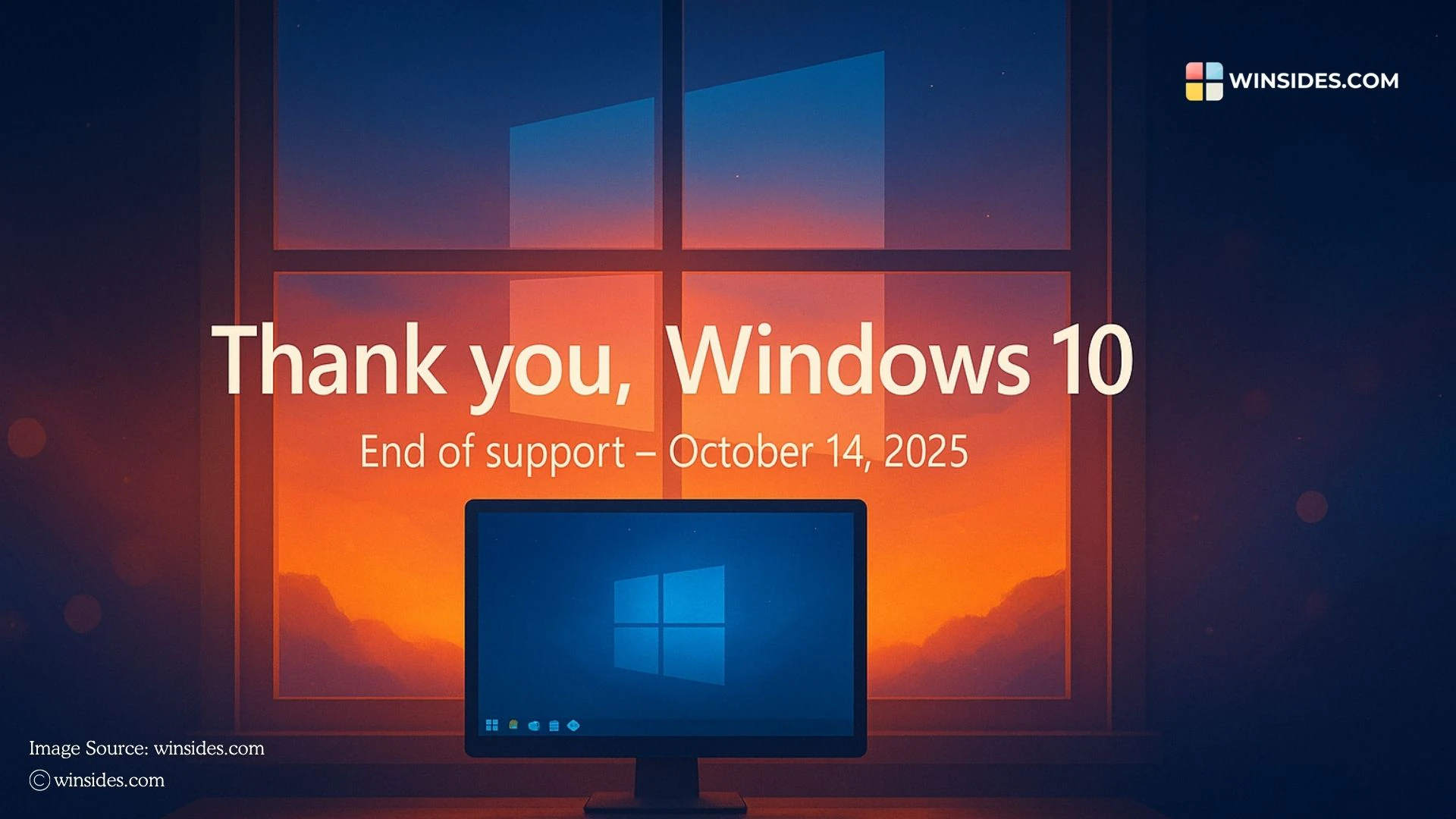
Thank you Windows 10
Thank you, Windows 10

Its stability, broad compatibility, and adaptability made it one of the most widely used operating systems in the world, powering over a billion devices at its peak. As the proverb says, “Every good thing comes to an end,” and the same holds for Windows 10, one of Microsoft’s most successful operating systems.

Table of Contents

  • Windows 10 Timeline
  • What happens to Windows 10 after October 14, 2025?
  • Upgrade your Windows 10 to Windows 11:
  • Take Away
  • Frequently Asked Questions
    • What actually happens to the internal code of Windows 10 after support ends?
    • As a developer, will my current software stop working on Windows 10?
    • What is the real risk of connecting an unsupported Windows 10 machine to the internet?
    • Reference Articles:

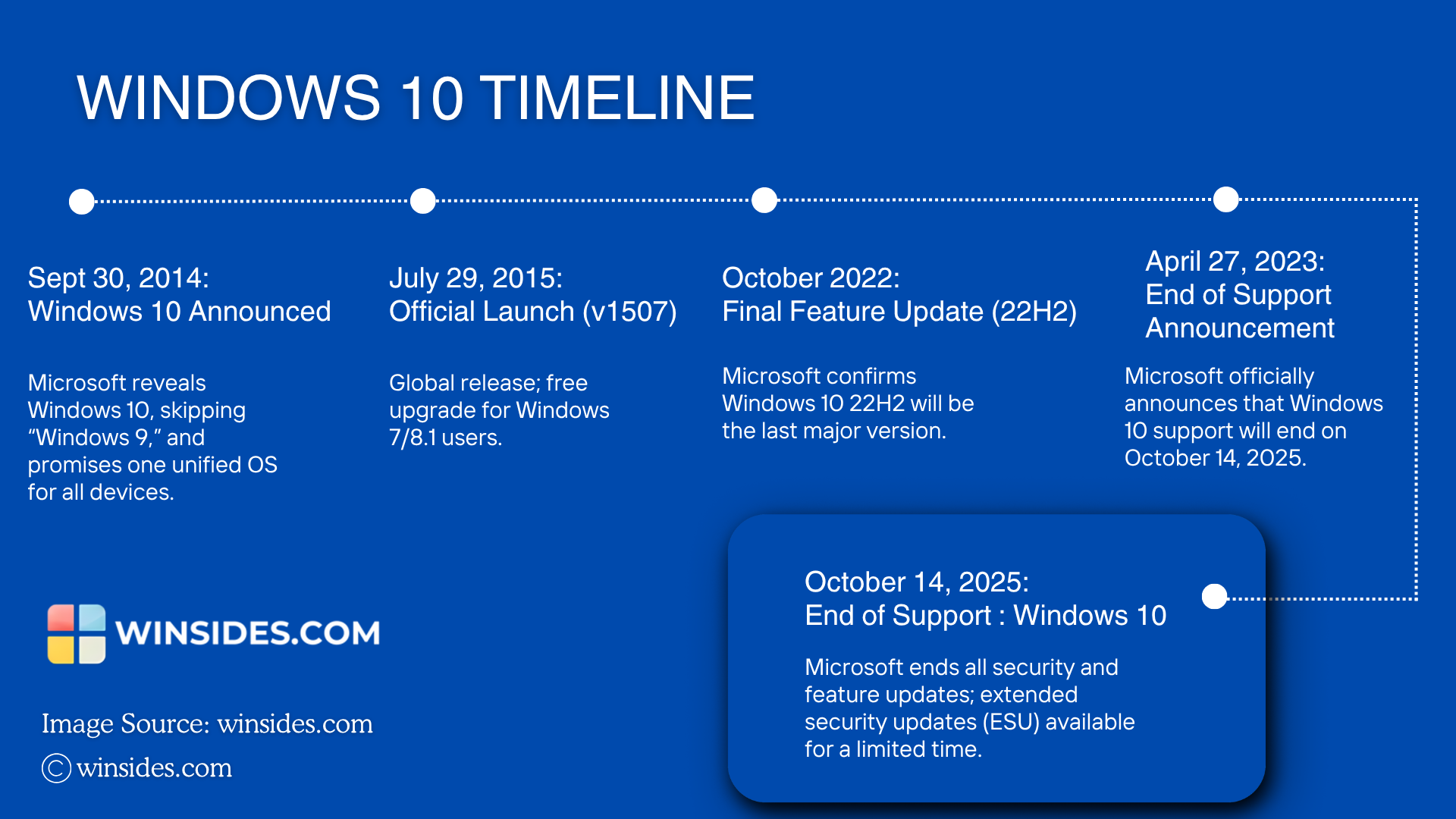
Windows 10 Timeline

Windows 10 Important Dates
DateEvent
September 30, 2014Windows 10 Announced
July 29, 2015Official Launch (Version 1507)
October, 2022Final Feature Update (22H2)
April 27, 2023End of Support Announcement
October 14, 2025End of Support (EoS)
Windows 10 Timeline

What happens to Windows 10 after October 14, 2025?

Microsoft will officially end support for Windows 10, and it will no longer receive security updates, bug fixes, or new features. While computers running Windows 10 will continue to function, they will gradually become more vulnerable to security threats and less compatible with newer software, hardware, and online services. Users who remain on Windows 10 after this date may face increasing risks and limited support from other developers, as most companies will shift their focus to Windows 11 and newer systems. Essentially, Windows 10 will still work, but it will no longer be safe or reliable for long-term use.

IMPORTANT: Winsides.com strongly advises all users to upgrade to a supported operating system, such as Windows 11, well before the end-of-support date on October 14, 2025, to maintain full security, stability, and access to the latest features. Continuing to use Windows 10 after this date will leave your system exposed to security threats and vulnerabilities, and you do so entirely at your own risk.

Upgrade your Windows 10 to Windows 11:
Upgrade to Windows 11

Upgrading to Windows 11 provides users with enhanced security, a modern design, and improved productivity features that Windows 10 cannot fully offer. With hardware-level protections like TPM 2.0, Secure Boot, and advanced ransomware safeguards, Windows 11 keeps your system and data more secure.

Take Away

As we approach the end of support for Windows 10 on October 14, 2025, it’s the perfect moment to reflect on the incredible journey this operating system has given us. Windows 10 transformed the way we work, play, and connect, offering stability, innovation, and a bridge between legacy systems and modern computing. While it will soon retire, its legacy will continue to influence how we interact with technology.

Thank you, Windows 10! Thank you, Microsoft! With a heavy heart, goodbye Windows 10.

For more interesting information, stay tuned to Winsides.com. Happy Computing! Peace Out!

Frequently Asked Questions

What actually happens to the internal code of Windows 10 after support ends?

Think of the operating system’s codebase as a frozen snapshot. On the day support ends, the code is locked. If security researchers discover a brand-new vulnerability in how Windows 10 handles memory or network traffic, Microsoft will not write new code to patch that hole for standard users. Over time, as more of these unpatched vulnerabilities are discovered, the OS becomes an increasingly easy target for attackers because the defensive walls are no longer being maintained.

As a developer, will my current software stop working on Windows 10?

Not immediately, but you will hit a wall regarding development dependencies. As creators of compilers, frameworks (like .NET or Node.js), and game engines update their tools to leverage the hardware scheduling and security of Windows 11, they will eventually drop support for compiling or running on Windows 10. You may find yourself stuck using older versions of your favorite developer tools just to remain compatible with your own OS.

What is the real risk of connecting an unsupported Windows 10 machine to the internet?

The risk isn’t that a hacker will instantly target you the second you go online. The real danger is wormable exploits and automated botnets. If a vulnerability is found in a core network protocol (like SMB or the Windows TCP/IP stack) that allows for remote code execution without user interaction, a single infected machine on your local network could scan for and automatically infect your unpatched Windows 10 machine without you ever clicking a malicious link.

Reference Articles:

  • Windows Release Health Status
  • Windows 10 2022 Update | Version 22H2
  • How to prepare for Windows 10 end of support by moving to Windows 11 today?
  • How to get the Windows 11 2025 Update?
  • Windows 10 is available in 190 countries as a free upgrade
  • End of support for Windows 10, Windows 8.1, and Windows 7

Tags:

Windows 10
Vigneshwaran Vijayakumar
Author

Vigneshwaran Vijayakumar

Hello, I'm Vigneshwaran, the founder, owner, and author of WinSides.Com. With nearly a decade of experience in blogging across various domains and specializing in Windows-related tutorials for over five years, I bring a wealth of knowledge and expertise to WinSides.Com

Follow Me
Other Articles
ENABLE MICROSOFT XPS DOCUMENT WRITER ON WINDOWS 11
Previous

Enable Microsoft XPS Document Writer in Windows 11

ENABLE TFTP CLIENT ON WINDOWS 11
Next

How to Enable TFTP Client in Windows 11?

No Comment! Be the first one.

Leave a Reply Cancel reply

Your email address will not be published. Required fields are marked *

  • Enable Windows Subsystem for Linux (WSL 2) using Command Prompt & PowerShell
  • How to check System Information in Windows 11?
  • How to Install and Run X Server in Windows 11?
  • How to Enable Client for NFS in Windows 11?
  • 5+ Easy Methods to Find/Search Video Files Only in Windows 11!
  1. Vigneshwaran Vijayakumar
    Vigneshwaran Vijayakumar on How to Enable Windows PowerShell 2.0 in Windows 11?October 5, 2025

    Hello Mr. Mohamad El-Kheir, Thank you for contacting us. Microsoft has removed PowerShell version 2.0 completely from Windows 11 24H2…

  2. Avatar of Mohamad El-Kheir
    Mohamad El-Kheir on How to Enable Windows PowerShell 2.0 in Windows 11?October 5, 2025

    i have a MSI laptop with windows 11 Home Installed on it. how to install powershell v2.0 on it

  3. Vigneshwaran Vijayakumar
    Vigneshwaran Vijayakumar on DxDiag Windows 11 – What is it & How to use it for Troubleshooting?August 14, 2025

    Hey Myla Shannon Thank you for your valuable feedback. We are delighted to hear your compliment and excited to know…

  4. Avatar of Myla Shannon
    Myla Shannon on DxDiag Windows 11 – What is it & How to use it for Troubleshooting?August 14, 2025

    This content is incredibly informative.

  5. Avatar of seven
    seven on How to Enable IIS [Internet Information Services] in Windows 11?July 29, 2025

    I found this post very helpful.

  • About us
  • What’s New?!
  • Guest Posts on Winsides.com – Terms and Conditions
  • Publication Sitemap
  • Careers
  • Authors
  • Why Trust Winsides.com?
  • Content Removal Request
  • Terms of Use
  • Disclaimer
  • Contact us
Copyright 2024-2026 - Winsides.com. All rights reserved.