

Introduction to Clocktools.app
In our increasingly interconnected and fast-paced world, managing time effectively has become more crucial than ever. Whether you’re coordinating with international teams, tracking personal productivity, or simply trying to keep up with various appointments, a reliable time management tool is indispensable. This is where Clocktools.app steps in, offering a comprehensive suite of online utilities designed to simplify virtually every aspect of time-related tasks. Learn more at Coordinated Universal Time (UTC). Learn more at Time Zones Explained. Learn more at Daylight Saving Time. Learn more at Windows Time Service.
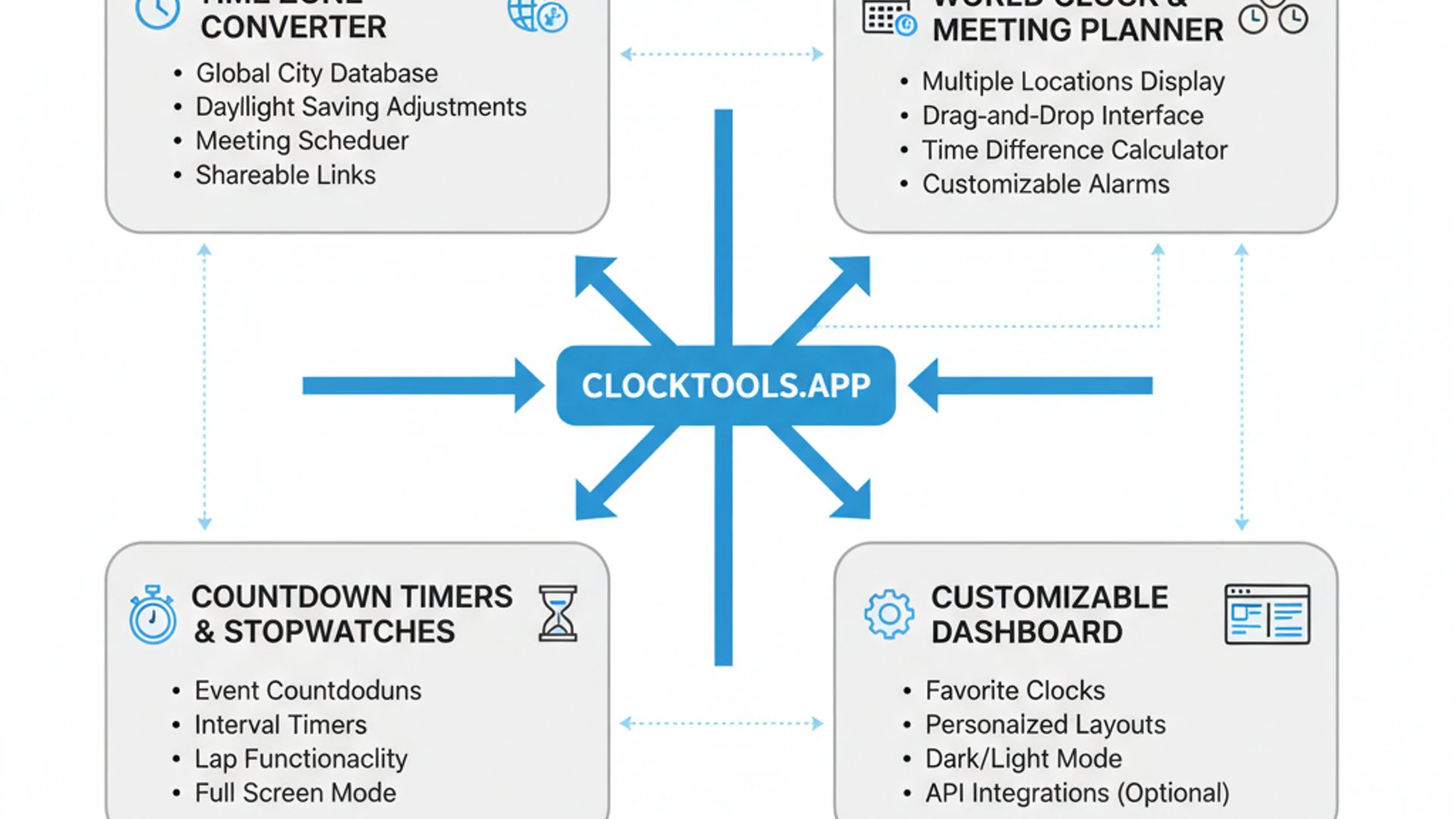
From understanding complex global time differences to setting precise timers for focused work, Clocktools.app features a robust collection of tools tailored for both personal and professional use. It eliminates the need for multiple single-purpose applications by consolidating essential functionalities into a single accessible platform. This article will embark on a detailed exploration of the myriad features Clocktools.app provides, highlighting how it can become an invaluable asset in your daily digital toolkit.
We will delve into its core functionalities, such as world clocks and time zone converters, and then move on to practical productivity aids, such as timers and stopwatches. Furthermore, we’ll examine its advanced capabilities, including date calculators and reminder systems, all while emphasizing the user-centric design that makes the platform a joy to use. Prepare to discover how this versatile online resource can significantly enhance your efficiency and organization.
Table of contents
Key Takeaways: What Clocktools.app Offers
Before we dive deep into the specific functionalities, here’s a quick overview of the most important aspects and benefits you can expect from using Clocktools.app:
- Comprehensive Time Management: Clocktools.app provides a wide array of tools, from world clocks to advanced calculators, all in one place.
- Global Time Zone Mastery: Easily manage and convert time across different zones, crucial for international communication and planning.
- Enhanced Productivity: Utilize precise timers and stopwatches to boost focus, manage tasks, and optimize work or study sessions.
- Simplified Date & Time Calculations: Effortlessly compute date differences, add or subtract time units, and plan events with accuracy.
- Reliable Reminders & Alarms: Set personalized alarms and recurring reminders to stay on schedule and never miss an important event.
- User-Friendly Design: Enjoy an intuitive interface and seamless navigation, making complex tasks simple and accessible on any device.
- Versatile Applications: Applicable across various scenarios, from professional project management to personal daily organization and academic planning.
The Core Functionality: Time Zones and World Clocks
One of the most fundamental and frequently utilized aspects of Clocktools.app features is its robust handling of time zones and world clocks. In today’s globalized environment, accurately understanding and managing time across different geographical locations is not just a convenience; it’s a necessity. This section will explore how the platform excels in this critical area, providing users with real-time accuracy and extensive customization options.
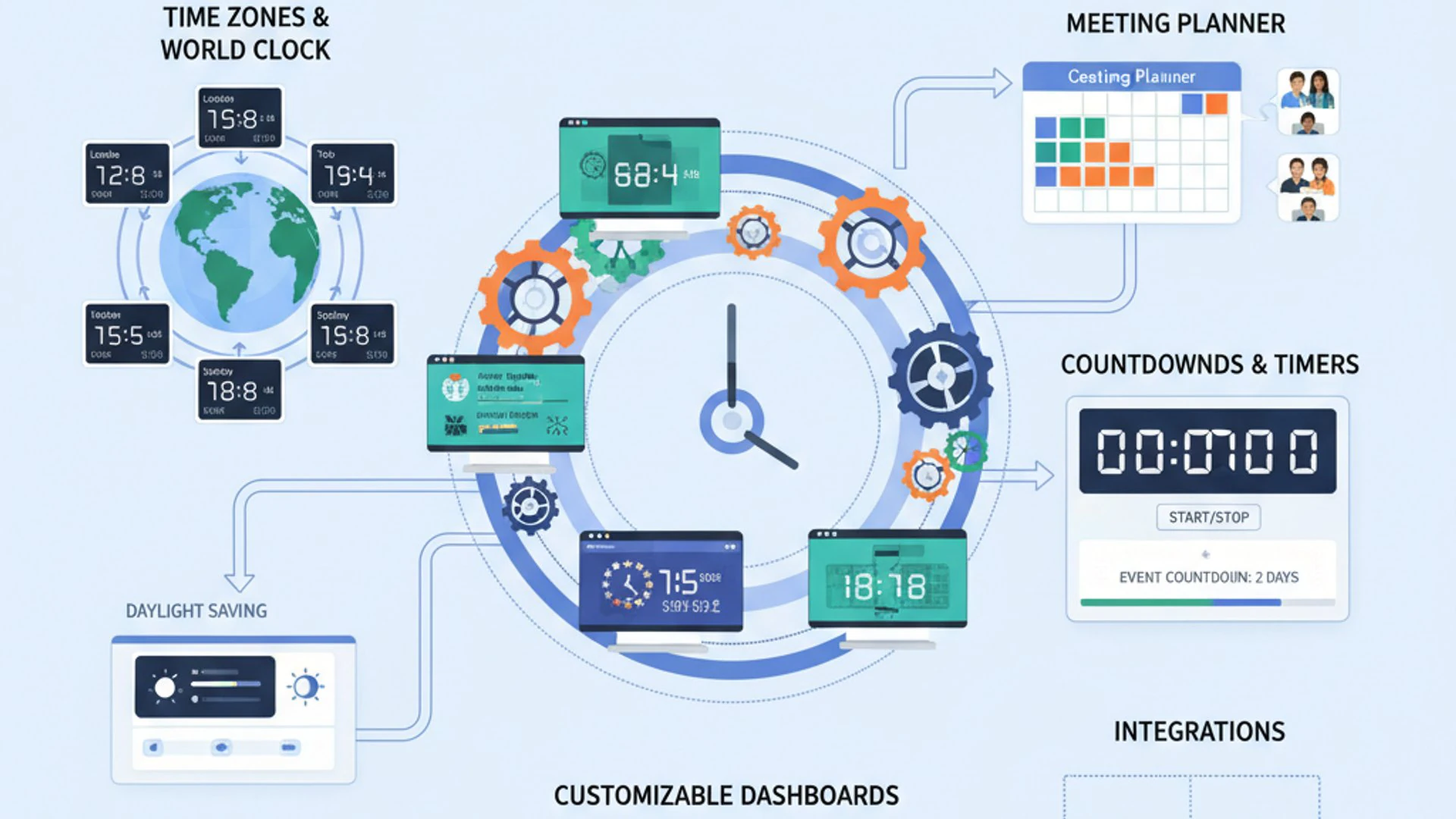
Whether you’re a remote worker collaborating with international colleagues, a traveler planning an itinerary, or simply someone with friends and family scattered across the globe, the ability to instantly know the time in various cities is invaluable. Clocktools.app simplifies this complexity, transforming what could be a source of confusion into a straightforward, manageable task.
The platform’s world clock functionality is designed to be both powerful and incredibly easy to use. It offers a clear, at-a-glance view of multiple time zones, allowing you to quickly compare times and plan your interactions without second-guessing. This core feature truly underpins the utility of the entire suite.
Understanding Global Time Differences
Navigating the intricate web of global time differences can often feel like solving a complex puzzle. Daylight Saving Time (DST) changes, varying offsets from Coordinated Universal Time (UTC), and the sheer number of time zones worldwide can make scheduling a nightmare. Clocktools.app provides an elegant solution to this common challenge.
The platform allows users to effortlessly add multiple cities or time zones to their personalized world clock display. With a few clicks, you can see the current time in New York, London, Tokyo, and Sydney all on one screen. This visual representation is incredibly helpful for quickly grasping the time relationships between different locations.
Beyond just displaying current times, the tool often includes features that indicate whether a location is currently observing DST, providing a more accurate picture. This attention to detail ensures that you are always working with the most up-to-date and correct time information, preventing miscommunications and missed appointments.
Imagine you need to schedule a meeting between team members in Berlin, São Paulo, and Singapore. Manually calculating the best time can be prone to error. Clocktools.app allows you to input these locations and instantly see overlapping working hours, making coordination significantly smoother. This precision is a hallmark of the Clocktools.app features.
Real-time Synchronization and Accuracy
The reliability of any time-related tool hinges on its accuracy. Clocktools.app prides itself on providing real-time synchronization, ensuring that the times displayed are always current and precise. This is achieved through robust backend systems that continuously update time data, factoring in all necessary adjustments.
The platform typically sources its time information from highly accurate atomic clocks and official timekeeping services. This commitment to precision means you can trust the information presented, whether you’re making critical business decisions or simply planning a personal call. The accuracy is paramount for maintaining efficiency.
Furthermore, the real-time nature means that as soon as a time zone shifts due to DST or any other change, Clocktools.app reflects that update almost instantaneously. You don’t have to worry about outdated information leading to scheduling errors. This seamless, automatic adjustment is a significant advantage.
This constant synchronization is particularly beneficial for professionals who operate across multiple time zones daily. It removes the burden of manual checks and calculations, allowing them to focus on their core tasks. The precision offered by Clocktools.app makes it a truly dependable resource.
Customizing Your World Clock Display
While accuracy is crucial, a tool’s usability is greatly enhanced by its customization options. Clocktools.app understands that different users have different needs, and thus offers various ways to personalize your world clock display to suit your preferences and workflow.
Users can typically add or remove cities with ease, arranging them in an order that makes the most sense for their specific requirements. For instance, you might prioritize cities where your primary contacts reside, or those relevant to your ongoing projects. This flexibility ensures the display is always relevant to you.
Many users appreciate the ability to label cities with custom names, such as “Team Lead – London” or “Client – Tokyo,” rather than just the generic city name. This small but significant feature adds a layer of personalization and immediate recognition, making the world clock even more intuitive to use.
Some versions or settings within Clocktools.app might also allow for different display formats, such as 12-hour or 24-hour time, or the inclusion of dates alongside times. These options cater to diverse global standards and personal preferences, enhancing the overall user experience.
The ability to save your preferred world clock configurations is another powerful customization. This means you don’t have to set up your chosen cities every time you visit the site. Your personalized time zone dashboard is ready to go whenever you need it, saving valuable time and effort.
Essential Productivity Tools: Timers and Stopwatches
Beyond merely displaying time, Clocktools.App features a suite of essential productivity tools designed to help users manage their time actively and efficiently. Timers and stopwatches are fundamental components for anyone looking to improve focus, track work sessions, or ensure tasks are completed within specific durations. These tools are incredibly versatile, finding application in countless scenarios.
Whether you’re a student employing the Pomodoro Technique, a developer tracking billable hours, an athlete timing laps, or a home cook perfecting a recipe, the precision and ease of use offered by these tools are invaluable. Clocktools.app integrates these functionalities seamlessly, making them readily accessible whenever a need arises.
The beauty of these tools lies in their simplicity combined with their powerful utility. They provide immediate feedback on time elapsed or remaining, helping users stay accountable and focused. This section will explore the various ways these timers and stopwatches can be leveraged to boost personal and professional productivity.
Versatile Countdown Timers for Various Needs
Countdown timers are perhaps one of the most widely applicable productivity tools, and Clocktools.app offers a highly versatile implementation. These timers are perfect for setting specific durations for tasks, breaks, presentations, or even cooking. The ability to customize these timers makes them adaptable to almost any situation.
Users can typically set a countdown for any duration, from a few seconds to several hours, or even days. Once started, the timer visually displays the remaining time, often with an audible alert when the time expires. This clear indication helps maintain focus and ensures deadlines are met.
Consider a student studying for an exam. They might set a 25-minute timer for a study block, followed by a 5-minute break timer. This structured approach, often associated with techniques like the Pomodoro, is easily facilitated by Clocktools.app. It helps prevent burnout and maintains concentration.
For professionals, countdown timers are excellent for managing meeting durations, ensuring presentations stay on schedule, or allocating specific time slots for different project components. The visual cue of a shrinking timer can be a powerful motivator to stay on track and avoid distractions.
Furthermore, some advanced implementations might allow for multiple timers running simultaneously or the ability to save frequently used timer presets. This means you can quickly launch a “Daily Standup” timer or a “Coffee Break” timer without having to reconfigure it every time, further enhancing efficiency.
Precision Stopwatches for Task Management
While countdown timers focus on time remaining, stopwatches are all about measuring elapsed time with precision. Clocktools.app provides a robust stopwatch feature that is ideal for tracking the exact duration of tasks, activities, or events. This is particularly useful for analysis, billing, or performance monitoring.
The stopwatch typically includes standard functionalities like start, stop, and reset buttons. Crucially, it also often incorporates a lap or split-time feature, allowing users to record intermediate times without stopping the main timer. This is invaluable for activities with distinct stages or intervals.
For instance, a content creator might use the stopwatch to track how long it takes to research an article, write a draft, and then edit it. By using the lap feature, they can get individual timings for each stage, providing valuable data for optimizing their workflow and estimating future projects more accurately.
Athletes can use the stopwatch to time their runs, swims, or cycling intervals, recording lap times to monitor progress and identify areas for improvement. The accuracy provided by Clocktools.app ensures that these measurements are reliable for performance tracking.
Even for everyday tasks, a stopwatch can be surprisingly useful. Timing how long it takes to complete household chores, respond to emails, or even read a chapter of a book can provide insights into personal efficiency and help in better time allocation. The simplicity and reliability of this Clocktools.app feature make it a go-to for precise time measurement.
Date and Time Calculators: Simplifying Complex Computations
Beyond mere display and tracking, Clocktools.app features powerful calculators that simplify what can often be complex and tedious date and time computations. Manually figuring out the number of days between two dates or calculating a future date after adding a certain number of weeks can be error-prone and time-consuming. These specialized calculators eliminate that hassle, providing instant and accurate results.
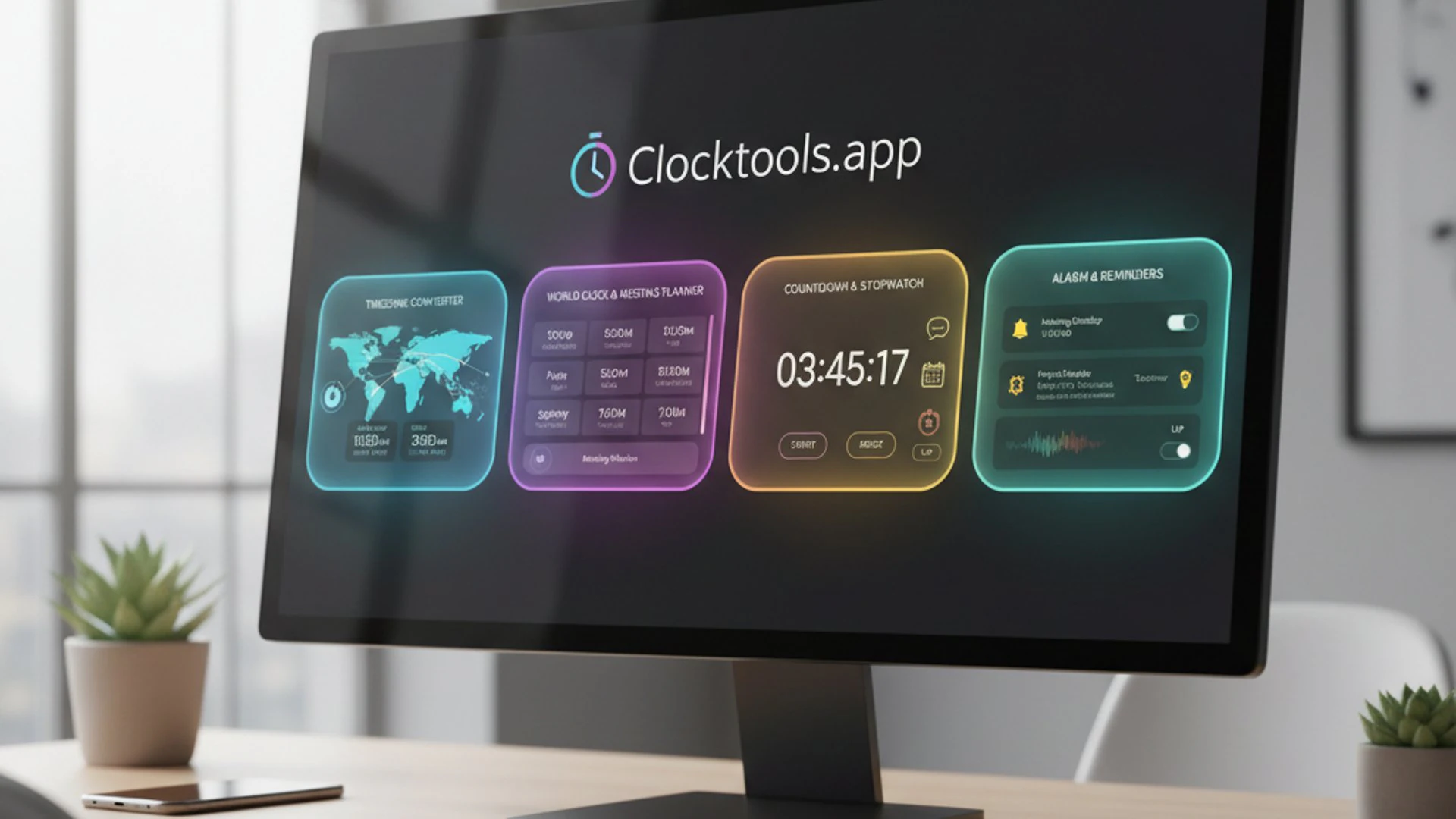
These tools are indispensable for project managers planning timelines, event organizers setting schedules, financial professionals calculating interest periods, or even individuals planning personal milestones like anniversaries or birthdays. They remove the guesswork and provide concrete data for informed decision-making.
The utility of these calculators extends to scenarios where precise temporal measurements are critical, such as legal proceedings, scientific experiments, or academic research. By automating these calculations, Clocktools.app not only saves time but also significantly reduces the potential for human error, ensuring reliability in all computations.
Calculating Date Differences with Ease
One of the most popular and practical date calculation features is the ability to determine the exact difference between two dates. This tool allows users to input a start date and an end date, and Clocktools.app will instantly calculate the duration in various units: years, months, weeks, days, hours, minutes, and even seconds.
Consider a project manager who needs to know the exact number of working days between a project start date and a deadline, excluding weekends or holidays. While Clocktools.app might not inherently exclude holidays, its core date difference calculation provides a solid foundation for further adjustments.
For personal use, you might want to know how many days until a significant event, like a wedding or a vacation. Simply input the current date and the event date, and the calculator provides an immediate countdown. This can be a fun and motivating way to anticipate future plans.
Legal professionals often need to calculate the exact number of days between two dates for statutes of limitations or contract terms. The precision offered by Clocktools.app ensures that these critical calculations are performed accurately, avoiding costly mistakes.
This feature is also invaluable for academic purposes, such as calculating the age of historical documents or determining the duration of scientific experiments. The ability to quickly and accurately get these figures makes research more efficient and reliable.
Adding or Subtracting Time Units
Another incredibly useful set of calculators within Clocktools.App allows users to add or subtract specific time units from a given date or time. This functionality is perfect for forecasting future dates or looking back at past ones based on a certain duration.
For example, if you have a project milestone due in exactly 45 business days, you can input the start date and add 45 days to see the exact completion date. Similarly, if you need to schedule follow-up appointments exactly 3 months after an initial consultation, this tool provides the precise future date.
The flexibility extends to various units: years, months, weeks, days, hours, minutes, and seconds. This means you can calculate a date 2 years and 3 months from now, or a time 7 hours and 15 minutes in the past, with complete accuracy. This granular control is a key aspect of the Clocktools.app features.
This tool is particularly beneficial for planning recurring events or setting up schedules. If a task needs to be performed every 14 days, you can easily calculate the next several due dates. This streamlines scheduling and helps maintain consistency in routines.
“Accurate date and time computations are the bedrock of effective planning. Clocktools.app’s calculators transform complex temporal arithmetic into simple, instant operations, empowering users to plan with confidence and precision.”
Consider a scenario where you need to determine the expiry date of a product with a shelf life of 18 months from its manufacturing date. Simply input the manufacturing date and add 18 months to get the exact expiry. This practical application highlights the everyday utility of these calculators.
Advanced Utilities: Alarms and Reminders
Beyond its core time zone and calculation features, Clocktools.app features a robust set of advanced utilities designed to keep you organized and on schedule: alarms and reminders. These tools are crucial for ensuring that important events, tasks, or appointments are never missed, providing a vital layer of proactive time management.
In our busy lives, it’s easy for deadlines to slip or meetings to be forgotten amidst a flurry of activities. Alarms and reminders act as digital assistants, gently (or firmly, depending on your preference!) nudging you at the right moment. This section will explore how Clocktools.app empowers users to set personalized alarms and manage recurring reminders effectively.
These features move beyond passive time display to active time management, helping users to not only track time but also to respond to it. They are essential for maintaining productivity, meeting commitments, and reducing the mental load of remembering every single detail.
Setting Up Personalized Alarms
The alarm feature in Clocktools.app is designed for simplicity and effectiveness. Users can typically set alarms for a specific time, much like a traditional alarm clock, but with the added flexibility of an online platform. This means you can set alarms from any device with internet access, without needing a dedicated app.
Personalization is key here. You can usually choose from various alarm sounds, ensuring that the alert is noticeable but not overly jarring. Some platforms even allow for custom messages to be displayed with the alarm, reminding you exactly what the alert is for, such as “Call John about Project X” or “Take a 15-minute break.”
This feature is incredibly useful for a multitude of scenarios. Need to start cooking dinner at a specific time? Set an alarm. Have an online webinar starting in an hour? Set an alarm. Want a gentle reminder to stand up and stretch every couple of hours? An alarm is perfect for that.
The reliability of these alarms is paramount. Clocktools.app ensures that once an alarm is set, it will trigger at the designated time, provided your device is online, and the browser tab is active (or if the platform offers background notifications, which some advanced web apps do). This dependability makes it a trustworthy tool for critical reminders.
The ease of setting and managing these alarms contributes significantly to a stress-free daily routine. You can offload the mental burden of remembering specific times to the platform, freeing up cognitive resources for more demanding tasks.
Managing Recurring Reminders
While one-off alarms are great for specific events, many tasks and appointments in life are recurring. This is where the recurring reminders feature of Clocktools.app truly shines. It allows users to set reminders that repeat daily, weekly, monthly, or even annually, ensuring consistency and preventing oversight.
Imagine you have a weekly team meeting every Monday at 10 AM, or a monthly report due on the last Friday of the month. Manually setting an alarm for each instance would be cumbersome. With recurring reminders, you set it once, and Clocktools.app handles the rest.
The customization options for recurring reminders are usually extensive. You can specify the frequency, the day of the week, the day of the month, or even a specific date within a year. This flexibility caters to virtually any recurring schedule you might have.
For personal finance, you could set a monthly reminder to pay bills or review your budget. For health, a daily reminder to take medication or perform a short exercise routine. These small, consistent actions, prompted by reminders, can lead to significant positive impacts over time.
Managing these reminders is typically straightforward, allowing you to easily edit, pause, or delete them as your schedule changes. This adaptability ensures that your reminder system remains relevant and effective, truly embodying the proactive capabilities of Clocktools.app features.
User Experience and Accessibility Considerations
A powerful set of features is only truly effective if the platform delivering them is a pleasure to use. Clocktools.app features a strong emphasis on user experience (UX) and accessibility, ensuring that its rich functionalities are not only available but also intuitive and easy for everyone to leverage. This section will explore the design principles that make Clocktools.app a user-centric platform.
From the visual layout to the responsiveness across different devices, every aspect of the platform is typically crafted with the end-user in mind. A well-designed interface reduces cognitive load, minimizes frustration, and ultimately encourages consistent use, transforming a useful tool into an indispensable one.
Accessibility is equally important, ensuring that individuals with diverse needs can interact with the platform without barriers. This commitment to inclusivity broadens the reach and utility of Clocktools.app, making it a truly universal time management solution.
Intuitive Interface and Navigation
The hallmark of a great online tool is an intuitive interface, and Clocktools.app generally excels in this regard. Upon landing on the website, users are typically greeted with a clean, uncluttered layout that makes it easy to find the desired tool without extensive searching.
Navigation is usually straightforward, with clearly labeled menus or icons leading to different functionalities like “World Clock,” “Timer,” “Calculator,” and “Alarms.” This logical organization means even first-time users can quickly orient themselves and begin using the tools effectively.
The design often employs a minimalist aesthetic, focusing on functionality rather than distracting visual elements. This approach ensures that the primary information—the time, the countdown, the calculation result—is always prominent and easy to read. Readability is often enhanced through clear fonts and appropriate color contrasts.
Interactive elements, such as buttons for starting/stopping timers or input fields for dates, are typically well-placed and responsive. Feedback is usually immediate, confirming user actions and providing a sense of control and reliability. This seamless interaction is crucial for a positive user experience.
Furthermore, the learning curve for Clocktools.app is generally very low. Most users can pick up and utilize its features almost instantly, without needing to consult extensive help documentation. This ease of use is a significant factor in its widespread appeal and adoption.
Cross-Platform Compatibility
In today’s multi-device world, a truly useful online tool must be accessible from anywhere, on any device. Clocktools.app understands this imperative and is typically designed with cross-platform compatibility as a core principle. This means you can access and use its features seamlessly, whether you’re on a desktop computer, a laptop, a tablet, or a smartphone.
The website is usually built using responsive design techniques, which automatically adjust the layout and elements to fit the screen size of the device you are using. This ensures that the interface remains readable and functional, regardless of whether you’re viewing it on a large monitor or a small mobile screen.
This universal accessibility is particularly beneficial for users who transition between different devices throughout their day. You might set an alarm on your desktop at work and then check your world clock on your smartphone while commuting, all without any loss of functionality or user experience.
Operating system independence is another key aspect. Whether you’re running Windows, macOS, Linux, Android, or iOS, as long as you have a modern web browser, you can access Clocktools.app. There’s no need to download specific applications or worry about system requirements, making it incredibly convenient.
The cloud-based nature of Clocktools.app means that your personalized settings, such as saved world clocks or recurring reminders, can often be synchronized across devices if you’re logged into an account. This ensures a consistent and continuous experience, regardless of where or how you access the platform. This adaptability truly enhances the utility of Clocktools.app.
Practical Applications of Clocktools.app in Daily Life
Understanding the individual Clocktools.app features is one thing, but truly appreciating its value comes from seeing how these tools translate into practical, real-world applications. Clocktools.app isn’t just a collection of utilities; it’s a versatile solution that can enhance efficiency and organization across a multitude of personal and professional scenarios. Let’s explore some common ways individuals and teams can leverage this powerful platform.
From coordinating international business endeavors to meticulously planning personal projects, the platform offers tangible benefits. Its adaptability means it can be integrated into almost any routine where time management, scheduling, or precise timing is a factor. This section aims to illustrate the breadth of its utility with concrete examples.
The true strength of Clocktools.app lies in its ability to streamline tasks that would otherwise be cumbersome or prone to error. By providing accurate, accessible, and intuitive tools, it empowers users to manage their time more effectively, leading to greater productivity and reduced stress.
- Coordinating International Meetings and Projects:
For global teams, scheduling meetings across multiple time zones is a constant challenge. Clocktools.app’s world clock and time zone converter are indispensable here. Team leaders can quickly identify optimal meeting times that accommodate participants in different countries, minimizing disruption to their workdays. This prevents the common frustration of missed calls or late arrivals due to time zone confusion. It ensures everyone is on the same page, regardless of their geographical location.
- Enhancing Personal Productivity and Focus:
Individuals looking to boost their personal productivity can heavily rely on the timer and stopwatch features. Implementing techniques like the Pomodoro Technique becomes effortless with a customizable countdown timer for focused work sessions and short breaks. The stopwatch can track the actual time spent on specific tasks, providing valuable data for self-assessment and improvement. This helps in developing better time management habits and maintaining concentration during demanding tasks.
- Event Planning and Scheduling:
Whether it’s a wedding, a conference, or a simple birthday party, event planning involves meticulous scheduling. The date and time calculators in Clocktools.app are perfect for determining durations between key milestones, calculating deadlines for RSVPs, or forecasting future dates for follow-ups. Recurring reminders can be set for weekly planning meetings or monthly budget reviews, ensuring all aspects of the event remain on track. This precision helps in executing flawless events.
- Academic Planning and Study Management:
Students can greatly benefit from Clocktools.app. Countdown timers can be used for timed study sessions, practice exams, or even managing presentation lengths. The date calculators are useful for figuring out how many days are left until an assignment deadline or an exam. Setting personalized alarms for study breaks or class times helps maintain a structured academic routine, improving overall academic performance and reducing last-minute stress.
- Travel Planning and Coordination:
For avid travelers, understanding local times and managing itineraries across different time zones is crucial. The world clock feature allows travelers to instantly check the time in their destination city, facilitating communication with hotels, tour operators, or family back home. Before departure, they can use the date calculators to determine the exact duration of their trip or to plan specific activities on certain dates. This ensures a smoother, more organized travel experience.
- Managing Daily Routines and Habits:
Even for everyday life, Clocktools.app can be a game-changer. Set recurring reminders for daily tasks like taking medication, watering plants, or exercising. Use alarms to wake up, remind you to leave for work, or even to signal the end of screen time. These small, consistent prompts help in building positive habits and maintaining a structured daily routine, contributing to overall well-being. It transforms mundane tasks into manageable, scheduled events.
- Freelancing and Client Management:
Freelancers often work with clients in different geographical locations and need to track billable hours accurately. The stopwatch feature is ideal for precise time tracking of project work. The world clock helps in scheduling client calls and ensuring timely communication. Date calculators can assist in setting project milestones and managing deadlines for various deliverables, ensuring professional and efficient client service. This directly impacts client satisfaction and business growth.
These examples merely scratch the surface of how versatile the Clocktools.app features truly are. Its ability to serve such a broad spectrum of needs, from the highly professional to the deeply personal, underscores its value as a universal time management solution. Integrating this platform into your daily operations can lead to significant improvements in efficiency, organization, and overall peace of mind.
Conclusion: Maximizing Your Productivity with Clocktools.app
Throughout this comprehensive exploration, we’ve delved into the extensive array of Clocktools.app features, uncovering its profound utility for anyone navigating the complexities of modern time management. From its foundational world clock and time zone conversion capabilities to its advanced calculators, precise timers, and reliable reminder systems, the platform stands out as an exceptionally versatile and indispensable online resource. It truly consolidates a multitude of time-related functionalities into a single, accessible hub.
The commitment to a user-centric design, evidenced by its intuitive interface and seamless cross-platform compatibility, ensures that these powerful tools are not only available but also genuinely easy and enjoyable to use. This thoughtful approach minimizes friction, allowing users to focus on their tasks rather than wrestling with complicated software. Whether you are coordinating international business ventures, meticulously planning personal events, or simply striving for better daily organization, Clocktools.app provides the precision and convenience you need.
Ultimately, the core value proposition of Clocktools.app lies in its ability to transform how we interact with time. It empowers users to move beyond merely reacting to schedules to proactively managing and optimizing every minute. By integrating this robust platform into your daily routines, you gain a significant advantage in enhancing productivity, ensuring punctuality, and fostering a more organized and efficient lifestyle. We encourage you to explore the full potential of Clocktools.app and experience firsthand how it can simplify your time-related challenges and elevate your overall effectiveness.
For more interesting articles, stay tuned to Winsides.com!







Community
Comments (0)