

Enable Core Isolation in Windows 11: Core Isolation protects critical parts of the Windows 11 operating system from attacks by using virtualization-based security (VBS). This creates a secure environment where essential system processes can run separately from the rest of the OS, making it much harder for malware to interfere. A key part of Core Isolation is Memory Integrity, also known as Hypervisor-protected Code Integrity (HVCI). Memory Integrity ensures that only trusted, signed drivers and system files can run, blocking unauthorized code from accessing the kernel. This prevents many common attacks that rely on injecting malicious code. Let’s go through the steps of enabling Core Isolation in Windows 11.
Table of contents
How to Enable Core Isolation in Windows 11?
- Open Windows Settings using Win Key + I
- Click on Privacy and Security.
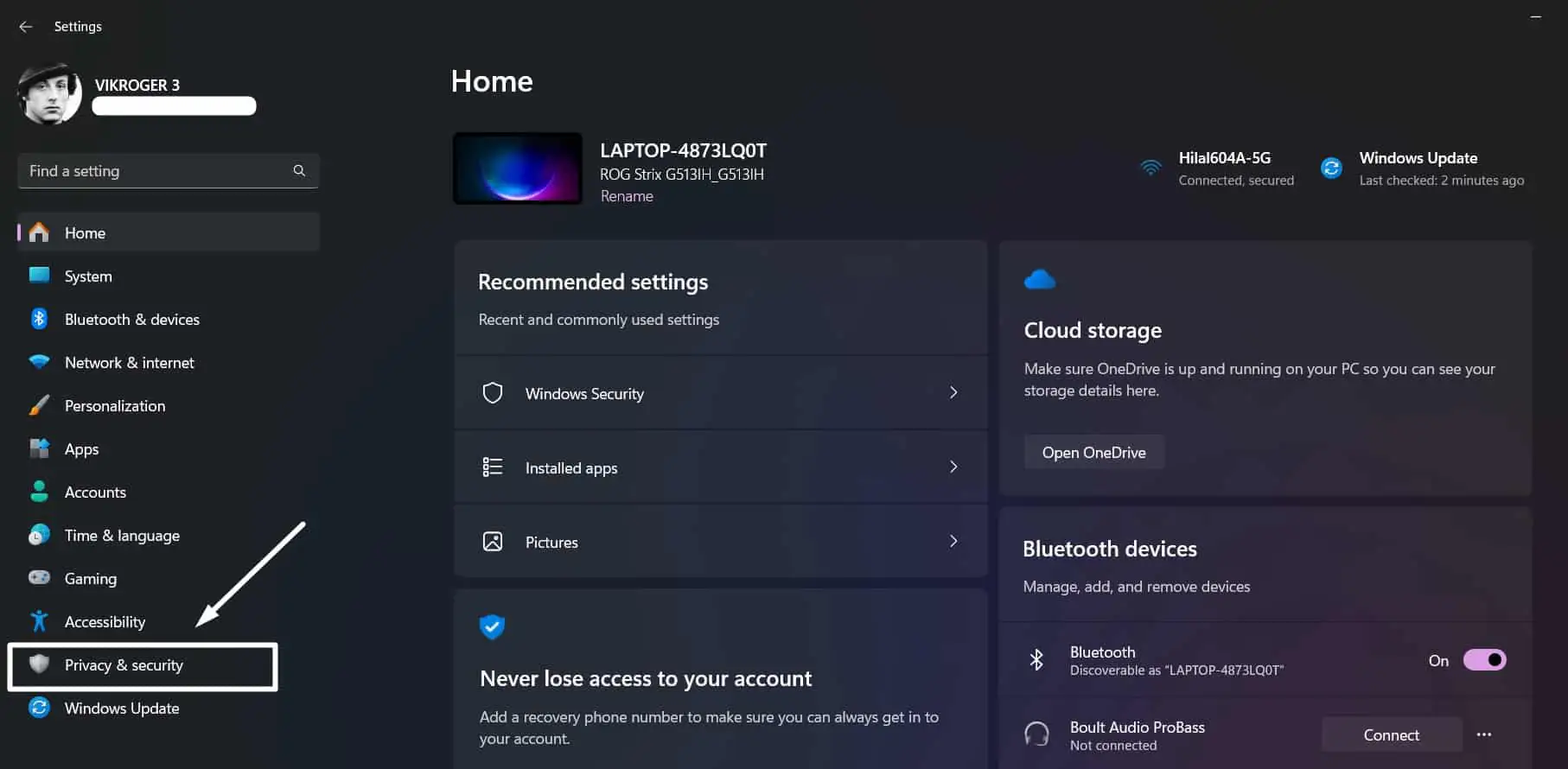
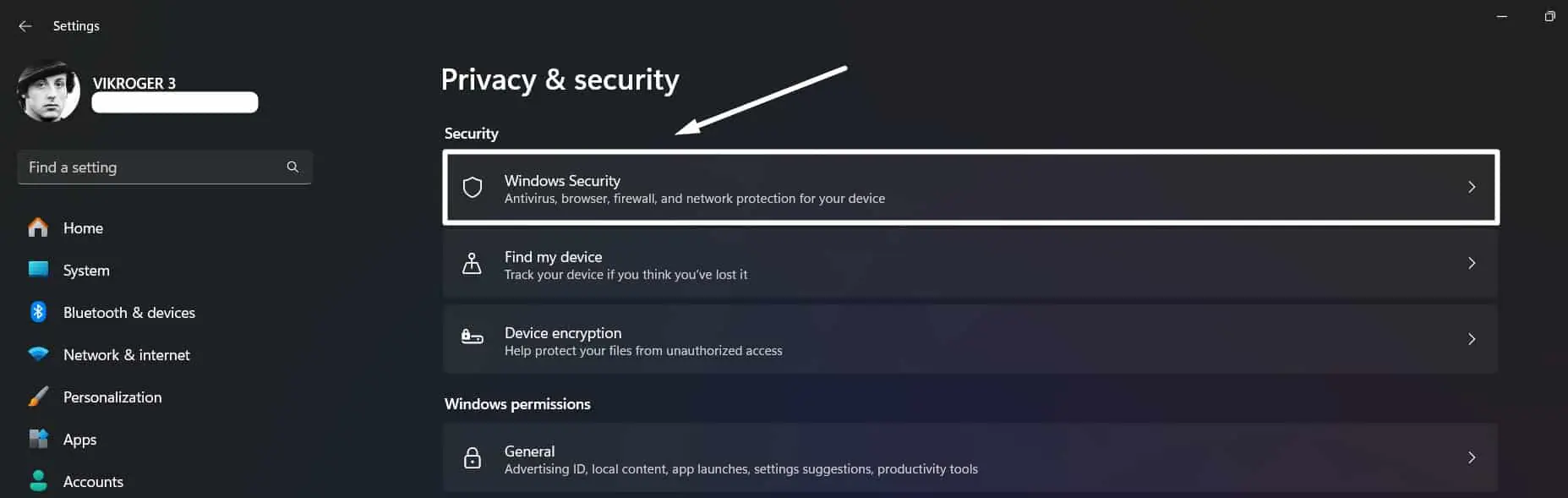
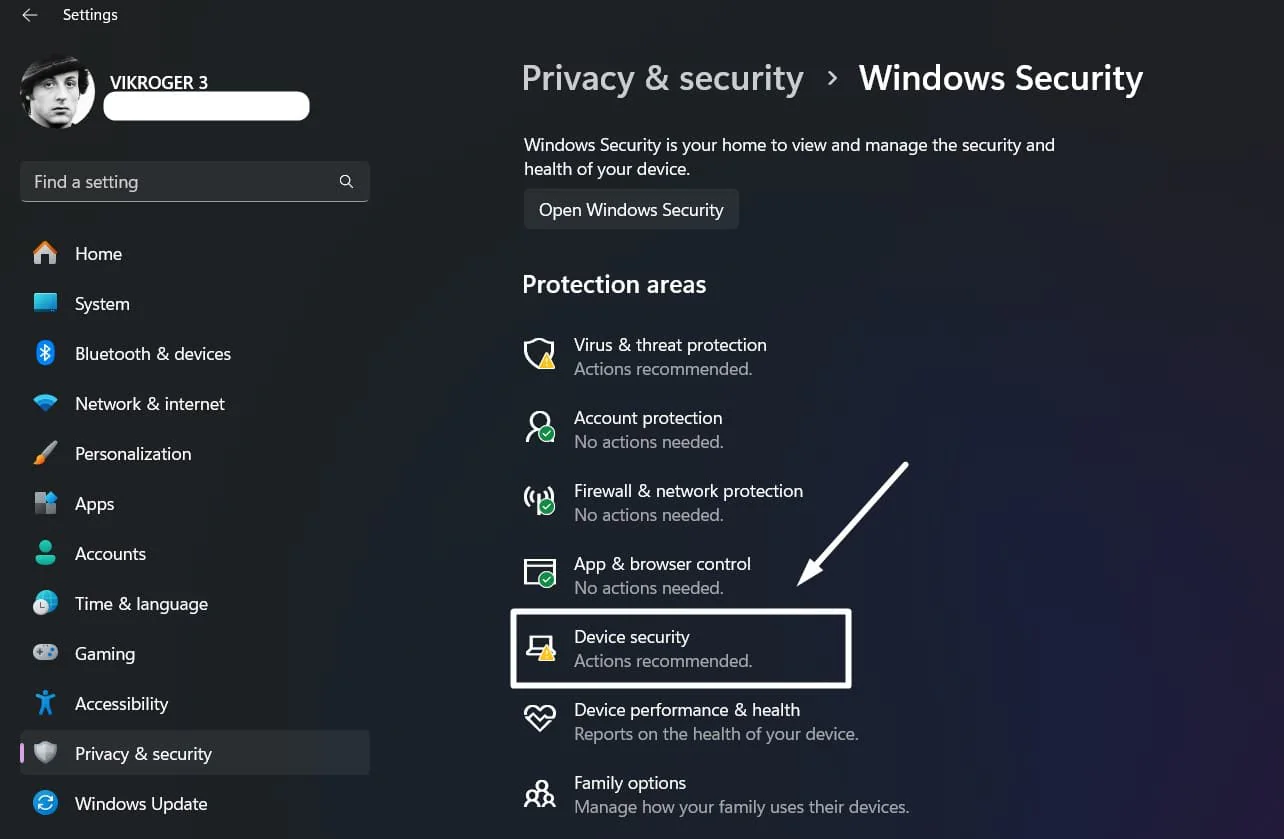
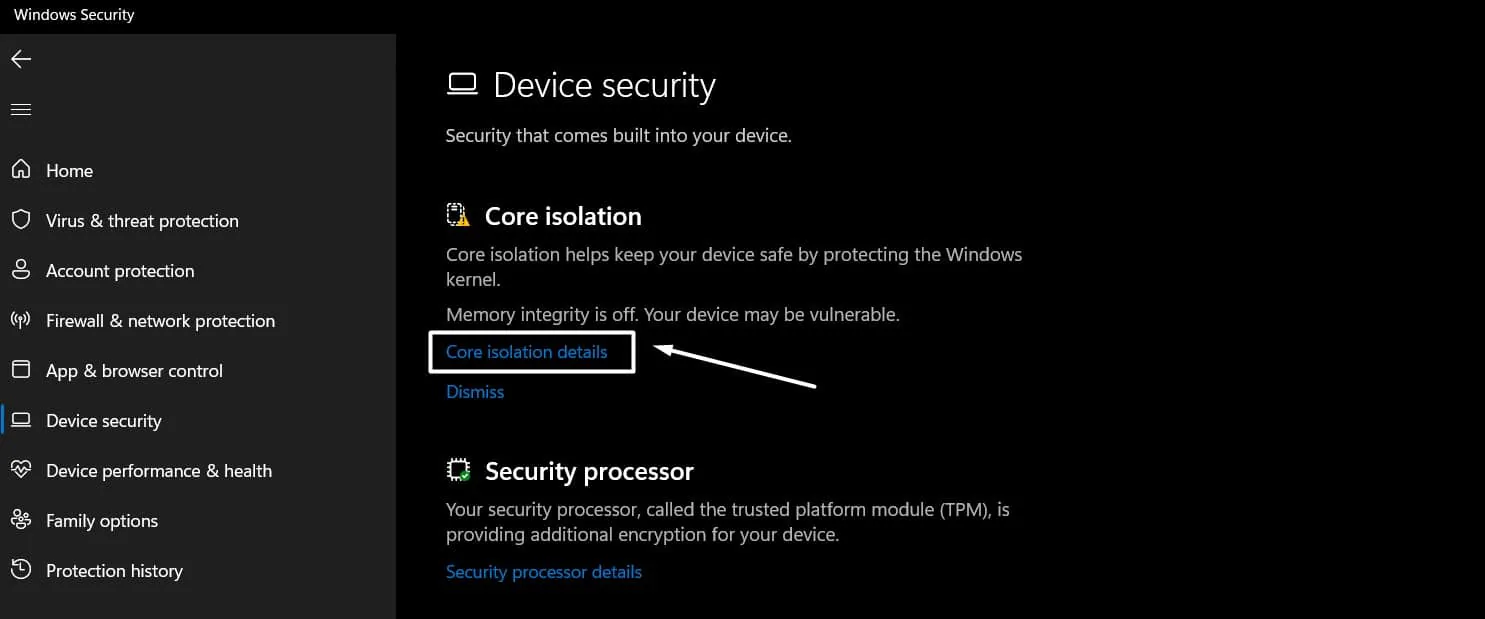
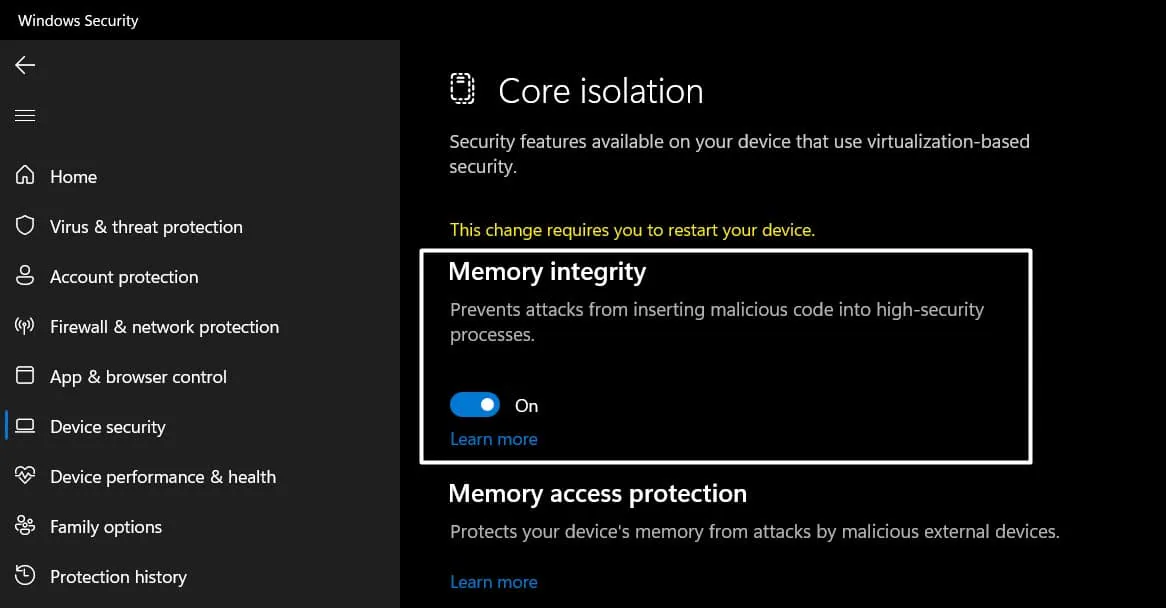
You can access Windows Security using the Start Menu too.
How does Core Isolation protect your Windows 11 System?
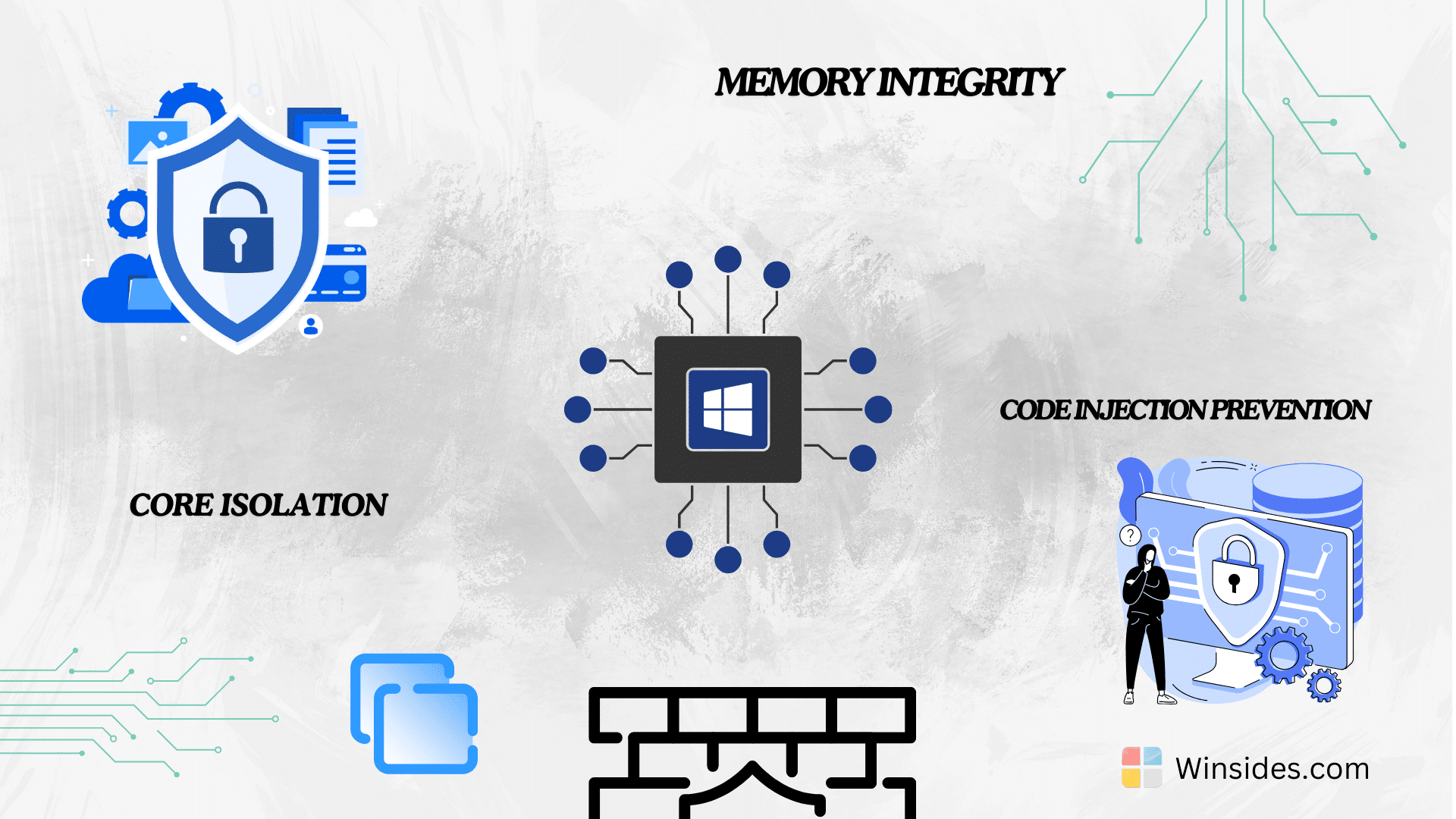
- Enhanced Protection: Core Isolation provides an additional layer of protection by ensuring that critical system processes run in a secure environment, making it harder for attackers to compromise the Windows 11 kernel.
- Prevention of Code Injection Attacks: By verifying that only signed and trusted code can execute in the system’s kernel, Core Isolation helps prevent code injection attacks, which are a common method used by malware to take control of a system.
- Improved Security for Virtual Machines: For users running virtual machines, it ensures that each VM has its own protected memory space, enhancing overall security in virtualized environments.
Frequently Asked Questions
Why am I unable to turn on Memory Integrity?
The most frequent cause is Incompatible Drivers. When you try to toggle the switch, Windows scans your system. If it finds an older driver that doesn’t support virtualization-based security, it will block the feature. You can click on “Review incompatible drivers” to see exactly which files are causing the conflict.
How do I fix incompatible drivers for Core Isolation?
If Windows identifies a problematic driver, you have three main options. Check for the updates, Uninstall the Device, and delete the .inf files.
Does Core Isolation require specific hardware?
Yes. To use Core Isolation, your processor must support Virtualization. Ensure that “Intel VT-x” or “AMD-V” is enabled in your BIOS/UEFI settings. Additionally, your PC should have a TPM 2.0 (Trusted Platform Module) chip enabled, which is a standard requirement for Windows 11.
Will enabling Core Isolation slow down my computer?
On modern processors, the performance impact is negligible and usually unnoticeable. However, on older CPUs that just barely meet Windows 11 requirements, you might see a slight dip in frame rates during high-end gaming or a minor increase in CPU usage. For most users, the security benefits far outweigh the performance cost.
Take away:
By enabling Core Isolation in Windows 11, users can benefit from enhanced protection against sophisticated attacks, ensuring that their operating system remains secure and reliable.
Have Queries?
Whether you are an individual user concerned about personal data security or a business protecting sensitive information, Core Isolation offers a powerful layer of defense. If you have any questions, kindly let us know in the comments. Stay tuned to Winsides.com. Safe Coding! Peace out!




Community
Comments (2)