

Enable IIS 6 Management Compatibility on Windows 11: As Windows 11 continues to refine and enhance its features, the need for managing web services efficiently becomes increasingly crucial. Internet Information Services (IIS), Microsoft’s powerful web server solution, is a cornerstone for hosting and serving web applications. In certain scenarios, compatibility with IIS 6 management tools becomes essential for maintaining legacy systems or seamlessly transitioning existing infrastructure. This guide is tailored to demystify the process of enabling IIS 6 Management Compatibility on a Windows 11 environment.
Table of contents
Enable IIS 6.0 Management Compatibility – Quick Steps:
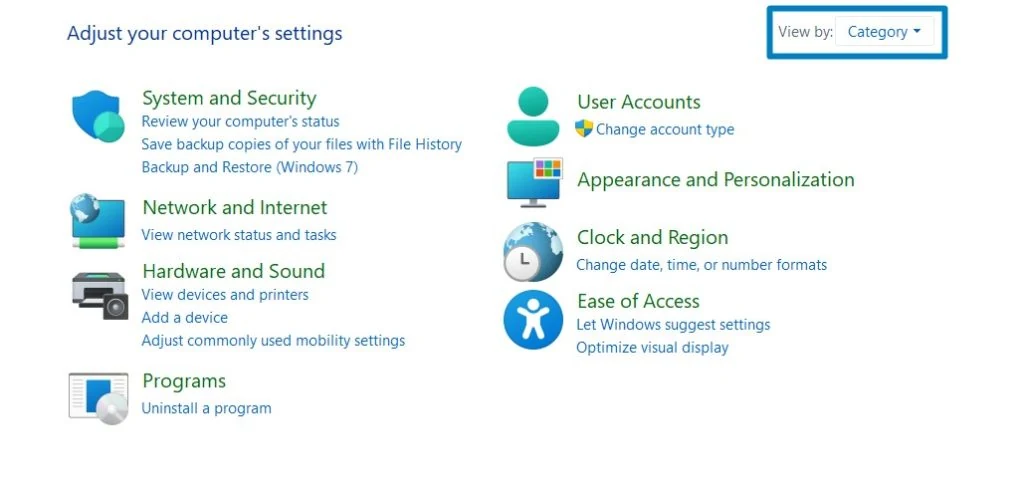
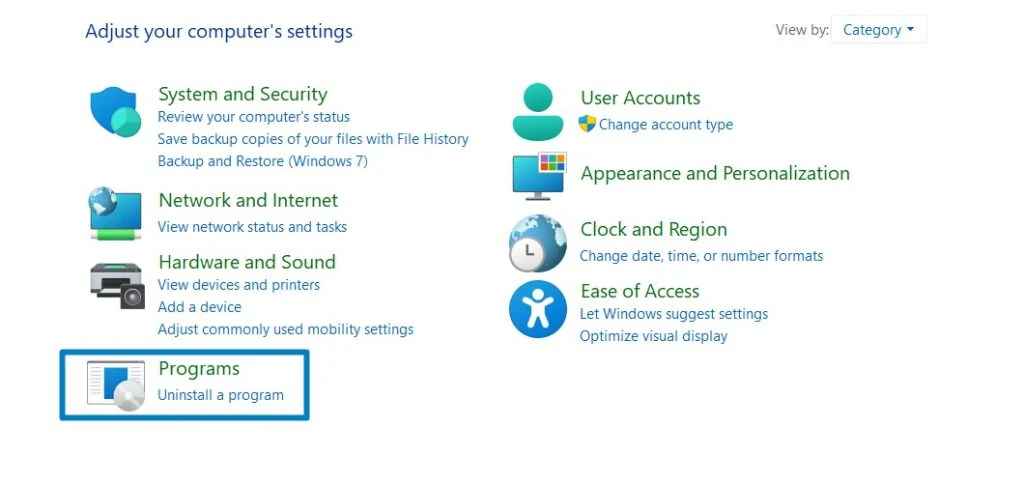
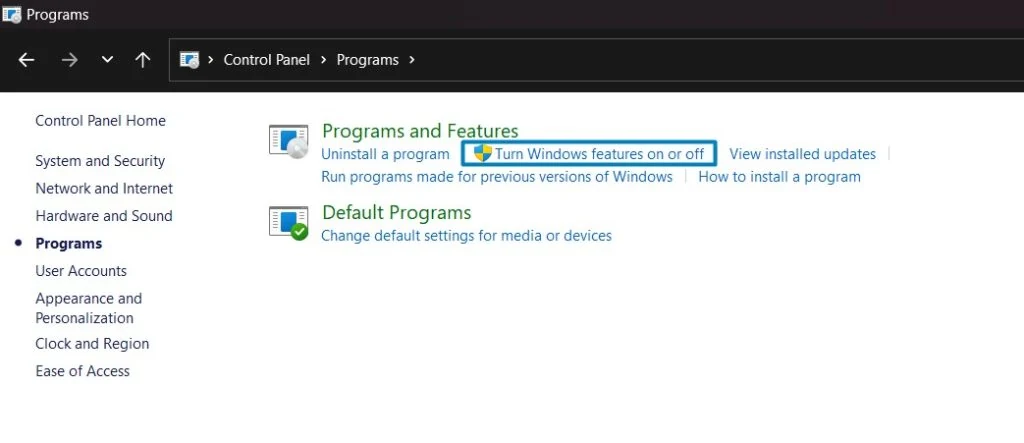
- Click on the Start Menu and open the Control Panel.
- Switch the Control Panel view to Category.
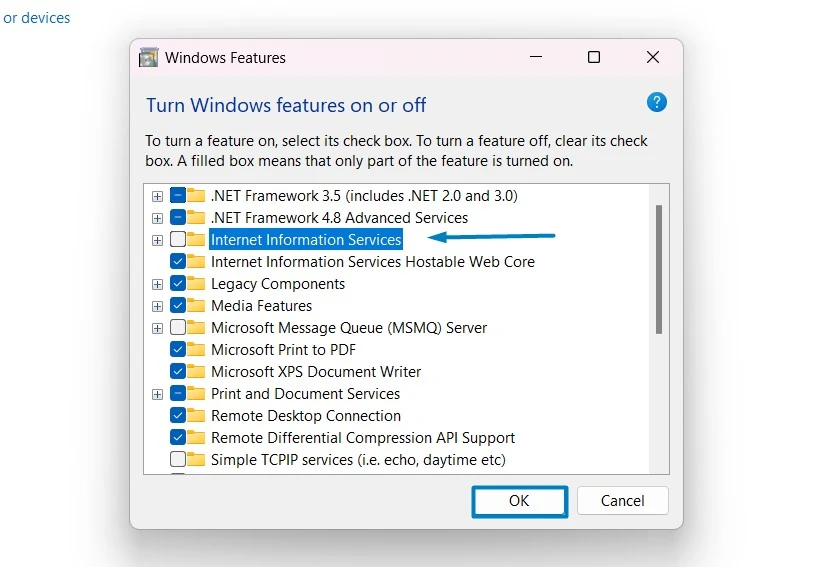
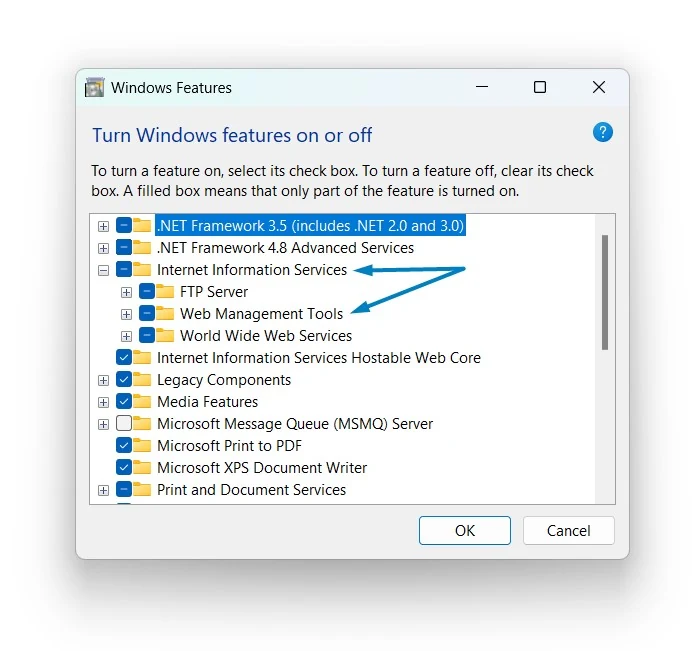
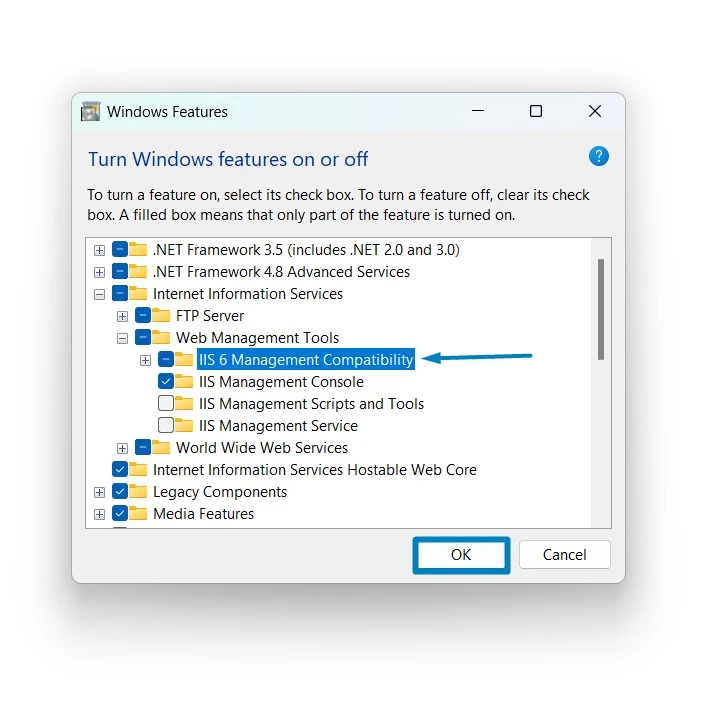
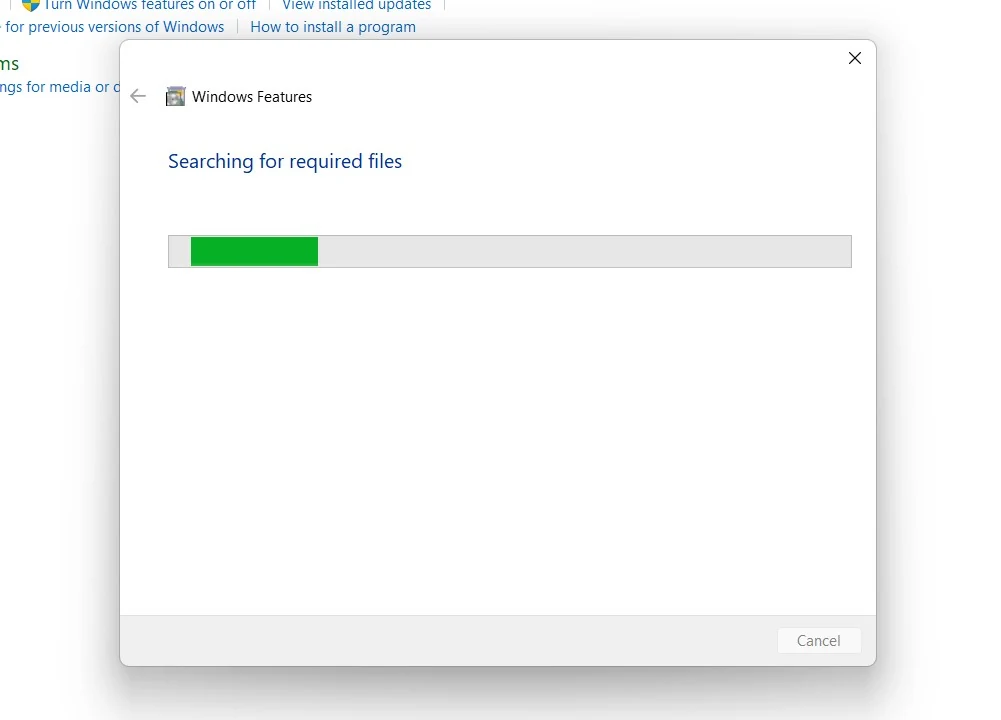
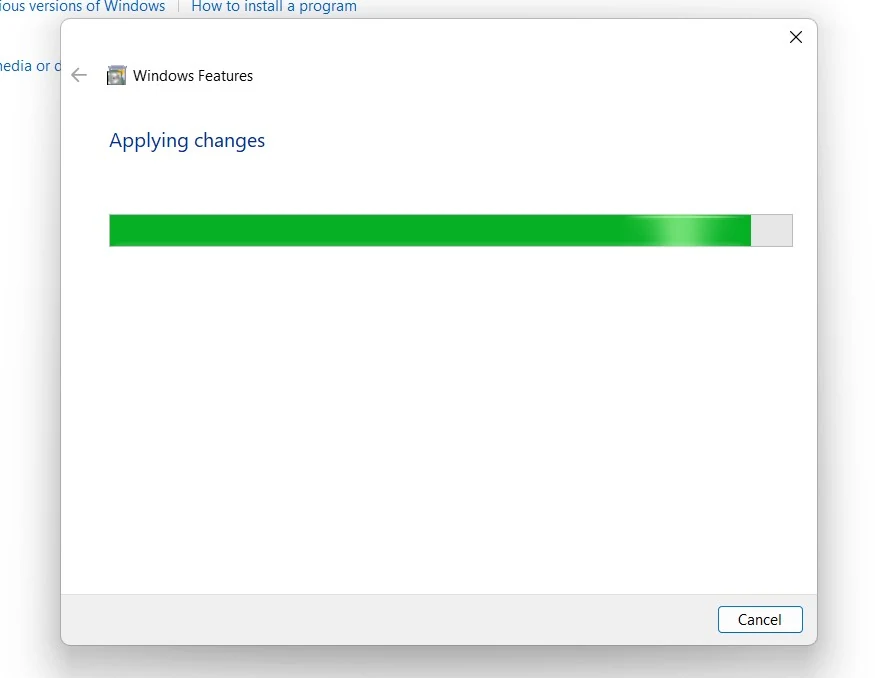
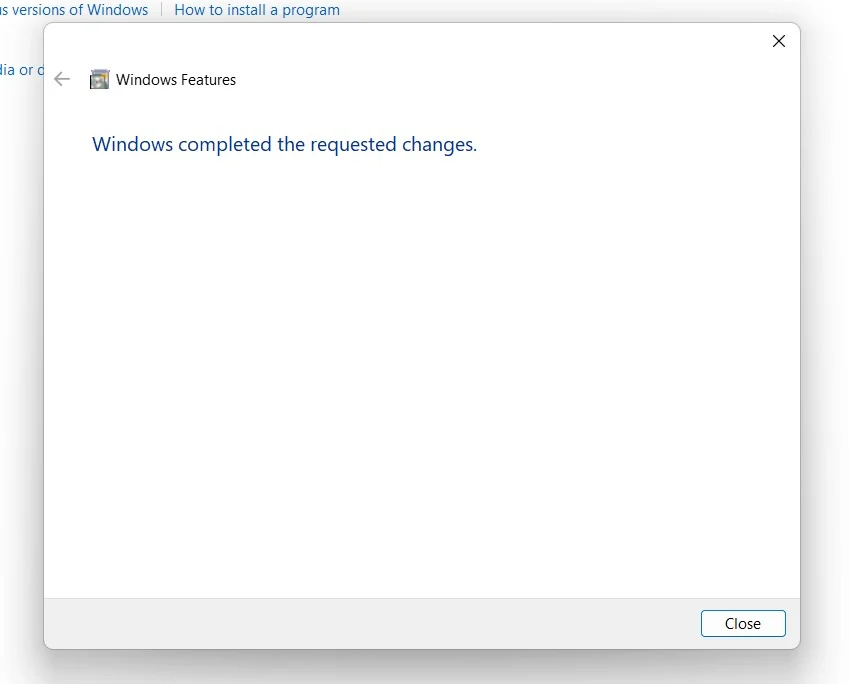
Note: To turn on the Individual components of IIS and Web Management Tools in Windows 11, make sure that IIS is already enabled.
IIS Management Compatibility Components:
IIS Management Compatibility includes several sub-components.
IIS 6 Management Console:
The IIS 6 Management Console is a graphical user interface (GUI) tool that provides a familiar environment for managing web server settings.
IIS 6 Scripting Tools:
IIS 6 Scripting Tools include command-line utilities and scripts that allow administrators to automate various tasks related to IIS 6 configuration and management.
IIS 6 WMI Compatibility:
Windows Management Instrumentation (WMI) is a set of specifications from Microsoft for consolidating the management of devices and applications in a network.
IIS Metabase and IIS 6 configuration compatibility:
The IIS Metabase is a central repository for storing IIS configuration settings. Enabling IIS Metabase and IIS 6 Configuration Compatibility ensures compatibility with the configuration settings used by IIS 6.
Frequently Asked Questions
Is it a security risk to have IIS 6 Compatibility enabled?
It’s an administrative tool, not a public-facing web service. However, in the world of “Attack Surface Reduction,” it’s a good rule of thumb to keep it turned off unless a specific application requires it. If you don’t use old VBScripts to manage your server, you don’t need this.
What is the modern alternative to these tools?
If you are still using IIS 6 scripts, it’s time to look into Microsoft.Web.Administration (for C#) or the WebAdministration PowerShell module. These are the “native” ways to manage Windows 11’s web server and are much faster and more reliable than the 6.0 compatibility layer.
Why doesn’t the IIS 6 Management Console show my new sites?
The old Console (MMC snap-in) is very limited when looking at modern IIS. It might see the “default website,” but it won’t understand modern features like SNI, advanced URL rewriting, or certain App Pool settings. For 99% of your work, you should stay in the IIS Manager (10.0).
What is the specific purpose of IIS 6.0 Management Compatibility on Windows 11?
It serves as a translation layer. Many legacy installation scripts and enterprise applications were written to interact with the IIS 6.0 Metabase (an XML-based configuration database). This feature enables those older tools to read and modify configuration settings on modern versions of IIS (like 10.0) by mapping old commands to the current configuration schema.
Does installing this feature downgrade my web server?
Your core web server engine remains the modern, secure version included with Windows 11. Enabling this feature only installs the necessary “adapters” and MMC (Microsoft Management Console) snap-ins that allow older administrative tools to communicate with the current server.
Take away:
The process of enabling IIS 6 Management Compatibility on Windows 11 is a crucial step in bridging the gap between legacy systems and modern web server environments. Whether you are navigating legacy systems or ensuring a comprehensive approach to web server administration, this guide from Winsides.com equips you with the necessary tools to harmonize IIS 6 with Windows 11, ensuring the continued reliability and functionality of your web services. Happy Coding! Peace out!
Have Queries?
If you have any queries, kindly let us know in the comments. For more interesting articles, stay tuned to Winsides.com




Community
Comments (0)