

To change what Windows Terminal does when it starts, open Settings, select Startup, open When Terminal starts, choose Open a tab with the default profile or Open windows from a previous session, and select Save. The first choice begins with one predictable tab; the second asks Terminal to restore its saved window layout.
I reproduced the complete Settings transition on Windows 11 version 25H2, build 26220.7872, with Windows Terminal 1.24.11911.0. The test saved the previous-session choice, verified the retained control and stored value, returned to the default-profile choice, restored the exact original settings bytes, and confirmed the baseline in a fresh Settings instance. Terminal was never closed or relaunched while previous-session restoration was active, so no private saved layout, path, or earlier window was loaded for evidence.
What does When Terminal starts control?
This preference controls the first Terminal session created when no existing Terminal process is serving the launch. Open a tab with the default profile starts a straightforward window containing one tab for the selected default shell. Open windows from a previous session asks Terminal to reconstruct saved windows and their tab-and-pane layout.
Microsoft's Windows Terminal startup-settings reference names the optional property firstWindowPreference. It accepts defaultProfile or persistedWindowLayout, with defaultProfile documented as the default. The reproduced machine matched that default: the property was absent while the visible control read Open a tab with the default profile.
This is different from Default profile, Launch mode, Launch size, Launch position, and New instance behavior. Default profile selects the shell for an ordinary new tab. Launch controls decide window dimensions or placement. New instance behavior decides whether later invocations attach to an existing window. When Terminal starts concerns only the initial session content or restored layout.
Table of contents
What should you know before restoring a previous session?
Microsoft documents that a saved layout can include window position, size, name, tabs, panes, profiles, and—when a shell reports it—the current working directory. It does not restore the text contents inside those panes. A restored working directory or window name may still reveal a project, customer, or folder name on screen, so close or rename sensitive work before deliberately testing session restoration.
No administrator rights, Registry edit, download, reboot, or Terminal reset is required. If you only want to change the stored preference, you can save it and read it back without relaunching while restoration is active. That is the safer evidence path used here. A functional restore test should be done only with disposable tabs and nonsensitive folders.
Record the current selection before changing it. An optional property may be absent even though the interface shows the documented default. Saving that same visible choice later can create an explicit value that behaves identically but is not byte-for-byte identical to the original file.
How do you find the first-window preference?
- Open Windows Terminal.
- Press Ctrl + ,, or open the arrow menu beside the new-tab button and select Settings.
- Select Startup.
- Locate When Terminal starts and note its current selection.
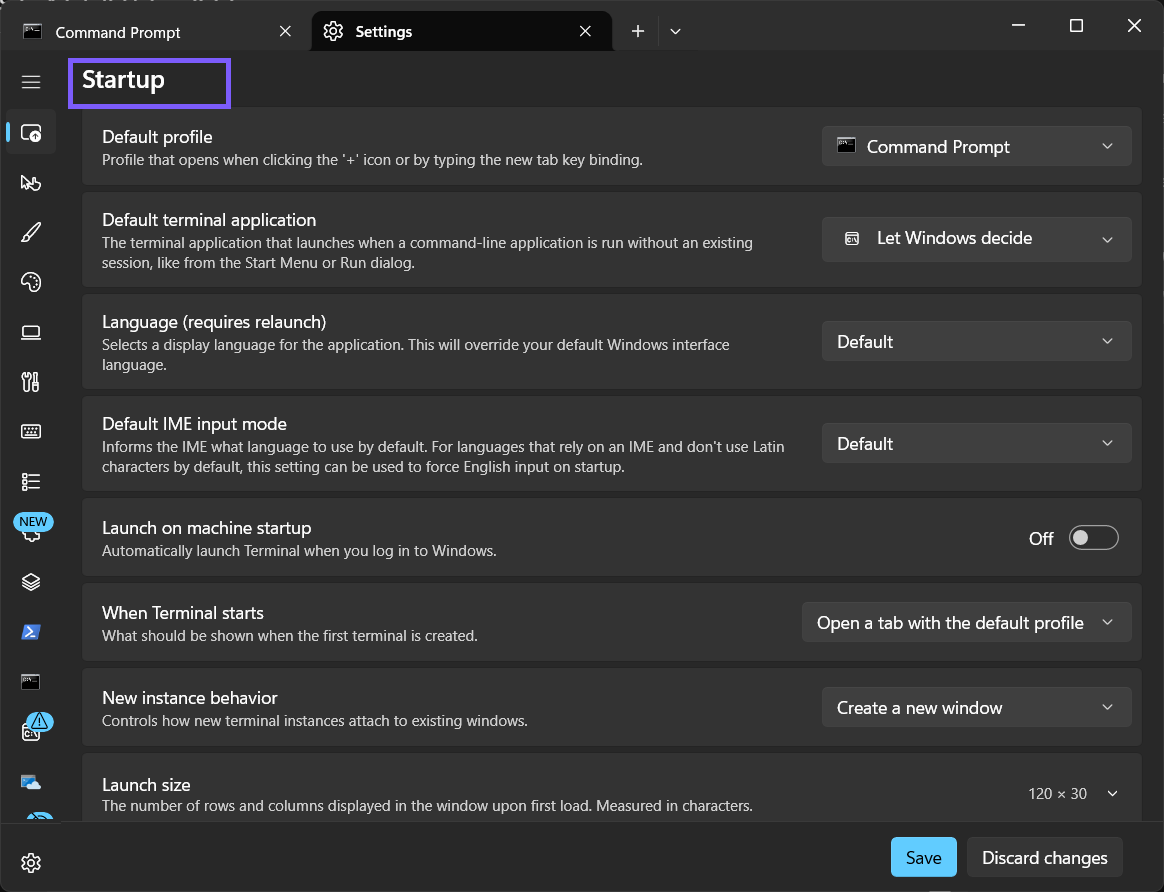
Confirm the page heading before changing anything. The nearby Launch on machine startup toggle controls automatic sign-in launch, while New instance behavior controls later invocations. Neither must change for this task.
Which startup choice should you use?
- Open the When Terminal starts list.
- Choose the single-tab baseline or previous-session restoration.
- Select Save only after confirming the choice matches your privacy and workflow needs.
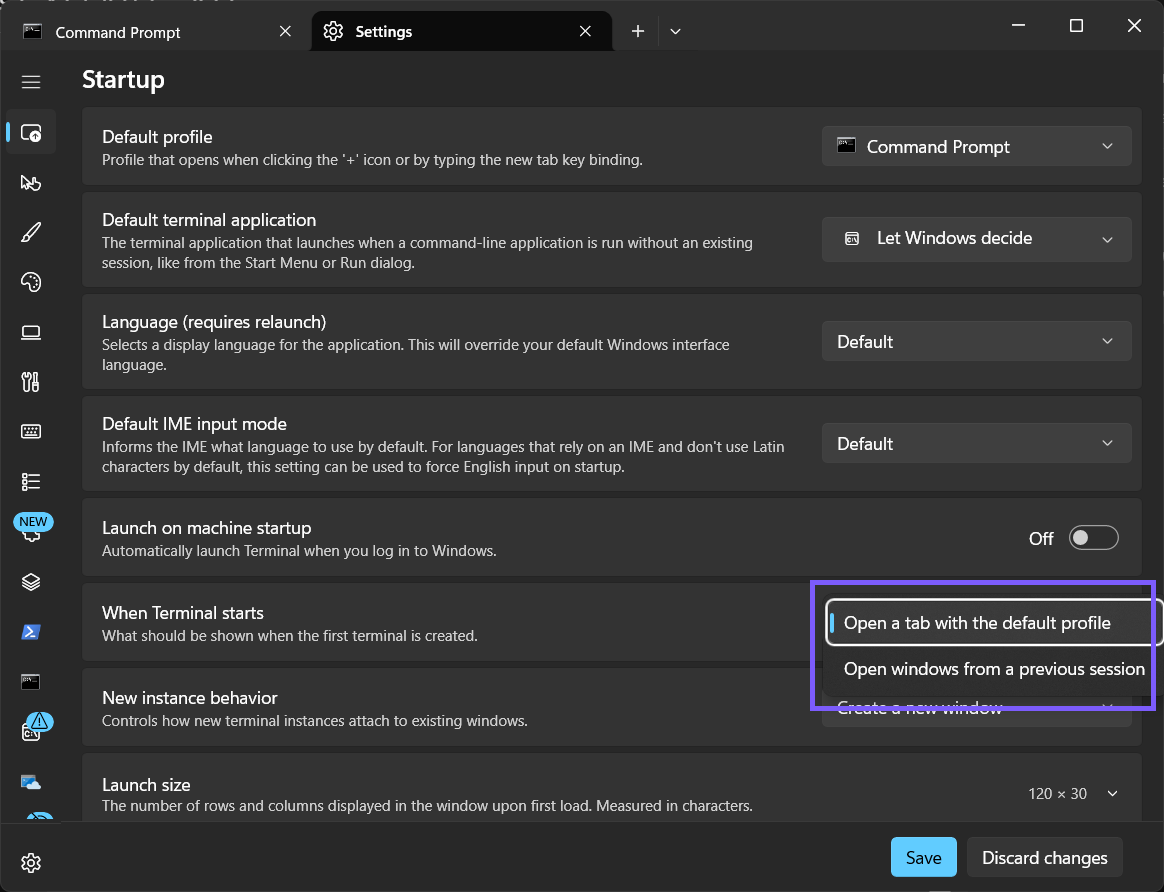
Open a tab with the default profile is predictable and privacy-conscious. Each first launch begins with one ordinary tab instead of reconstructing an earlier workspace. Use it when you prefer a clean start or share screenshots and demonstrations from Terminal.
Open windows from a previous session is useful for multi-window, multi-tab, or pane-heavy work that you want Terminal to reconstruct. It restores structure, not the terminal buffer or live process. Programs that were running do not resume merely because the pane layout returns.
How do you save the previous-session choice safely?
- Select Open windows from a previous session.
- Select Save.
- Leave Startup, return to it, and verify that the same text remains selected.
- Do not close or relaunch Terminal yet if you do not want a saved layout to appear.
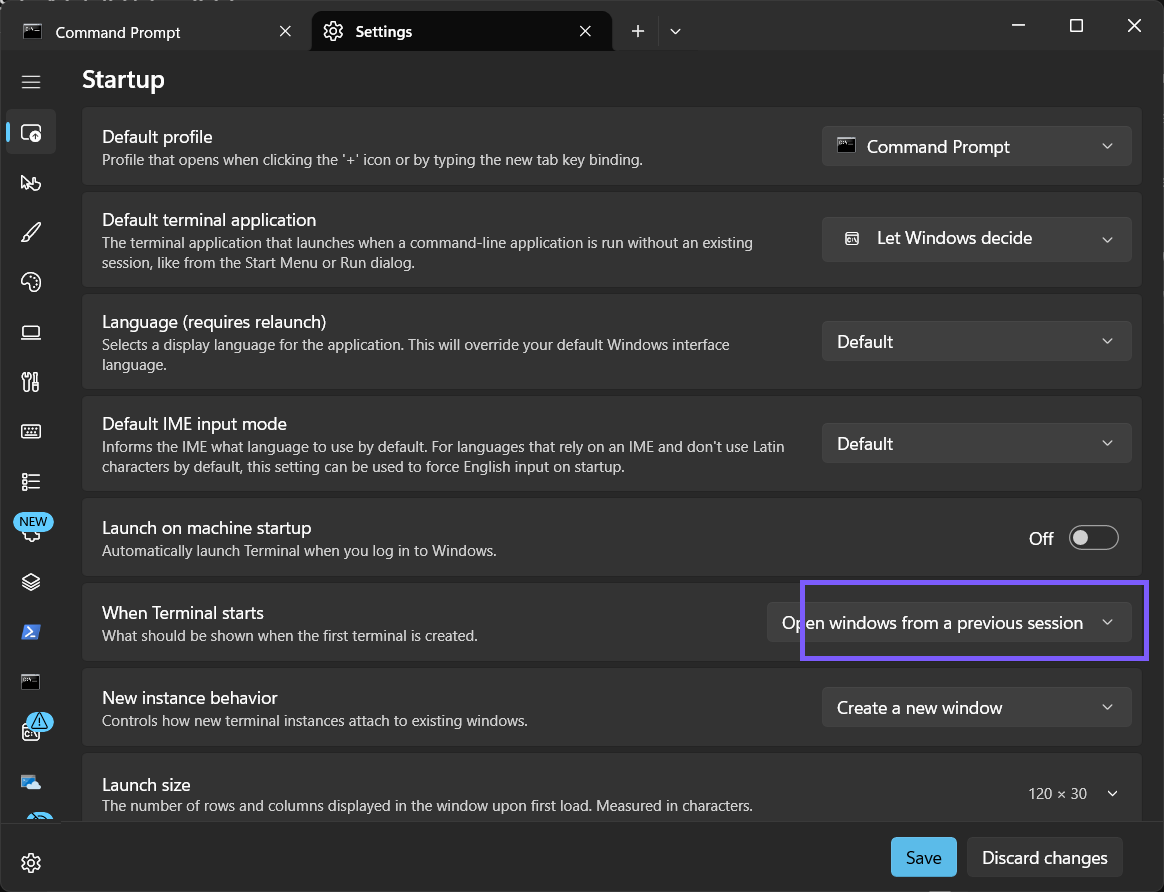
The evidence run observed firstWindowPreference persist as persistedWindowLayout. That proves the intended setting changed without exposing an actual saved session. Manual JSON editing is not offered as another routine method because the supported control avoids syntax mistakes and unrelated configuration changes.
How do you restore one default-profile tab?
- Return to Windows Terminal Settings > Startup.
- Open When Terminal starts.
- Select Open a tab with the default profile, and then select Save.
- Close Terminal only after the default-profile choice is active.
- Open a fresh Settings instance and confirm the same selection.
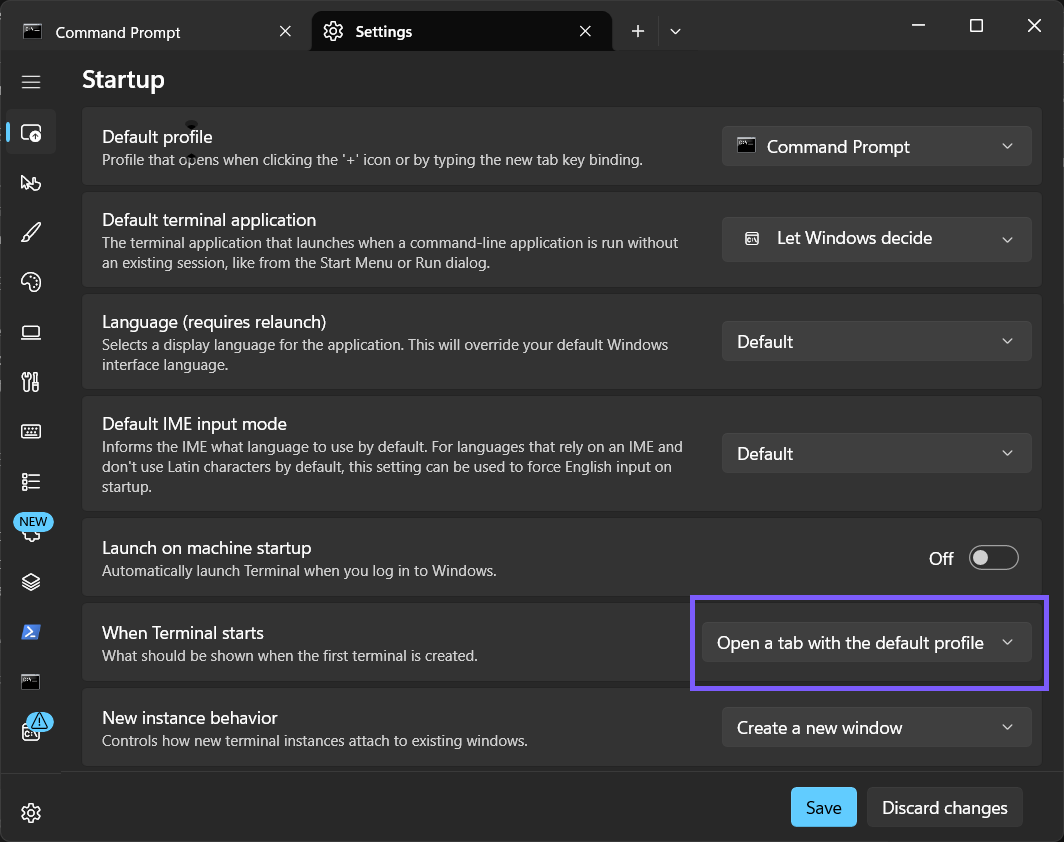
During reproduction, reselecting the default-profile choice wrote an explicit defaultProfile value. I then restored the original file where the optional property was absent, reopened Settings, and confirmed the same visible choice. The final SHA-256 matched the starting file exactly.
Why did Terminal not restore what you expected?
- The preference was not saved. Reopen Startup and read the retained choice.
- Terminal was already running. The first-window preference is not a command to rearrange an existing window.
- Pane contents were expected. The saved layout can restore structure, but not terminal buffer contents or live processes.
- A shell did not report its working directory. Terminal can restore that directory only when the shell provides it.
- A different Terminal installation launched. Stable, Preview, and unpackaged builds can keep separate settings and layouts.
- Another Startup control changed. Launch mode, launch size, default profile, and new-instance routing solve different problems.
Do not reset or reinstall Terminal merely because one layout did not return. Confirm the saved preference, close only disposable windows, and test from a clean nonsensitive workspace. Resetting can remove far more configuration than this option changes.
Frequently Asked Questions
Does previous-session restoration resume running commands?
No. It restores window, tab, and pane structure, not the live processes or terminal buffer contents that existed before closing.
Can Windows Terminal restore a working directory?
It can save a pane's current working directory when the shell is configured to report that directory to Terminal.
Does this setting change the default shell?
No. Default profile separately chooses the shell used for a normal new tab. This preference chooses a single tab or saved windows for the first session.
Do you need administrator rights to change startup behavior?
No administrator prompt was required on the reproduced PC. It was a reversible current-user Terminal preference.
Choose a clean start or a restored workspace deliberately
Use one default-profile tab for a predictable first window, or previous-session restoration when saved layouts genuinely improve your workflow. Consider the names and working directories that might reappear, save the choice, and return to the single-tab option before relaunching whenever you want a clean privacy-conscious start.
For more interesting articles, stay tuned to WinSides.com!






Community
Comments (0)