

To open Windows Terminal in Quake mode, open Command Palette with Ctrl + Shift + P, search for Quake, and choose Show/Hide Quake window. For a command-line route, run wt -w _quake. Terminal opens its reserved drop-down window across the top of the current display.
I reproduced the full open-and-close sequence on Windows 11 version 25H2, build 26220.7872, with Windows Terminal 1.24.11911.0. The built-in palette action was present, the documented _quake named-window command opened a full-width top window with one anonymous blank prompt, the quake window was closed, and a fresh ordinary Terminal window verified normal geometry. No administrator rights or persistent settings edits were used, and Terminal settings remained byte-for-byte unchanged.
What is Windows Terminal Quake mode?
Quake mode is a special Terminal window designed to appear quickly from the top of the screen. It borrows the drop-down style popularized by game consoles: summon it when you need a prompt, then hide or close it when the task is finished. It is a separate window identity, not a fullscreen toggle applied to every ordinary Terminal window.
The reserved window name is _quake. Terminal's built-in quakeMode action is a shorthand for a globalSummon action that targets that name and supplies drop-down behavior. The window follows the current desktop and mouse display according to the built-in action defaults.
Microsoft's Windows Terminal actions reference documents the Quake mode action and explains that customized behavior should use a separate globalSummon entry. This guide stays with the built-in action; it does not add an action or edit JSON.
Table of contents
What should you check before opening a quake window?
Use a standard user session unless your command specifically needs elevation. Quake mode itself does not require administrator rights. A shell opened inside the quake window can still run powerful commands, so review commands normally and do not confuse fast access with automatic safety.
Protect anything already running in an existing quake window. Summoning the named window can reveal its current tab and session instead of giving you a fresh prompt. Closing that window terminates the sessions hosted there, while toggling visibility is meant to hide and show it.
The reproduction used disposable blank Command Prompt sessions with an anonymous > prompt. No file path, account name, notification, network connection, or personal command was placed in the retained evidence.
How do you open Quake mode from Command Palette?
- Open an ordinary Windows Terminal window.
- Press Ctrl + Shift + P.
- Type Quake.
- Select Show/Hide Quake window.
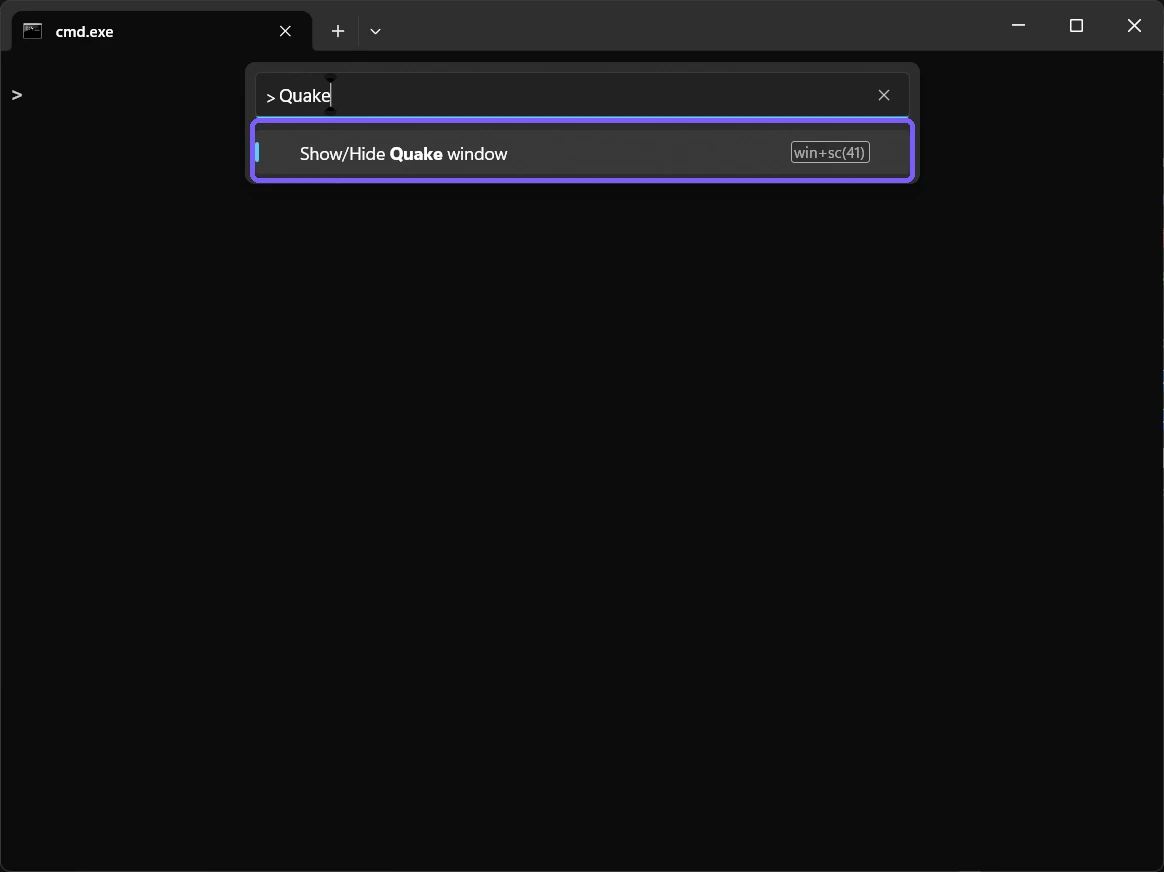
Command Palette is the most reliable visible route because it shows the action actually installed on the PC. The shortcut text may appear as a scan-code label in accessibility output on some keyboard layouts, so use the named action if the physical shortcut is unclear or has been customized.
How do you verify the quake window opened?
Look for a borderless Terminal surface stretching across the top of the current display. It should be much wider and shorter than a typical movable window. Focus remains in its prompt, letting you type without first finding a taskbar button.

The captured result is 1920 pixels wide and approximately the upper half of the 1080-pixel display. That geometry is the meaningful result. A merely maximized or fullscreen ordinary window is not Quake mode, even if it fills a large area.
How do you open the quake window with wt.exe?
Open Command Prompt, PowerShell, Windows Terminal, or the Run dialog and enter:
wt -w _quake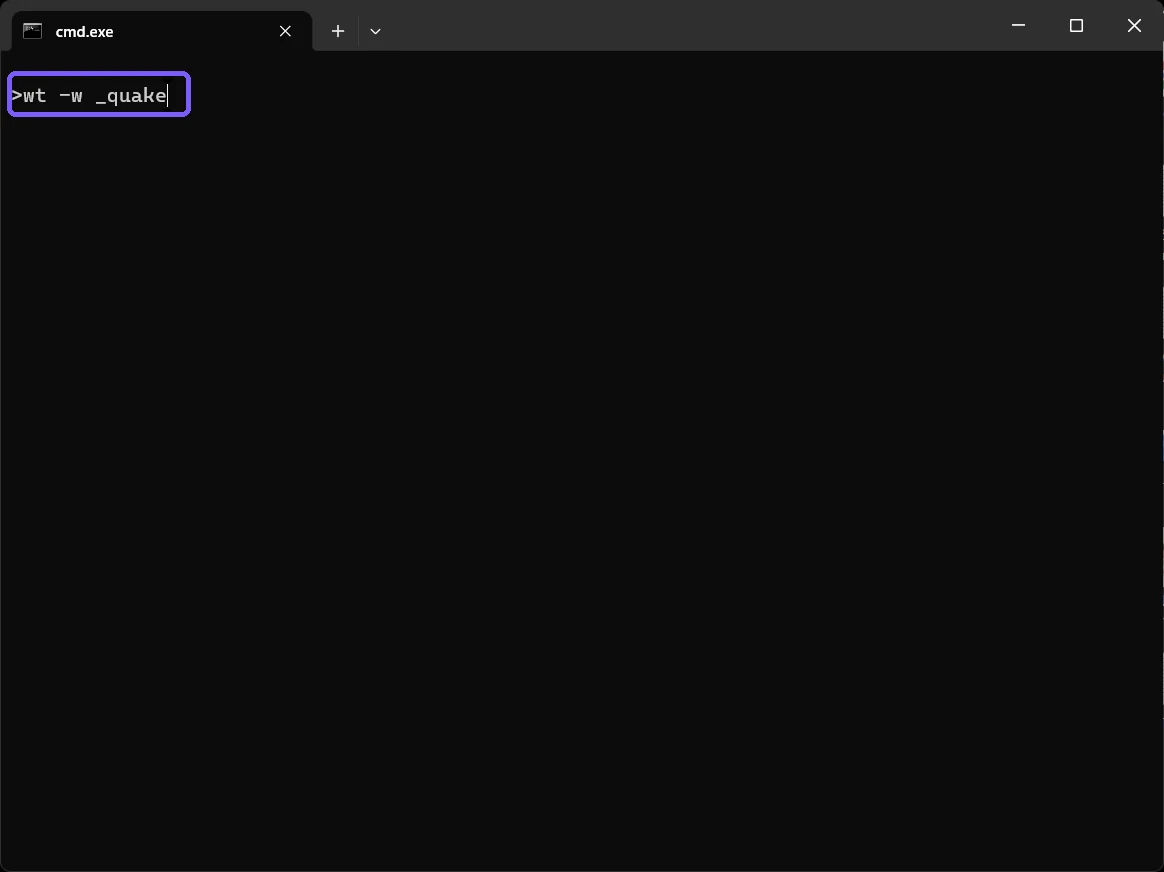
wt -w _quake command targets the same reserved quake window from a command line.Microsoft's Windows Terminal command-line reference documents --window, abbreviated -w, and explicitly uses wt -w _quake for the reserved quake window. If that named window does not exist, Terminal creates it. If it already exists, another command can target the existing window and may open another tab.
Do not add quotation marks around _quake; it contains no space. The leading underscore matters because it identifies the reserved name. Typing only wt follows normal new-instance behavior instead.
How do you hide or close Quake mode?
Invoke Show/Hide Quake window again to toggle its visibility. That preserves its tabs and running sessions for the next summon. To end the disposable window completely, use Alt + F4 after checking that no needed command is running.
Hiding and closing are not interchangeable. Hiding retains the process state; closing ends the window and its hosted sessions. If a command, editor, or remote connection is active, save work or disconnect safely before closing.
How do you verify ordinary Terminal behavior is restored?
After closing the quake window, open an ordinary named Terminal window. It should have a standard title bar, movable edges, and normal window geometry instead of the top drop-down shape.
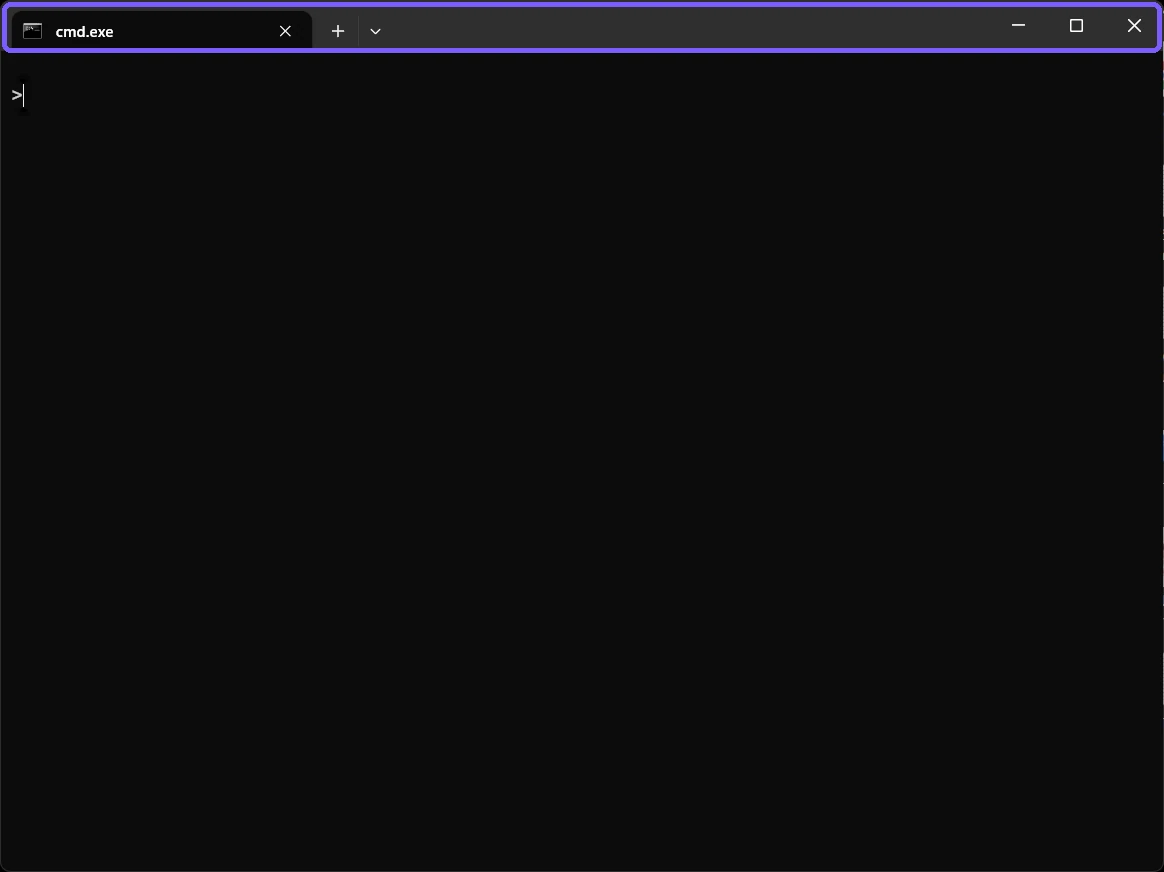
The reproduced rollback also closed ShareX, restored its exact hotkey configuration, and verified the original Terminal settings hash. Because no custom action or startup setting was written, there was no JSON or Registry change to reverse.
Why might Quake mode not appear?
- The action was removed or rebound. Search Command Palette for Quake instead of assuming a shortcut.
- An existing quake window is on another state. The action normally follows the current desktop and mouse display, but customized summon settings can differ.
- The command name is wrong. Use the reserved name exactly as
_quake. - An older or different terminal host opened. Confirm that the app is Microsoft Windows Terminal, not the legacy console host.
- The window is hidden rather than closed. Invoke the toggle again before launching repeated commands.
- A policy or custom configuration changed behavior. Review actions only if the visible built-in route is missing.
Avoid fixing a temporary focus problem by replacing settings.json. First test the visible palette action and the documented named-window command in blank sessions. Persistent globalSummon customization is a separate advanced task.
Frequently Asked Questions
Does Quake mode require administrator rights?
No. The reproduced built-in action and named-window command ran as a standard user. Commands launched inside it still have their normal permissions.
What command opens the Windows Terminal quake window?
Use wt -w _quake. The -w option targets the reserved _quake window name.
Does hiding the quake window close its commands?
No. Toggling visibility keeps the window and sessions available. Closing the window ends those hosted sessions.
Does Quake mode change normal Terminal launch settings?
No persistent setting changed in this reproduction. Ordinary Terminal reopened with standard window geometry after the quake window closed.
Use the reserved quake window for fast, temporary access
Choose Show/Hide Quake window from Command Palette or target _quake with wt -w _quake. Verify the top drop-down geometry, protect any running session before closing, and prefer the toggle when you want to keep work available.
For more interesting articles, stay tuned to WinSides.com!


Community
Comments (0)