

On current supported Windows 11 builds, Task Manager can expose an optional Isolation column that identifies apps running in an AppContainer. If the column has reached your device, add it on the Processes or Details page and read the value. A process-level token query provides a precise read-only alternative when you need to verify a small, privacy-safe allowlist.
The reproduced standard-user check inspected five built-in Windows process names. SearchHost and ShellExperienceHost returned an AppContainer token; three other built-in hosts in the allowlist returned False. These are momentary process observations, not a universal list for every Windows 11 PC.
What is an AppContainer?
Microsoft describes AppContainer isolation as a restrictive process-execution environment built around least privilege and explicit capabilities. An AppContainer process receives a constrained security token and can access resources granted to that container and its declared capabilities.
Seeing AppContainer status does not prove that an app is trustworthy, malware-free, or unable to communicate. It identifies one security boundary applied to the running process. Code signing, package identity, elevation, permissions, reputation, and network behavior are separate questions.
Table of contents
Look for the Isolation column in Task Manager
Microsoft's Windows 11 KB5089573 release notes document an Isolation column on both the Processes and Details pages. Microsoft says the column shows apps running in an AppContainer and notes that the feature can arrive through a phased rollout.
Press Ctrl + Shift + Esc to open Task Manager.
Open Processes or Details.
Right-click a column heading and select the option to choose columns.
Add Isolation if it is available, then read the values for the processes you need.
Do not end, suspend, reprioritize, or inspect unrelated processes while performing this check. If adding a column changes a saved Task Manager preference, restore the original column view when you finish.
Use TokenIsAppContainer for a bounded verification
Windows exposes token metadata through GetTokenInformation. Microsoft's TOKEN_INFORMATION_CLASS documentation defines TokenIsAppContainer: a nonzero returned value means the token is an AppContainer token.
The reproduced PowerShell helper opened each allowlisted process with limited query access, opened its token for query access, read only information class 29, converted that integer to True or False, and closed both handles. The public command was intentionally summarized as:
Test-AppContainerToken -ProcessName $allowlist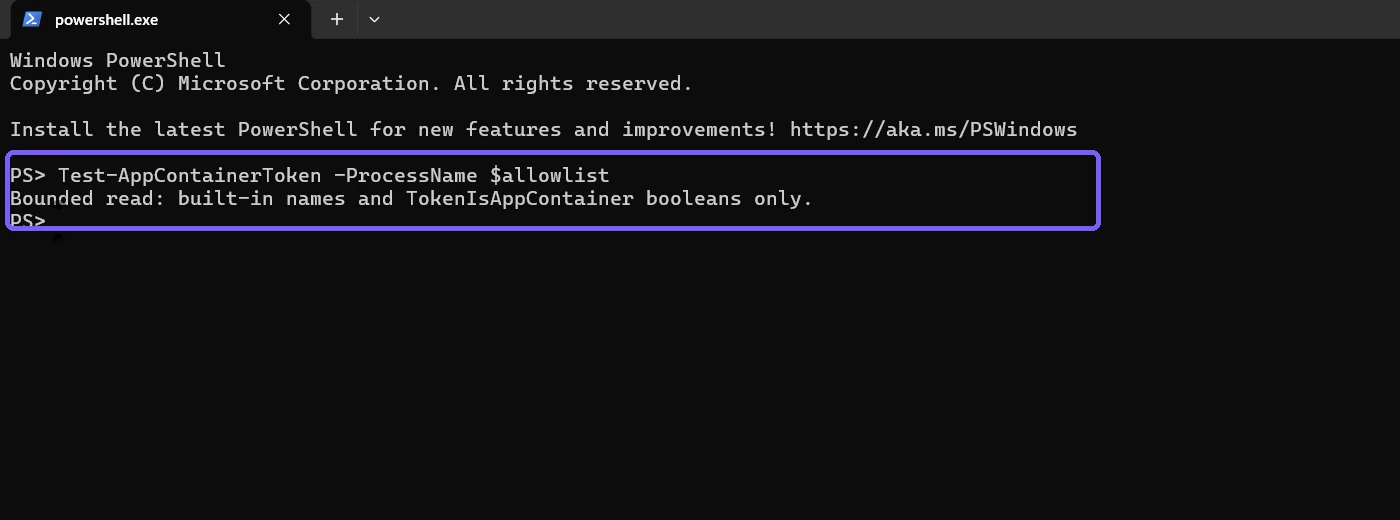
This is not a built-in cmdlet; it is a small wrapper around the documented Windows token API. Its safety depends on strict scope. The article does not print process IDs, executable paths, users, command lines, token groups, capability SIDs, or third-party application names.
Interpret the inspected built-in processes
At capture time, the five distinct allowlisted processes produced these boolean results:
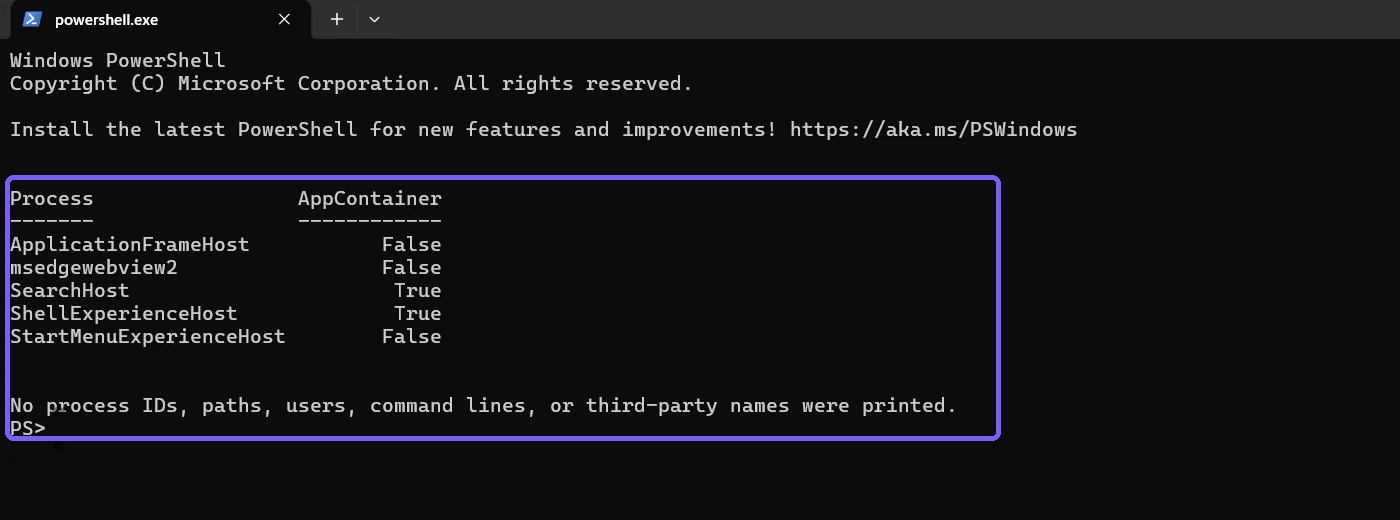
True means the queried process token identified itself as an AppContainer token. False means that particular token did not. It does not mean the executable can never launch in another isolation context, and a process name can have different behavior across builds, versions, and instances.
Process lifetime also matters. A built-in component can exit or restart between queries. Treat the table as a current snapshot and repeat the same bounded check when troubleshooting a later session.
Filter to the observed AppContainer results
After the boolean table is verified, filter only the True rows for the clearest answer:
$results | Where-Object AppContainer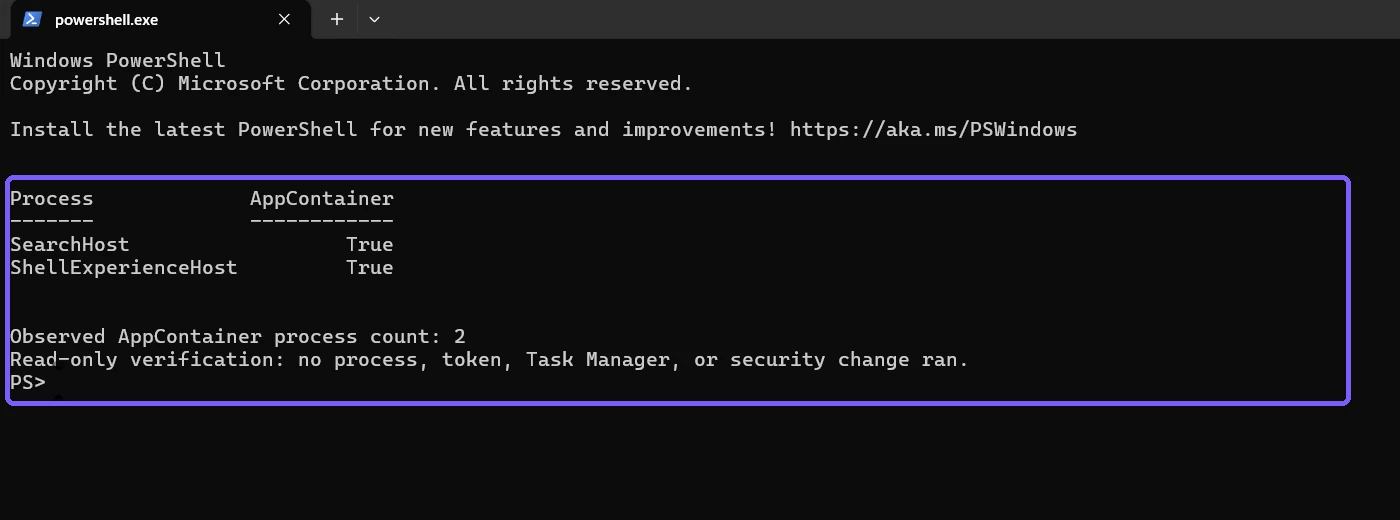
On the reproduced PC, the filtered count was two. Do not use that number as a benchmark for another device. Different apps can be open, phased Windows features can differ, and background components start and stop normally.
AppContainer is not the same as Application Guard
AppContainer is a process isolation primitive used by Windows and apps. Microsoft Defender Application Guard is a separate product feature that uses virtualization-based isolation for particular untrusted content scenarios. A Task Manager AppContainer result should not be described as proof that Application Guard is installed or active.
Likewise, an AppContainer token is not the same as an administrator token. A process can be non-elevated without being in AppContainer. Check elevation and integrity level separately when that is the real support question.
Why may a packaged app show False?
Package identity and AppContainer isolation are related but not identical. Microsoft notes that some packaged desktop applications can run full trust. Other applications can use different process models or launch helper processes outside the container. Judge the token of the actual running process instead of assuming from its installation source or Start-menu icon.
Troubleshoot a missing Isolation column
The column is not offered
Confirm that Windows is current for the device, but do not force a preview update merely for article evidence. Microsoft documented phased availability, so a supported device can receive the column later. Use the bounded token method if appropriate, or wait for the supported UI rollout.
A process disappears during the check
That is normal for short-lived background processes. Reopen the related built-in experience if safe, then rerun the same allowlist. Do not create a loop that continuously inventories every process.
The token query cannot open a process
Limited standard-user access is intentionally respected. Skip inaccessible processes instead of elevating, taking ownership, or weakening security. The reproduced evidence uses only accessible current-session built-in processes.
Task Manager and the script differ
Confirm that they observed the same process instance and moment. The UI can refresh, processes can restart, and names can be grouped differently. Use process-level token data as the technical fact and Task Manager as the accessible visual route.
Privacy and safety checklist
- Use a narrow allowlist of built-in process names for publishable evidence.
- Do not expose process IDs, paths, users, command lines, tokens, capability SIDs, or third-party names.
- Open processes with limited query access and close every handle.
- Do not end, suspend, inject into, reprioritize, or elevate a process.
- Do not change policies or security settings to manufacture an AppContainer result.
- Describe results as a time-specific snapshot, not a permanent inventory.
Frequently Asked Questions
What does AppContainer True mean?
It means the queried running process has an AppContainer token, indicating that this process is operating within that restricted security context.
Does AppContainer mean the app is safe?
No. It identifies an isolation boundary, not a malware, trust, or reputation verdict.
Why is the Isolation column missing in Task Manager?
Microsoft introduced it with phased availability, so its presence depends on the supported Windows release, update, and rollout state.
Is an AppContainer process the same as an unelevated process?
No. AppContainer isolation and administrator elevation are separate token properties.
Conclusion
Use Task Manager's Isolation column when it is available, or read TokenIsAppContainer for a carefully bounded process allowlist. Treat each value as a snapshot of one running process, keep private process details out of evidence, and do not equate AppContainer with Application Guard, elevation, or an overall safety verdict.
For more interesting articles, stay tuned to WinSides.com!

Community
Comments (0)