

Introduction to Kernel-mode Hardware-enforced Stack Protection
In the ever-evolving landscape of cybersecurity, the battle between defenders and attackers frequently centers around memory vulnerabilities. Malicious actors constantly seek new ways to exploit software weaknesses, often targeting the very core of an operating system. This is where Kernel-mode Hardware-enforced Stack Protection on Windows 11 emerges as a pivotal defense mechanism. For additional context, see Memory integrity, Control-flow Enforcement Technology (CET), A deep dive into Memory Integrity, Windows Defender Application Control (WDAC), and Windows security baselines.
Windows 11, building upon years of security advancements, introduces and refines features designed to make exploitation significantly more difficult. One such critical innovation is the integration of hardware-backed protections directly into the kernel’s memory management. This isn’t just another layer of software; it’s a fundamental shift, leveraging the capabilities of modern processors to create a robust barrier against sophisticated attacks.
The increasing sophistication of threats, particularly those targeting the operating system kernel and memory, demands equally advanced countermeasures. Traditional software-based protections, while valuable, often have inherent limitations that determined attackers can circumvent. By moving key security functions into the hardware, Windows 11 aims to establish a more resilient and unyielding defense, safeguarding the integrity of your system from the deepest levels.
This article will delve into the intricacies of this vital security feature, explaining its technical underpinnings, its benefits, and how you can ensure your Windows 11 system is fully protected. Understanding this technology is crucial for anyone serious about modern digital security.
Table of contents
Key Takeaways: Understanding This Advanced Security Feature
For those seeking a quick grasp of this complex yet crucial security feature, here are the essential points about Kernel-mode Hardware-enforced Stack Protection on Windows 11:
- Hardware-Backed Defense: This protection leverages specialized CPU features, like Intel CET or AMD equivalents, to create a more robust defense than software-only solutions.
- Kernel-Level Security: It specifically protects the Windows kernel, the operating system’s core, against memory corruption attacks, which are often used by advanced malware.
- Prevents Control-Flow Hijacking: The primary goal is to stop attackers from redirecting program execution to malicious code by corrupting the call stack.
- Shadow Stacks: Modern CPUs maintain a separate, hardware-protected “shadow stack” to verify the integrity of return addresses, making stack-based exploits significantly harder.
- Requires Specific Hardware: To fully utilize this feature, your system needs compatible processors (e.g., Intel 11th Gen or newer, AMD Zen 3 or newer) and appropriate firmware.
- Enhanced Overall Security: When enabled, it significantly strengthens the device’s defense against zero-day exploits, advanced persistent threats (APTs), and other sophisticated attacks.
- Managed via Windows Security: Users can typically enable or disable this feature through the Windows Security application, often under Device Security settings.
What is Stack Protection and Why is it Essential?
To truly appreciate the significance of Kernel-mode Hardware-enforced Stack Protection, we must first understand the fundamental concept of stack protection and the vulnerabilities it aims to address. The “stack” is a critical region of memory used by programs to manage function calls, local variables, and return addresses.
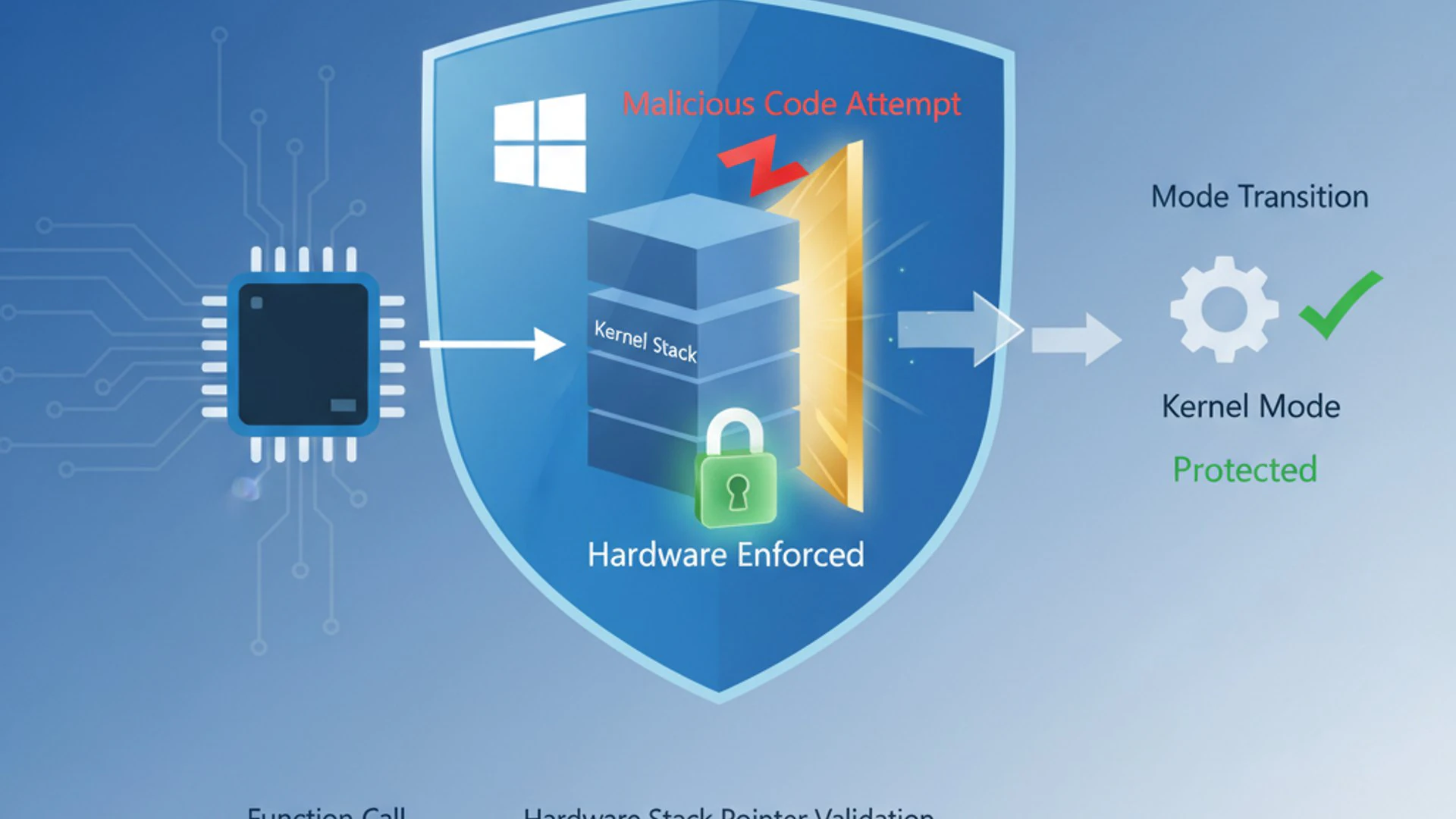
When a function is called, its return address (where the program should resume execution after the function completes) is pushed onto the stack. When the function finishes, this address is popped off the stack, and execution continues from that point. This orderly process is fundamental to how software operates.
However, this mechanism can be exploited. Attackers often seek to corrupt the stack, particularly by overflowing buffers, to overwrite these crucial return addresses. By doing so, they can redirect the program’s execution flow to arbitrary, often malicious, code they have injected into memory.
The Fundamentals of Stack-based Attacks
Stack-based attacks, particularly buffer overflows, have been a staple in the attacker’s toolkit for decades. These attacks occur when a program attempts to write more data into a fixed-size buffer located on the stack than it can hold.
The excess data spills over, overwriting adjacent memory locations. Crucially, these adjacent locations often include the function’s return address. An attacker can carefully craft the overflow data to replace the legitimate return address with the address of their own malicious code.
Once the function completes, instead of returning to the legitimate calling code, the program jumps to the attacker’s code, granting them control over the system. This technique can lead to arbitrary code execution, privilege escalation, and complete system compromise.
Despite numerous software-based mitigations over the years, stack overflow attacks remain a persistent and dangerous threat. Their simplicity and effectiveness make them a favored vector for exploiting vulnerabilities in both user-mode applications and, more critically, in the operating system kernel itself.
Why Software-only Protections Fall Short
For a long time, operating systems and compilers have implemented various software-based stack protections. Techniques like Stack Canaries (inserting a random value on the stack to detect overwrites) and Data Execution Prevention (DEP) (marking memory regions as non-executable) have significantly raised the bar for attackers.
Address Space Layout Randomization (ASLR) also plays a vital role by randomizing memory addresses, making it harder for attackers to predict where their malicious code or legitimate system functions reside. These software mitigations have forced attackers to develop more sophisticated techniques, such as return-oriented programming (ROP) chains, to bypass them.
However, software-based protections inherently operate within the same execution environment as the potentially vulnerable code. This means that sufficiently sophisticated attackers, especially those with kernel-level privileges or zero-day exploits, can sometimes find ways to disable, bypass, or subvert these software checks.
“While software-based protections have been instrumental in mitigating many common exploits, their reliance on the same execution environment as the target makes them susceptible to advanced bypass techniques. Hardware-enforced security offers a more fundamental and resilient layer of defense.”
The limitations of software-only approaches highlighted the need for a more fundamental, hardware-backed solution that operates outside the reach of software-level compromises. This necessity paved the way for features like Kernel-mode Hardware-enforced Stack Protection, which leverages CPU architecture to create a truly robust barrier.
Diving Deep into Hardware-enforced Stack Protection
The advent of hardware-enforced stack protection marks a significant leap in cybersecurity. Instead of relying solely on software heuristics and checks, this technology embeds protection mechanisms directly into the processor’s architecture. This makes it far more difficult for attackers to bypass, as they would need to subvert the CPU itself.
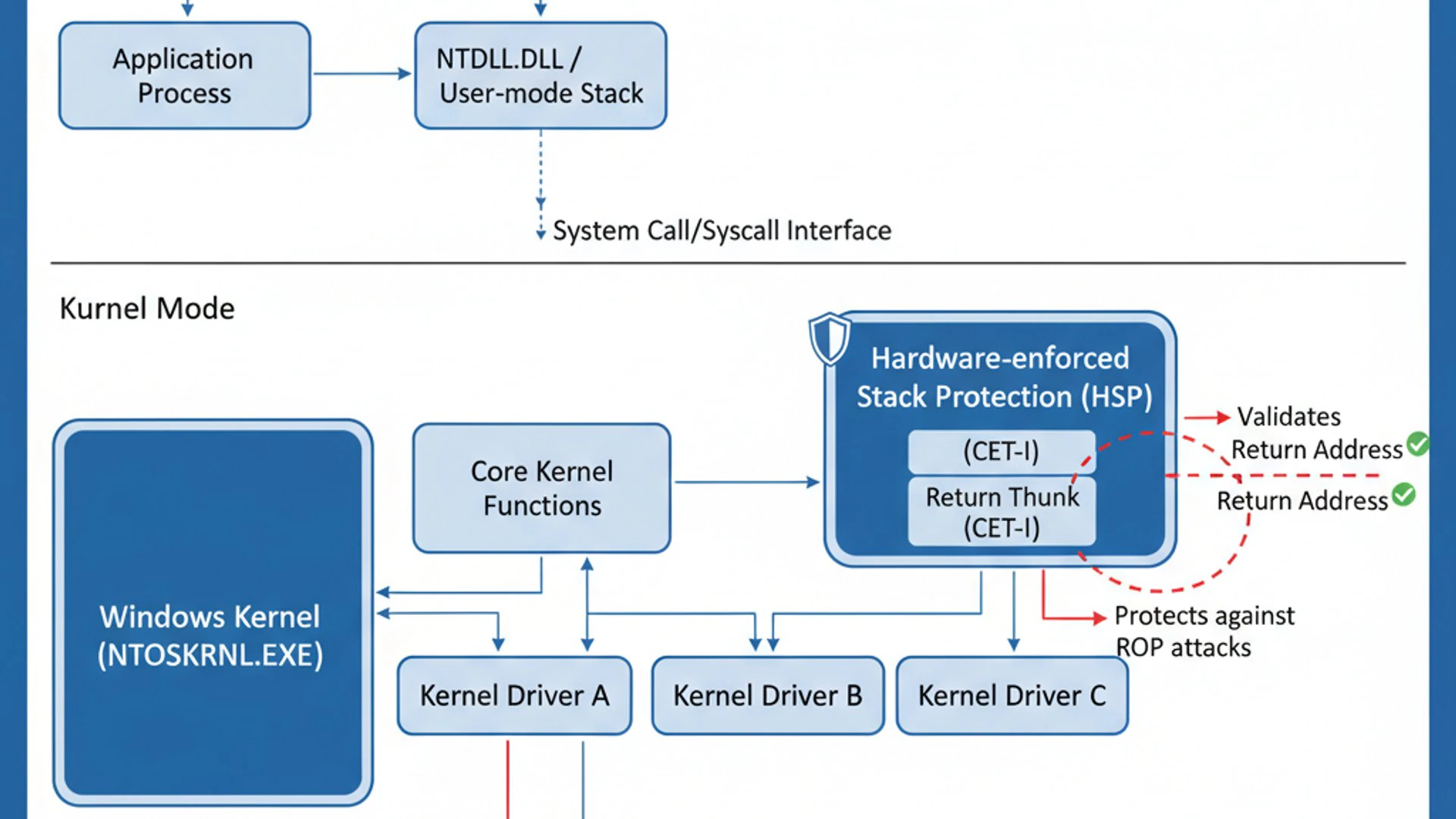
This advanced defense is a cornerstone of Windows 11’s robust security posture, working in conjunction with other features to create a layered defense. It fundamentally alters the attack surface for memory corruption vulnerabilities, particularly those targeting the stack.
How Modern CPUs Provide Security Foundations
Modern CPUs from manufacturers like Intel and AMD have incorporated specialized features designed to combat control-flow hijacking attacks. These technologies provide the foundational hardware capabilities that Windows 11 leverages for its kernel-mode stack protection.
The core idea is to introduce a parallel mechanism that independently verifies the integrity of the program’s execution flow. This independent verification makes it extremely difficult for an attacker to subtly alter return addresses or jump targets without being detected and blocked by the hardware.
This hardware-level enforcement operates at a very low level, often below the operating system’s direct control, making it a powerful and resilient defense. It represents a proactive approach to security, preventing malicious code execution rather than merely detecting it after the fact.
Control-flow Enforcement Technology (CET) Explained
Intel’s Control-flow Enforcement Technology (CET) is a prime example of the hardware foundation for stack protection. CET is designed to protect against two main types of control-flow hijacking attacks: those that target return addresses and those that target indirect jumps/calls.
CET introduces two key components: Shadow Stacks and Indirect Branch Tracking. These work in concert to ensure that the program’s execution flow remains legitimate and has not been tampered with by an attacker. Without these hardware features, Kernel-mode Hardware-enforced Stack Protection Windows 11 would not be possible.
The technology is integrated directly into the CPU’s instruction set, meaning it operates at the fastest possible speeds and is extremely difficult to disable or bypass from software without triggering a hardware-level exception. This makes it a formidable barrier against even the most sophisticated exploits.
Shadow Stacks and Indirect Branch Tracking
Shadow Stacks are a critical part of CET. When a function is called, the CPU not only pushes the return address onto the normal stack but also pushes a copy of that return address onto a separate, hardware-protected shadow stack. This shadow stack is inaccessible to normal software operations, making it extremely difficult for an attacker to corrupt.
When a function attempts to return, the CPU compares the return address on the normal stack with the one on the shadow stack. If they don’t match, it indicates that the normal stack has been tampered with, and the CPU immediately triggers an exception, preventing the malicious jump. This effectively neutralizes return-oriented programming (ROP) attacks.
Indirect Branch Tracking (IBT) addresses another class of control-flow hijacking. It ensures that indirect jumps and calls (where the target address is determined at runtime) only land on legitimate entry points within the code. This prevents attackers from redirecting execution to arbitrary locations within a program, which is often used in jump-oriented programming (JOP) attacks.
Together, Shadow Stacks and Indirect Branch Tracking provide comprehensive protection against various forms of control-flow hijacking, making it exponentially harder for attackers to gain control of a system through memory corruption vulnerabilities. This is a significant advancement for Windows 11’s security model.
The Role of Hypervisor-Protected Code Integrity (HVCI)
While hardware features like Intel CET provide the raw capabilities, it’s Hypervisor-Protected Code Integrity (HVCI) that enables Windows 11 to leverage these protections effectively, particularly for kernel-mode components. HVCI, often referred to as Memory Integrity, runs code integrity checks within a secure, virtualized environment created by the Windows hypervisor.
HVCI ensures that only trusted, signed code is allowed to run in the kernel. When combined with hardware-enforced stack protection, HVCI extends this trust to the execution flow itself. It ensures that even if a legitimate kernel module has a vulnerability, an attacker cannot easily hijack its control flow because the hardware will detect any unauthorized return or jump.
This integration is crucial because it provides an isolated and tamper-resistant environment for enforcing these security policies. The hypervisor acts as a guardian, ensuring that the hardware-level protections are always active and cannot be easily disabled or bypassed by malicious software running within the main operating system.
HVCI is a foundational security feature in Windows 11, working hand-in-hand with hardware-enforced stack protection to create a formidable defense against kernel-level exploits. It’s a key component of Windows 11’s Virtualization-based Security (VBS).
Kernel-mode vs. User-mode Protection: A Critical Distinction
Understanding the difference between kernel-mode and user-mode protection is fundamental to appreciating the significance of this feature. Operating systems operate in different privilege levels to maintain stability and security. User-mode is where applications run, with limited access to system resources. Kernel-mode, on the other hand, is where the operating system’s core components reside, with full access to hardware and all system resources.
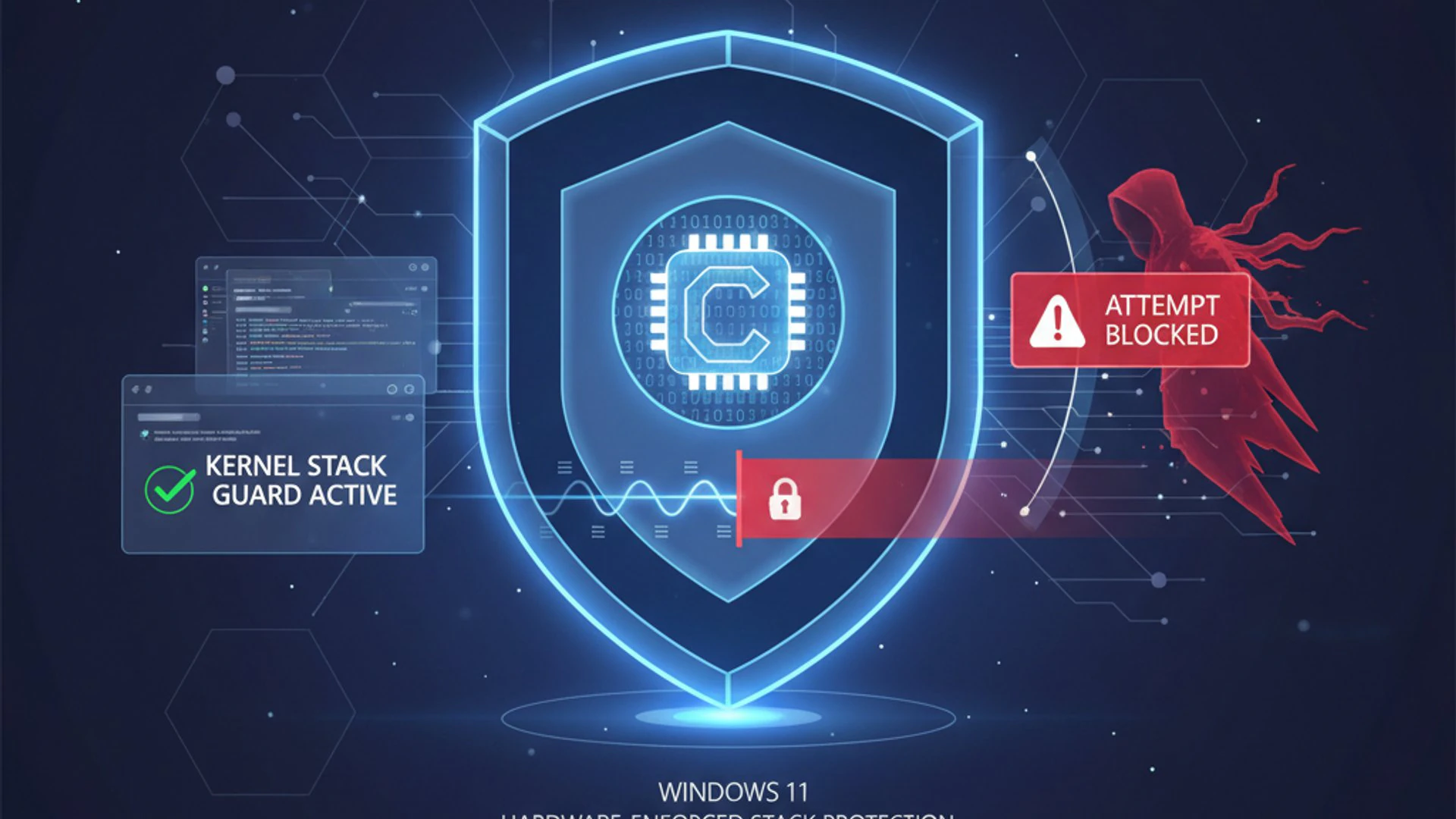
Most traditional security measures, including many stack protections, primarily focus on user-mode applications. While important, protecting user applications doesn’t fully secure the system if the kernel itself is vulnerable. A compromise in user-mode can lead to data theft or system instability, but a compromise in kernel-mode can give an attacker complete control over the entire system, bypassing all other security layers.
Securing the Windows Kernel
The Windows kernel is the undisputed heart of the operating system. It manages critical functions like memory, processes, device drivers, and system calls. If an attacker manages to compromise the kernel, they gain the highest level of privilege, often referred to as “ring 0.”
With kernel-mode access, an attacker can disable security software, install rootkits, steal sensitive data, and maintain persistent control over the system, often without detection. This makes the kernel an extremely attractive target for advanced persistent threats (APTs) and sophisticated malware.
Kernel-mode Hardware-enforced Stack Protection Windows 11 directly addresses this critical vulnerability. By leveraging hardware features, it fortifies the kernel against memory corruption attacks that could lead to control-flow hijacking. This means that even if a flaw exists in a kernel driver or component, the hardware-level checks can prevent an attacker from exploiting it to gain control.
This protection is paramount for maintaining system integrity and confidentiality. It acts as a last line of defense, ensuring that even if an attacker manages to breach other security layers, they are still blocked from taking over the core operating system functions.
Impact on System Stability and Performance
Implementing such a deep-seated security feature naturally raises questions about its impact on system stability and performance. Historically, security measures, especially those involving virtualization or hardware-level checks, could introduce overhead.
However, modern hardware-enforced stack protection is designed to be highly efficient. Because the checks are performed directly by the CPU, they are executed at native hardware speeds, minimizing performance degradation. The overhead is typically negligible for most users and applications.
In terms of stability, the feature is designed to prevent crashes and system instability by blocking malicious or unintended control flow. If a legitimate program or driver attempts an operation that violates the stack integrity rules, it will trigger an exception rather than allowing a potentially catastrophic exploit to proceed.
While rare, compatibility issues with older or poorly written drivers could theoretically arise, leading to blue screens of death (BSODs). This is why Microsoft works closely with hardware and software vendors to ensure broad compatibility and why driver updates are crucial. For the vast majority of users, the stability benefits far outweigh any minimal performance impact.
Enabling and Managing Kernel-mode Hardware-enforced Stack Protection on Windows 11
Activating and managing this crucial security feature on Windows 11 is relatively straightforward for most users, though it does have specific hardware and software prerequisites. Ensuring it’s enabled is a vital step in securing your device against advanced threats.
Microsoft has integrated the management of this feature into the user-friendly Windows Security application, making it accessible even for non-technical users. For enterprise environments, more granular control is available through Group Policy and Registry settings.
Prerequisites for Activation
Before you can enable Kernel-mode Hardware-enforced Stack Protection, your system must meet certain requirements. These prerequisites ensure that the underlying hardware and software infrastructure are capable of supporting this advanced security feature.
- Compatible Processor: Your CPU must support hardware-enforced stack protection. For Intel, this means processors with Control-flow Enforcement Technology (CET), typically 11th generation Core processors and newer. For AMD, it requires processors with similar features, generally Zen 3 architecture and newer.
- UEFI Firmware: Your system must be configured to boot using Unified Extensible Firmware Interface (UEFI) mode, not legacy BIOS.
- Secure Boot Enabled: Secure Boot must be enabled in your UEFI firmware settings. This ensures that only trusted software can load during startup.
- Virtualization Enabled: CPU virtualization features (e.g., Intel VT-x, AMD-V) must be enabled in your UEFI/BIOS settings, as this feature relies on Hypervisor-Protected Code Integrity (HVCI).
- Windows 11 Pro, Enterprise, or Education: While some aspects might be present in Home editions, full manageability and optimal integration are typically found in these editions.
Checking System Compatibility
To determine if your system is compatible, you can perform a few quick checks:
- Processor Model: Check your CPU model in Task Manager (Ctrl+Shift+Esc -> Performance tab -> CPU) or System Information (Win+R, type
msinfo32). Then, consult the manufacturer’s specifications for CET or equivalent support. - UEFI and Secure Boot:
- Open System Information (
msinfo32). - Look for “BIOS Mode.” It should be “UEFI.”
- Look for “Secure Boot State.” It should be “On.”
- Open System Information (
- Virtualization: In Task Manager, go to the Performance tab, then CPU. Look for “Virtualization.” It should be “Enabled.” If not, you may need to enable it in your BIOS/UEFI settings.
If any of these checks fail, you may need to update your firmware settings or consider a hardware upgrade to utilize this feature fully. Ensuring these basics are covered is the first step towards robust security.
Firmware and Driver Requirements
Beyond the core CPU and UEFI settings, up-to-date firmware and drivers are crucial. Outdated firmware might not expose the necessary hardware features to Windows, even if your CPU supports them. Similarly, outdated or incompatible drivers can prevent HVCI from functioning correctly, which in turn impacts kernel-mode stack protection.
It is highly recommended to keep your system’s firmware (BIOS/UEFI) updated to the latest version provided by your motherboard or OEM manufacturer. Regularly updating your device drivers, especially chipset and graphics drivers, is also important. Windows Update generally handles most driver updates, but sometimes manual checks are necessary.
Microsoft continuously works with hardware vendors to ensure driver compatibility with HVCI and hardware-enforced stack protection. If you encounter issues, ensuring all drivers are signed and up-to-date is often the first troubleshooting step.
Step-by-Step Activation via Windows Security
Once your system meets the prerequisites, enabling Kernel-mode Hardware-enforced Stack Protection on Windows 11 is straightforward:
- Open Windows Security. You can find it by searching “Windows Security” in the Start menu.
- Navigate to the Device security section.
- Under “Core isolation,” click on Core isolation details.
- Locate the setting for Memory integrity. This is the user-facing name for HVCI, which enables kernel-mode hardware-enforced stack protection.
- Toggle the switch to On.
- You may be prompted to restart your computer for the changes to take effect.
After the restart, Windows will be running with Memory Integrity enabled, which includes the hardware-enforced stack protection for the kernel. If you encounter any driver compatibility warnings during this process, Windows Security will typically notify you and suggest reviewing incompatible drivers.
Group Policy and Registry Options for Enterprise Management
For IT administrators managing multiple Windows 11 devices in an enterprise environment, Group Policy and Registry settings offer centralized control over Kernel-mode Hardware-enforced Stack Protection.
Using Group Policy:
- Open the Group Policy Editor (
gpedit.msc) or manage through a domain-based Group Policy Object (GPO). - Navigate to
Computer Configuration > Administrative Templates > System > Device Guard. - Look for the setting “Turn On Virtualization Based Security.”
- Enable this policy and configure the “Select Platform Security Level” to “Secure Boot and DMA Protection” and “Virtualization Based Protection of Code Integrity” to “Enabled with UEFI lock” or “Enabled without UEFI lock” (the former is more secure).
- This will enable HVCI, which in turn activates kernel-mode hardware-enforced stack protection if the hardware supports it.
Using Registry Editor:
While Group Policy is preferred for enterprise, the equivalent Registry key can be modified:
- Navigate to
HKEY_LOCAL_MACHINE\SYSTEM\CurrentControlSet\Control\DeviceGuard\Scenarios\HypervisorEnforcedCodeIntegrity. - Set the DWORD value named
Enabledto1to enable Memory Integrity.
Always exercise caution when editing the Registry directly, as incorrect changes can lead to system instability. Group Policy is generally the safer and more scalable method for enterprise deployments.
Benefits and Advantages of This Advanced Security Layer
The implementation of Kernel-mode Hardware-enforced Stack Protection on Windows 11 brings substantial security benefits, particularly against the most sophisticated and persistent threats. It’s not just an incremental improvement; it’s a fundamental strengthening of the operating system’s core defenses.
This advanced security layer significantly raises the bar for attackers, forcing them to develop even more complex and costly exploits, which are less likely to succeed or remain undetected for long. It contributes to a more resilient and trustworthy computing environment for all Windows 11 users.
Enhanced Protection Against Zero-Day Exploits
One of the most significant advantages of hardware-enforced stack protection is its effectiveness against zero-day exploits. These are vulnerabilities that are unknown to software vendors, meaning there are no patches available to fix them.
Many zero-day exploits, especially those targeting the kernel, rely on memory corruption techniques like stack overflows to achieve arbitrary code execution. By validating control flow at the hardware level, this feature can often block such exploits even before a patch is developed and deployed.
It acts as a generic mitigation, not relying on specific vulnerability signatures but rather on the fundamental principle of legitimate program execution. This makes it a powerful proactive defense against unknown threats, providing a critical window of protection until software patches can be applied.
Mitigating Advanced Persistent Threats (APTs)
Advanced Persistent Threats (APTs) are highly sophisticated, long-term attacks often carried out by nation-states or well-funded criminal organizations. These attackers often seek to gain deep, persistent access to systems, frequently targeting the operating system kernel to evade detection and maintain control.
Kernel-mode Hardware-enforced Stack Protection makes it much harder for APTs to achieve their objectives. By preventing kernel-level control-flow hijacking, it disrupts common APT techniques for privilege escalation and rootkit installation. This forces attackers to find alternative, more difficult, and potentially more detectable methods.
The increased difficulty in compromising the kernel means that APTs will have to expend more resources and time, increasing the chances of detection and making their campaigns less cost-effective. This feature is a key component in Microsoft’s strategy to defend against these top-tier adversaries.
Strengthening the Overall Security Posture of Windows 11
Beyond specific attack types, this technology significantly strengthens the overall security posture of Windows 11 devices. It forms a crucial part of a layered defense strategy, working in concert with other security features like BitLocker encryption, Windows Defender Application Control, and SmartScreen.
By securing the kernel at a hardware level, it creates a more trustworthy computing base. This foundational security helps protect against a wide range of threats, from commodity malware attempting to gain elevated privileges to highly targeted attacks aiming for complete system compromise.
Users can have greater confidence that their Windows 11 system is protected by cutting-edge technology, reducing the risk of data breaches, system instability, and unauthorized access. It’s a testament to Microsoft’s commitment to providing a secure operating environment in an increasingly hostile digital world.
Potential Challenges and Troubleshooting Tips
While Kernel-mode Hardware-enforced Stack Protection offers significant security benefits, users might occasionally encounter challenges during its activation or operation. Understanding these potential issues and knowing how to troubleshoot them is key to a smooth experience.
Most issues stem from compatibility with older hardware or software, or misconfigurations in firmware settings. Addressing these typically involves updating components or adjusting settings.
Driver Compatibility Issues and Solutions
The most common challenge when enabling Memory Integrity (HVCI), and by extension, kernel-mode stack protection, is driver incompatibility. Some older or poorly written drivers may not be compatible with the strict code integrity checks enforced by HVCI. When such drivers are detected, Windows Security will often prevent Memory Integrity from being enabled or warn you about them.
Solutions:
- Update Drivers: The first step is always to update all drivers to their latest versions. Check your device manufacturer’s website (OEM) or the component manufacturer’s website for the most recent signed drivers.
- Remove Incompatible Drivers: If an updated driver isn’t available, you might need to identify and uninstall the problematic driver. Windows Security will usually list the incompatible drivers. You can then try to find an alternative driver or, if it’s for non-essential hardware, consider removing the hardware.
- Consult Manufacturer: For critical hardware, contact the manufacturer to inquire about HVCI-compatible drivers.
- Temporary Disablement (Last Resort): In rare cases where a critical driver cannot be updated, you might have to temporarily disable Memory Integrity. However, this significantly reduces your security posture and should only be a temporary measure while seeking a permanent solution.
Performance Considerations and Optimizations
While hardware-enforced stack protection is designed for minimal performance impact, some users, particularly those with older CPUs or specific workloads, might perceive a slight overhead. This is generally more noticeable with HVCI itself rather than the stack protection component directly.
Optimizations:
- Ensure Latest Drivers: Optimized drivers can significantly reduce any performance overhead associated with security features.
- Adequate RAM: HVCI uses a small amount of additional RAM. While usually negligible, ensuring your system has sufficient RAM (8GB+ recommended for Windows 11) helps prevent overall system slowdowns.
- Fast Storage: A fast SSD (NVMe preferred) can help mitigate any minor I/O overhead from security checks.
- Review Other Security Software: Ensure your antivirus and other security solutions are up-to-date and compatible with Windows 11’s built-in security features to avoid conflicts that could impact performance.
For most modern systems, the performance impact of Kernel-mode Hardware-enforced Stack Protection Windows 11 is negligible, and the security benefits far outweigh any minor overhead.
Event Viewer Analysis for Security Incidents
If you suspect issues related to stack protection or want to monitor its activity, the Event Viewer is an invaluable tool. It logs various system events, including those related to security features.
How to use Event Viewer:
- Open Event Viewer by searching for it in the Start menu or running
eventvwr.msc. - Navigate to
Applications and Services Logs > Microsoft > Windows > CodeIntegrity > Operational. This log contains events related to HVCI and code integrity checks. - Look for warnings or errors that indicate blocked code or driver issues.
- You can also check
Windows Logs > Systemfor general system errors or crashes (e.g., BugCheck codes) that might be indirectly related to security feature conflicts.
Analyzing these logs can help diagnose driver conflicts, identify potential exploitation attempts that were blocked, or understand why a specific security feature might not be enabling correctly. It provides critical insights into the health and security of your system.
Future of Stack Protection and Windows Security
The journey of stack protection and overall Windows security is an ongoing evolution, continuously adapting to new threats and leveraging advancements in hardware and software. Kernel-mode Hardware-enforced Stack Protection is not a standalone solution but a critical component within a broader, integrated security ecosystem.
Microsoft’s commitment to security means that features like this will continue to be refined, expanded, and integrated with future technologies, ensuring that Windows remains a secure platform for users worldwide.
Integration with Other Windows 11 Security Features
Kernel-mode Hardware-enforced Stack Protection works in tight synergy with many other Windows 11 security features to create a comprehensive defense-in-depth strategy. It’s part of the larger Virtualization-based Security (VBS) framework, which includes:
- Credential Guard: Protects sensitive login credentials from theft by isolating them in a virtualized environment.
- Windows Defender Application Control (WDAC): Ensures only approved applications can run on a device, preventing malicious software execution.
- SmartScreen: Protects against phishing sites and malicious downloads.
- Windows Hello: Provides strong, biometric authentication, reducing reliance on easily compromised passwords.
This layered approach means that even if one security measure is bypassed, others are in place to detect and block the attack. For instance, if an attacker manages to bypass a user-mode stack protection, they would still face the hardware-enforced kernel-mode protection when attempting to escalate privileges.
The goal is to create an environment where the cost and complexity for attackers to succeed are prohibitively high, making them move on to easier targets. This integration is key to the robustness of Windows 11’s security architecture.
Evolving Threat Landscape and Microsoft’s Response
The threat landscape is constantly evolving. Attackers are continuously developing new techniques, from sophisticated phishing campaigns to novel memory corruption exploits and supply chain attacks. Microsoft’s response is equally dynamic, investing heavily in research and development to anticipate and counter these emerging threats.
Future enhancements to stack protection might involve even deeper integration with emerging CPU architectures, more granular control over protection policies, and potentially AI-driven anomaly detection to identify subtle signs of control-flow hijacking that evade current deterministic checks.
Microsoft’s proactive approach, including bug bounty programs and collaboration with security researchers, ensures that vulnerabilities are identified and addressed rapidly. The continuous improvement of features like Kernel-mode Hardware-enforced Stack Protection Windows 11 is a testament to this ongoing commitment.
The focus remains on making the operating system inherently more secure by design, reducing the attack surface, and making exploitation significantly more difficult at every layer, from the hardware up to the user interface.
Conclusion: Fortifying Windows 11 Against Sophisticated Attacks
In an era where cyber threats are more pervasive and sophisticated than ever, the security of our operating systems is paramount. Kernel-mode Hardware-enforced Stack Protection on Windows 11 stands out as a critical defense mechanism, moving beyond traditional software-based mitigations to leverage the inherent security capabilities of modern CPU hardware.
By protecting the Windows kernel—the very core of the operating system—against memory corruption attacks and control-flow hijacking, this feature significantly raises the bar for malicious actors. It directly addresses the persistent threat of stack-based exploits, which have long been a favored tool for achieving arbitrary code execution and privilege escalation.
The integration of technologies like Intel’s CET (Shadow Stacks and Indirect Branch Tracking) with Windows 11’s Hypervisor-Protected Code Integrity (HVCI) creates a formidable, hardware-backed barrier. This makes it exceptionally difficult for advanced persistent threats and zero-day exploits to compromise the system at its deepest level, thereby safeguarding data integrity and system stability.
Enabling this feature, while requiring specific hardware and firmware prerequisites, is a straightforward process through Windows Security. The benefits of enhanced protection against sophisticated attacks far outweigh any minimal performance overhead or potential driver compatibility challenges, which are often resolvable through updates.
Ultimately, Kernel-mode Hardware-enforced Stack Protection is a vital component of Windows 11’s comprehensive security architecture. It represents Microsoft’s ongoing commitment to building a more secure computing environment, empowering users and organizations with robust defenses against the evolving landscape of cyber threats. Ensuring this feature is active on your Windows 11 device is a proactive and essential step towards a safer digital experience.
For more interesting articles, stay tuned to Winsides.com!









Community
Comments (0)