

Introduction to Windows 11 Version 26H1
As the digital landscape continues its rapid evolution, Microsoft stands at the forefront, consistently refining its flagship operating system. The upcoming Windows 11 version 26H1 represents the next significant leap in this journey, promising a blend of innovative features, enhanced performance, and a more intuitive user experience. This major update is poised to redefine how we interact with our PCs, building upon the modern foundation established by its predecessors. For additional context, see Windows 11 release information, Windows Insider Blog, Official Windows 11 website, Microsoft Learn documentation, and Microsoft’s official blog.
Anticipated to arrive in the latter half of 2024, Windows 11 version 26H1 is not merely a collection of minor tweaks; it embodies Microsoft’s strategic vision for a more intelligent, secure, and integrated computing environment. From deeper AI integration to robust security enhancements and developer-centric improvements, this release aims to cater to a diverse user base. We will delve into the core aspects of this exciting update, exploring what makes it a pivotal moment for Windows users worldwide.
Table of contents
Key Takeaways from Windows 11 26H1
Windows 11 version 26H1 is shaping up to be a substantial update with several critical advancements. Here’s a quick summary of what users can expect:
- Annual Feature Update: This release solidifies Microsoft’s commitment to a predictable annual feature update cycle, ensuring regular improvements.
- User Interface Refinements: Expect subtle yet impactful changes to elements like the Taskbar and Start Menu, enhancing overall usability and aesthetics.
- Performance Boosts: Significant under-the-hood optimizations are anticipated, leading to a faster, more responsive, and energy-efficient operating system.
- Enhanced Security: New layers of protection, including advanced threat detection and improved authentication methods, will bolster user safety.
- Deeper AI Integration: Copilot will likely see expanded capabilities, becoming an even more integral part of the Windows experience.
- Developer Empowerment: Improvements to WSL and new APIs will provide developers with more powerful tools and greater flexibility.
- Compatibility Guidance: While generally compatible, understanding potential hardware requirements and preparing your system will be crucial for a smooth transition.
Understanding Microsoft’s Release Cadence for Windows 11
Microsoft has significantly refined its approach to delivering major updates for its operating system. Gone are the days of unpredictable, large-scale releases that could sometimes disrupt user workflows. With Windows 11, the company has adopted a more structured and predictable cadence, ensuring users receive regular enhancements without prolonged waiting periods.
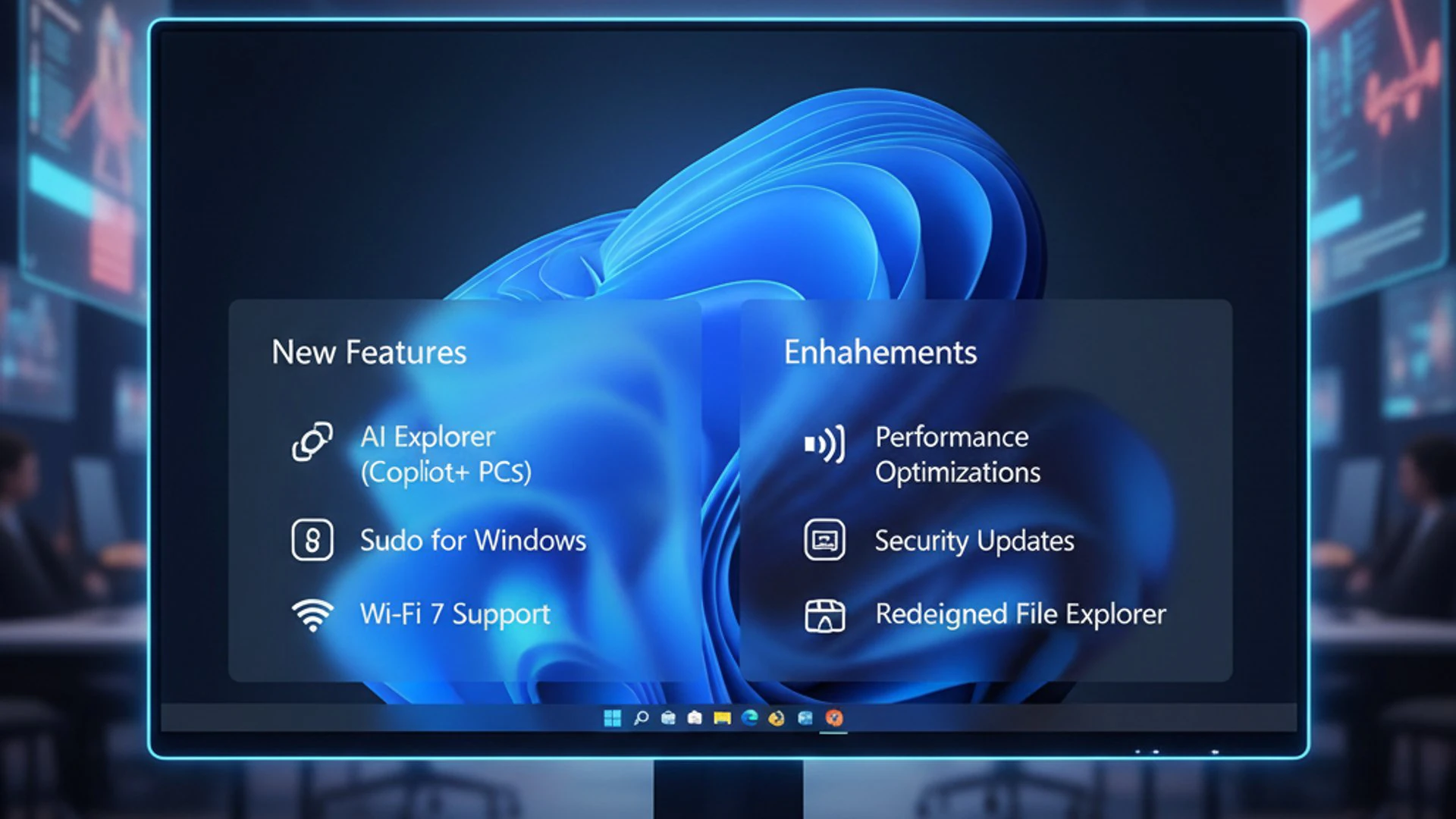
This strategic shift aims to provide a consistent and reliable update experience, allowing both consumers and businesses to plan their deployments more effectively. Understanding this release model is key to appreciating the significance of Windows 11 version 26H1 within the broader Windows ecosystem.
The Shift to Annual Releases
Microsoft has firmly committed to an annual feature update cycle for Windows 11. This means that users can expect one major update per year, typically released in the latter half of the calendar year. This predictable schedule helps users anticipate new features and plan for system upgrades, reducing uncertainty.
Alongside these annual feature updates, Microsoft continues to deliver monthly cumulative updates. These smaller updates primarily focus on security patches, bug fixes, and minor performance improvements, ensuring the operating system remains stable and secure between major releases. This two-tiered approach balances innovation with stability.
The annual release model allows Microsoft to gather extensive feedback, thoroughly test new functionalities, and integrate them seamlessly into the operating system. This iterative development process helps in delivering a more polished and reliable product each year, making each version, including Windows 11 version 26H1, a significant milestone.
What ’26H1′ Signifies
The nomenclature ’26H1′ provides a clear indication of the update’s expected release timeframe. In Microsoft’s naming convention, the first two digits, ’26’, refer to the calendar year of the update’s development or target release. In this case, it points to features being developed for 2026.
The ‘H1’ component traditionally referred to the half of the year in which the update was finalized or released, with ‘H1’ meaning the first half and ‘H2′ meaning the second half. However, with the current annual release cycle, major feature updates for Windows 11 are generally finalized and released in the second half of the year. The ’26H1’ designation often indicates the internal development branch or target for features that will eventually land in the next major release, which might be released as “version 24H2” or similar, aligning with the actual calendar year of release for consumers. For the purpose of this article, we are referring to the next major update that will incorporate features from this development cycle.
This naming system helps differentiate between various development branches and release versions, providing clarity for both internal teams and external enthusiasts tracking Windows development. It signifies a specific build stream that will eventually coalesce into the next public-facing feature update for Windows 11.
Anticipated Core Features and Enhancements in 26H1
Windows 11 version 26H1 is poised to introduce a wealth of new functionalities and refinements, touching nearly every aspect of the user experience. From visual overhauls to fundamental performance improvements, this update aims to make the operating system more efficient, enjoyable, and productive. Microsoft’s focus remains on creating a seamless and modern computing environment that adapts to user needs.
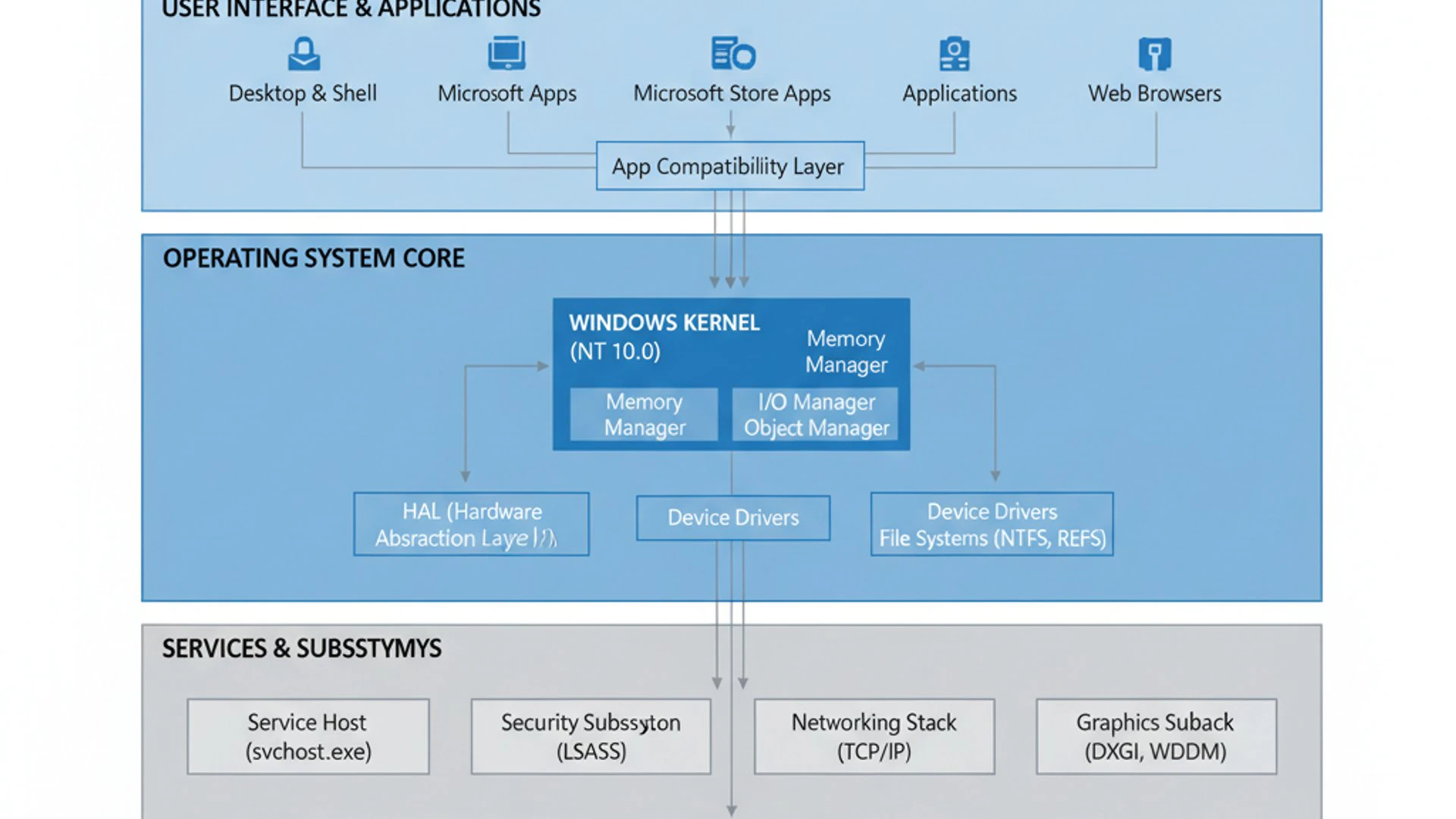
We expect to see significant strides in enhancing the core usability of Windows 11, building on the foundation of its contemporary design. These changes are not just cosmetic; they are carefully considered to improve workflow, accessibility, and overall system responsiveness. The goal is to deliver an operating system that feels both familiar and refreshingly new.
User Interface and Experience Improvements
The user interface (UI) and overall user experience (UX) are central to Windows 11’s identity, and version 26H1 is expected to bring further polish and functionality. Microsoft is continually striving to create a more cohesive and intuitive visual language across the operating system, making interactions smoother and more efficient.
Expect subtle yet impactful changes that enhance daily usage without drastically altering the familiar layout. These improvements often stem from extensive user feedback and telemetry data, ensuring that changes genuinely address common pain points and elevate satisfaction. The aim is to make the interface more adaptive and user-friendly.
Taskbar and Start Menu Refinements
The Taskbar and Start Menu are arguably the most frequently interacted-with elements of the Windows UI, and as such, they are constant candidates for refinement. In Windows 11 version 26H1, we anticipate further enhancements that improve their functionality and aesthetic appeal. These could include more customization options, better organization, and potentially new interactive elements.
For instance, users might see more granular control over Taskbar icons, improved search integration within the Start Menu, or even dynamic content suggestions. Microsoft often experiments with features like folder creation in the Start Menu or more flexible Taskbar positioning, which could eventually make their way into a stable release. The goal is to make these essential components even more powerful and personalized.
Another area of potential improvement could be the integration of AI-driven suggestions directly into the Start Menu, offering quick access to frequently used documents, applications, or even relevant web content based on user activity. This would further streamline workflows and reduce the time spent searching for items. Personalization and efficiency are key drivers for these updates.
Performance and System Optimization
Beyond visual enhancements, a significant focus for Windows 11 version 26H1 will undoubtedly be on performance and system optimization. Microsoft consistently works to make Windows run faster, smoother, and more efficiently on a wide range of hardware. These under-the-hood improvements are crucial for a responsive and satisfying user experience.
Expect advancements in areas such as boot times, application launch speeds, and overall system responsiveness. Optimization efforts often involve refining memory management, improving process scheduling, and enhancing how the operating system interacts with modern hardware components like SSDs and multi-core processors. These changes contribute to a snappier feel during everyday tasks.
Furthermore, power efficiency is a growing concern, especially for laptop users. Windows 11 version 26H1 is likely to include optimizations that extend battery life without compromising performance. This could involve more intelligent background process management and adaptive power profiles. The aim is to deliver a robust and energy-conscious operating system for all users.
Security Innovations and Privacy Controls
In an increasingly interconnected world, the security and privacy of user data are paramount. Windows 11 version 26H1 is expected to bring substantial advancements in these critical areas, reinforcing Microsoft’s commitment to protecting users from evolving cyber threats. These innovations are designed to provide a more secure computing environment from the ground up.
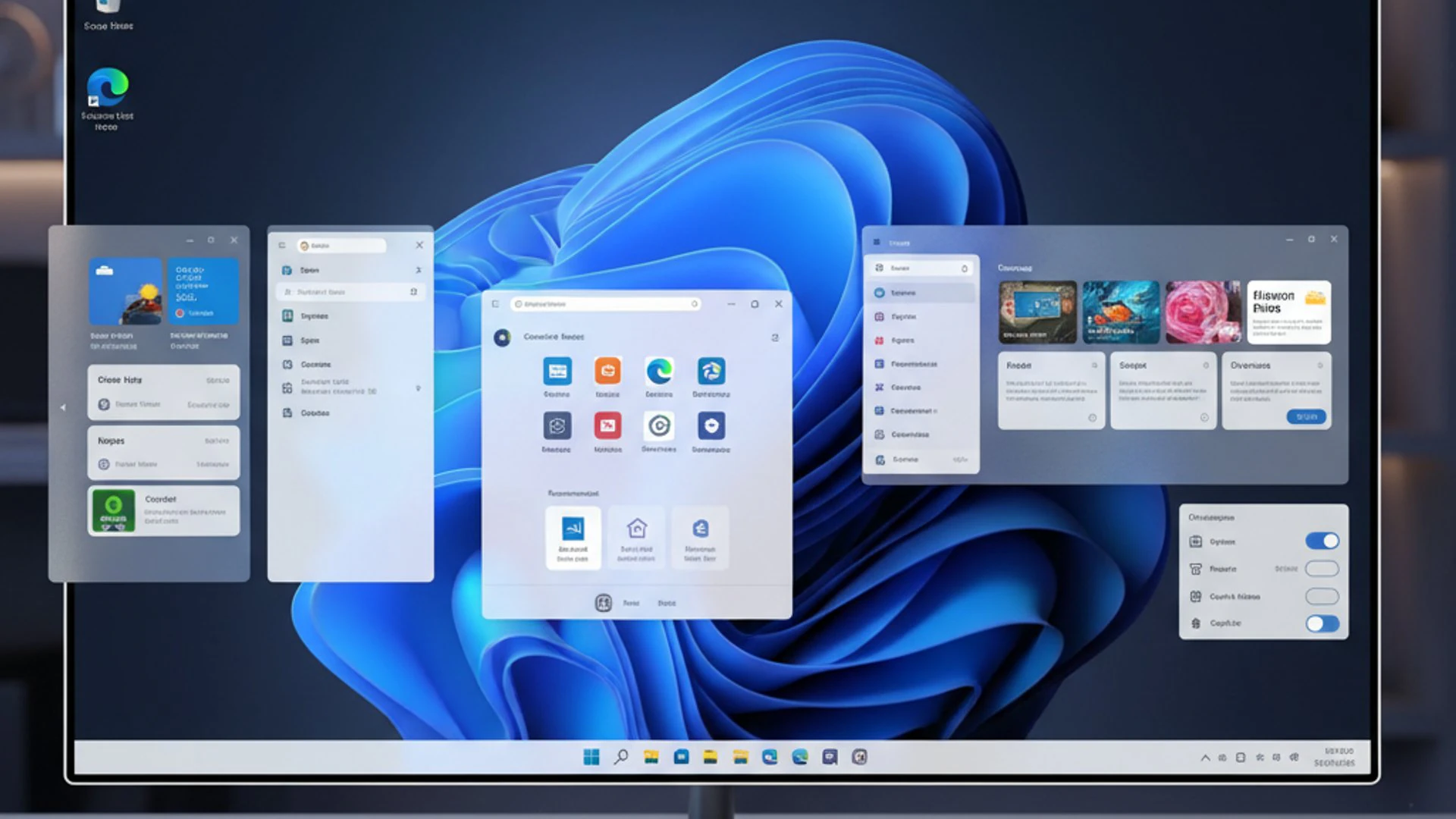
Microsoft continuously invests in research and development to stay ahead of malicious actors, integrating cutting-edge technologies directly into the operating system. The focus is on multi-layered defenses, proactive threat detection, and empowering users with greater control over their personal information. This comprehensive approach ensures robust protection.
Advanced Threat Protection
Windows 11 version 26H1 will likely introduce new capabilities for advanced threat protection, making it harder for malware, ransomware, and phishing attacks to compromise systems. This could involve enhancements to Windows Defender, Microsoft’s built-in antivirus solution, providing more sophisticated detection algorithms and real-time protection.
Expect improvements in areas like kernel-level protection, hardware-backed security features, and cloud-powered intelligence to identify and neutralize emerging threats more rapidly. Microsoft’s security services leverage vast amounts of data to adapt to new attack vectors, offering a dynamic defense mechanism. This proactive stance is vital in today’s threat landscape.
Another potential area of focus is strengthening the integrity of core system processes and preventing unauthorized modifications. Features like CNG Key Isolation on Windows 11 and Memory Integrity (HVCI) could see further enhancements, making it even more difficult for sophisticated attacks to gain a foothold. Robust security is a non-negotiable aspect of modern computing.
Enhanced Data Encryption and User Authentication
Data encryption and user authentication are fundamental pillars of digital security, and Windows 11 version 26H1 is expected to bring significant enhancements in these domains. Protecting sensitive information at rest and ensuring only authorized users can access systems are top priorities for Microsoft.
Improvements to features like BitLocker, Windows’ full-disk encryption solution, could include faster encryption/decryption speeds or more robust key management options. The goal is to make data protection seamless and highly effective without impeding user productivity. For more on encryption, refer to Encrypting File System on Windows 11.
User authentication will also likely see advancements. Windows Hello, with its biometric capabilities (facial recognition, fingerprint scanning), could become even more secure and convenient. We might see expanded support for passwordless authentication methods and FIDO2 security keys, further reducing reliance on traditional, vulnerable passwords. These innovations aim to make login processes both secure and user-friendly.
“Security in Windows 11 version 26H1 isn’t just about blocking threats; it’s about building a resilient ecosystem where user data is protected by default and access is granted only through robust, modern authentication methods.”
AI Integration and Copilot Evolution
Artificial intelligence is rapidly transforming how we interact with technology, and Windows 11 is at the forefront of integrating AI into the operating system experience. Windows 11 version 26H1 is expected to deepen this integration, particularly through the continued evolution and expansion of Copilot, Microsoft’s AI-powered assistant.
The goal is to make AI a seamless and helpful companion, assisting users with a wide range of tasks, from productivity enhancements to creative endeavors. This isn’t just about adding a chatbot; it’s about embedding intelligent capabilities directly into the fabric of Windows, making the operating system more intuitive and proactive.
Expanding Copilot’s Capabilities
Copilot, initially introduced as a sidebar assistant, is expected to become an even more integral part of Windows 11 version 26H1. Its capabilities are likely to expand significantly, moving beyond simple queries to offer more contextual assistance across various applications and system functions. Imagine Copilot not just answering questions but proactively suggesting actions based on your current workflow.
This could include features like summarizing documents, generating content within apps, or even automating complex multi-step tasks across different Windows utilities. For example, Copilot might help you organize files, optimize system settings, or even troubleshoot minor issues by guiding you through solutions. The aim is to empower users with an intelligent assistant that truly understands context.
Furthermore, Copilot’s integration could extend to system-level optimizations, suggesting performance tweaks or security recommendations based on your usage patterns. This deeper integration of AI aims to make Windows 11 version 26H1 a truly intelligent operating system, learning and adapting to individual user needs for a more personalized and efficient experience. The future of Windows is intrinsically linked with AI.
Developer-Focused Updates and Platform Enhancements
Beyond the end-user experience, Windows 11 version 26H1 is also expected to deliver substantial improvements for developers. Microsoft recognizes the vital role developers play in the ecosystem, and continuously strives to provide more powerful tools, flexible platforms, and enhanced capabilities. These updates aim to streamline development workflows and unlock new possibilities for application creation.
The focus will likely be on bolstering existing developer tools and introducing new APIs that allow for deeper integration with the operating system’s latest features. This commitment ensures that Windows remains a robust and attractive platform for building next-generation applications, from desktop software to cloud-native solutions.
Windows Subsystem for Linux (WSL) Improvements
The Windows Subsystem for Linux (WSL) has become an indispensable tool for many developers, allowing them to run Linux environments directly on Windows without the overhead of a traditional virtual machine. Windows 11 version 26H1 is anticipated to bring further enhancements to WSL, making it even more powerful and seamless.
Potential improvements could include better performance for I/O operations, enhanced GPU compute support for AI/ML workloads, and more streamlined integration with Windows tools and file systems. Microsoft is continuously working to bridge the gap between Windows and Linux development environments, making it easier for developers to leverage the best of both worlds.
These improvements could also extend to easier management of WSL distributions, better networking capabilities, and more robust debugging tools. The goal is to ensure WSL remains a cutting-edge platform for developers who rely on Linux tools and workflows within their Windows environment. WSL’s evolution is a testament to developer-centric design.
New APIs and SDK Features
For application developers, the introduction of new Application Programming Interfaces (APIs) and Software Development Kit (SDK) features in Windows 11 version 26H1 is always a significant event. These new interfaces unlock access to the operating system’s latest functionalities, allowing developers to create more innovative and integrated applications.
We can expect new APIs related to the enhanced AI capabilities, allowing applications to tap into Copilot’s intelligence or leverage local AI models. There might also be new APIs for improved UI customization, better system resource management, or deeper integration with security features. These additions empower developers to build richer and more performant applications.
Furthermore, updates to the Windows App SDK and WinUI could provide developers with modern UI components and development patterns, making it easier to build applications that look and feel native to Windows 11. This continuous evolution of the developer platform ensures that Windows remains a vibrant and competitive environment for software innovation.
Potential Hardware Requirements and Compatibility
As with any major operating system update, understanding the potential hardware requirements and compatibility considerations for Windows 11 version 26H1 is crucial. While Microsoft aims for broad compatibility, certain new features, particularly those leveraging advanced AI or security, might benefit from or even require specific hardware components.
Users should be aware that while Windows 11 generally runs on a wide range of modern PCs, the full suite of new functionalities might be best experienced on systems meeting or exceeding recommended specifications. It’s always wise to check your system’s readiness before embarking on a major update.
Maintaining System Integrity and Performance
Beyond meeting the minimum requirements, maintaining system integrity and performance is paramount for a smooth and enjoyable experience with Windows 11 version 26H1. Regular updates, driver management, and system hygiene play a significant role in how well your operating system performs.
Ensuring your drivers are up-to-date, especially for graphics cards, chipsets, and network adapters, can prevent compatibility issues and optimize performance. Microsoft often releases updated drivers alongside major OS updates, so checking for these post-installation is a good practice. Furthermore, managing background processes and keeping your storage tidy contributes to overall system health.
Regularly running system checks and optimizing disk space can also help maintain peak performance. Tools like Disk Cleanup and Storage Sense are built into Windows to assist with this. For advanced system management, understanding services like Declared Configuration Service on Windows 11 can be beneficial for IT professionals.
How to Prepare for the 26H1 Update
Preparing your system for Windows 11 version 26H1 is a straightforward process that can prevent potential headaches and ensure a smooth transition. Taking a few proactive steps can make a significant difference in your update experience.
First and foremost, ensure your current Windows installation is fully updated with all the latest security patches and cumulative updates. This provides the most stable foundation for the feature update. Additionally, consider uninstalling any unnecessary software or old applications that might cause conflicts.
Finally, free up sufficient disk space. Major feature updates require a considerable amount of temporary storage during the installation process. Aim for at least 20-30 GB of free space on your primary drive to avoid any installation failures due to insufficient storage.
Backup Your System Before Updating
One of the most crucial steps before any major operating system update is to backup your system. While Windows updates are generally reliable, unforeseen issues can occur, leading to data loss or system instability. A comprehensive backup ensures that you can always revert to a working state if something goes wrong.
There are several methods for backing up your system. You can use Windows’ built-in backup tools, such as File History for personal files, or create a full system image. For a detailed guide on creating a system image, refer to System Image Backup on Windows 11: Comprehensive Guide.
Alternatively, third-party backup solutions offer more advanced features and flexibility. Whichever method you choose, ensure your backup is stored on an external drive or cloud service, separate from your main system. This redundancy is vital for true data protection.
- Create a System Image: This captures your entire operating system, applications, and files.
- Backup Personal Files: Use File History or cloud services (OneDrive, Google Drive) for documents, photos, and videos.
- Note Down Software Licenses: Keep a record of any essential software product keys.
- Create a Recovery Drive: A USB recovery drive can be invaluable for troubleshooting startup issues.
Checking for System Compatibility
Before installing Windows 11 version 26H1, it’s essential to verify your system’s compatibility. Microsoft provides a dedicated tool, the PC Health Check app, which can quickly assess if your hardware meets the minimum requirements for Windows 11. This includes checks for CPU, RAM, storage, and crucial security features like TPM 2.0 and Secure Boot.
Even if your system currently runs Windows 11, it’s a good idea to re-run the check, as some features in 26H1 might have specific hardware dependencies. Ensure your BIOS/UEFI settings are configured correctly for TPM and Secure Boot, as these are common stumbling blocks for many users. Addressing these proactively will ensure a smooth update path.
Conclusion: The Future of Windows with 26H1
Windows 11 version 26H1 stands as a testament to Microsoft’s ongoing commitment to innovation and user-centric development. This upcoming major update is not just about incremental changes; it represents a significant step forward in making Windows 11 a more intelligent, secure, and highly performant operating system. From refined user interfaces to deeper AI integration and robust security enhancements, 26H1 is poised to deliver a compelling experience for a diverse range of users.
The predictable annual release cycle ensures that users can anticipate and prepare for these advancements, while developers gain access to powerful new tools and platforms. As we look ahead, Windows 11 version 26H1 reinforces the vision of an operating system that seamlessly blends productivity, creativity, and security, adapting to the evolving demands of the digital world. Preparing your system now will ensure you are ready to embrace the future of Windows.
For more interesting articles, stay tuned to Winsides.com!








Community
Comments (0)